
Top 15 Martech Tools in 2026: Enterprise Marketing Tech Stack Guide

Last updated on

5 min read

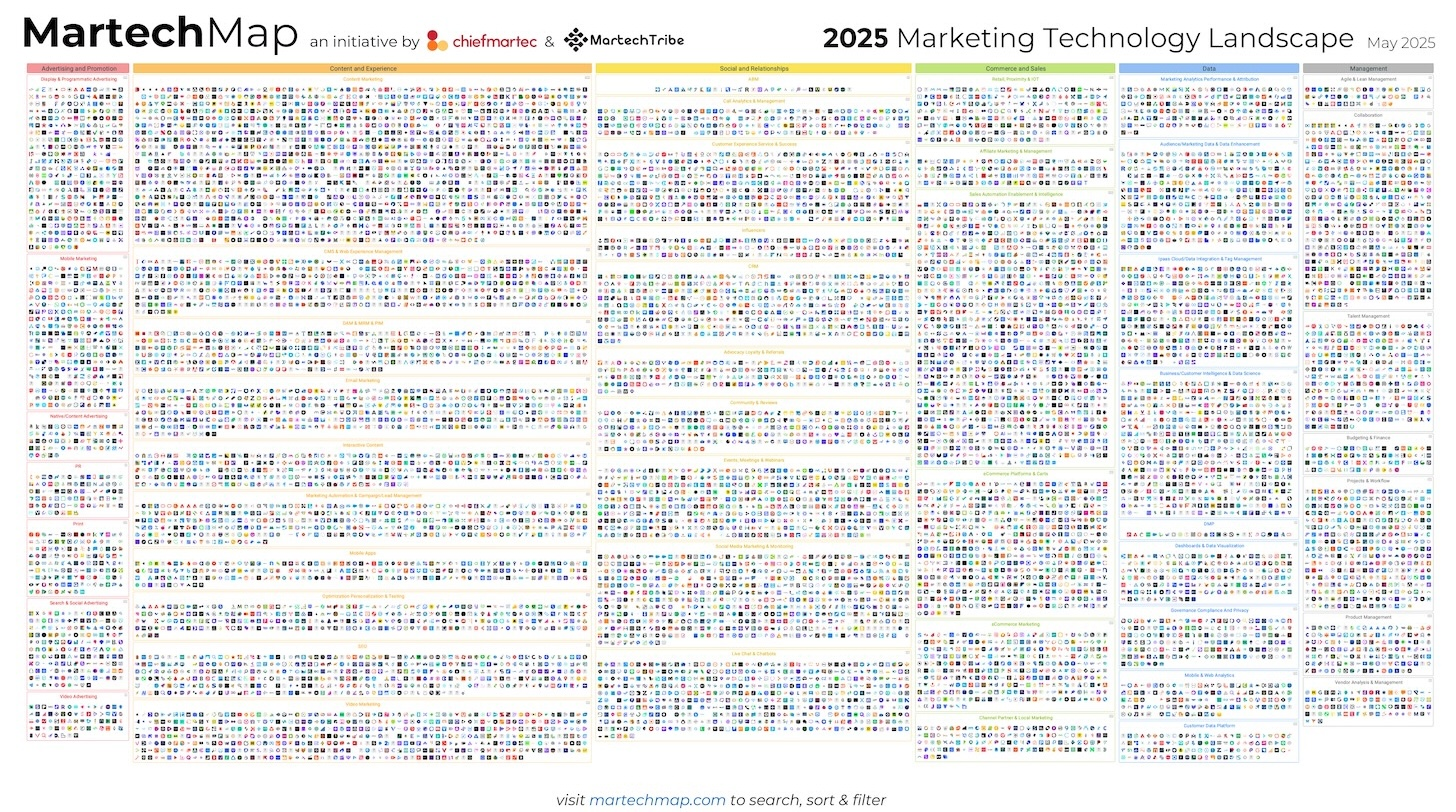
Marketing teams operate across an average of 8–12 platforms. Each tool captures a piece of the customer journey — ad spend, email engagement, CRM activity, website behavior. This fragmentation creates three problems: data sits in silos, teams spend hours copying numbers between systems, and attribution becomes impossible when no single platform sees the full picture.

This is the problem a unified martech stack is built to solve. The right combination of tools — integrated properly — transforms disconnected data into a single source of truth. It tells you which campaigns drive revenue, where budgets leak, and how each channel contributes to pipeline. The challenge is choosing tools that work together, not just individually.

This guide evaluates the top 15 martech tools for enterprise teams in 2026, organized by category: data infrastructure, automation, analytics, and customer engagement. Each entry includes core capabilities, integration requirements, pricing structure, and ideal use cases. The goal is to help you build a stack that unifies your marketing operation instead of fragmenting it further.

Key Takeaways

✓ Enterprise martech stacks average 8–12 tools across data infrastructure, automation, analytics, and engagement categories — integration architecture determines whether they unify or fragment your operation.

✓ Marketing data infrastructure tools solve the foundational problem: extracting data from every platform, transforming it into a consistent format, and loading it into your warehouse or BI layer — without this foundation, automation and analytics tools operate on incomplete data.

✓ The most common failure mode is selecting best-in-class tools that don't integrate — you end up with powerful platforms that can't share data, forcing analysts to build custom pipelines or maintain manual exports.

✓ HubSpot and Salesforce dominate the mid-market and enterprise CRM space, but their native reporting limits multi-channel attribution — teams typically pair them with dedicated data infrastructure to analyze performance across the full stack.

✓ Pricing models vary widely: per-seat licensing for CRMs and automation platforms, volume-based pricing for email and data tools, flat enterprise rates for infrastructure — total stack cost typically ranges from $3,000 to $25,000+ per month depending on team size and data volume.

✓ Stack consolidation is not always the answer — combining too many functions into one platform creates vendor lock-in and limits flexibility when needs evolve; the goal is integration, not elimination.

What Is a Martech Stack?

A martech stack is the collection of software tools a marketing team uses to plan, execute, measure, and optimize campaigns across channels. The term "stack" reflects architecture: tools sit in layers, with data infrastructure at the foundation, automation and execution in the middle, and analytics and reporting at the top.

Modern stacks typically include 8–12 core platforms organized into four categories: data infrastructure tools that unify information from every source, automation platforms that orchestrate campaigns and workflows, analytics tools that measure performance and attribution, and customer engagement platforms that manage email, ads, social media, and website interactions. The critical factor is integration — whether these tools share data seamlessly or operate as disconnected silos.

How to Choose Martech Tools: Evaluation Criteria for Enterprise Stacks

Choosing martech tools requires evaluating both individual capability and stack-level architecture. A platform that works well in isolation can fail when it doesn't integrate with the rest of your infrastructure. Use these five criteria to assess fit:

Integration architecture. Does the tool offer native connectors to your existing platforms, or will you need to build custom APIs? Marketing data infrastructure tools should connect to every channel you operate — ad networks, CRM, email, analytics, paid social. Automation and analytics tools should integrate with your data warehouse or BI layer. If a tool requires custom development to share data, factor engineering time and maintenance cost into the decision.

Data model and attribution support. Can the tool attribute outcomes to multi-touch journeys, or does it only report last-click conversions? Enterprise marketing attribution requires tracking the same customer across channels — which means tools must share a consistent identity framework. Platforms that operate on isolated data models create attribution gaps you'll spend months trying to close.

Pricing transparency and scale limits. Is pricing based on seats, data volume, features, or a combination? Many tools advertise accessible entry pricing but charge exponentially as your contact list, traffic, or data volume grows. Evaluate total cost at your expected 12-month scale, not your current size. Request concrete pricing for your projected volume before committing.

Vendor lock-in and data portability. Can you export your data in a usable format if you switch platforms? Some tools make it difficult to leave — either by restricting exports, using proprietary schemas, or embedding critical workflows that can't be replicated elsewhere. Prioritize platforms that treat your data as portable and offer standard export formats.

Implementation and maintenance burden. How much engineering and ongoing maintenance does the tool require? Data infrastructure tools should reduce manual work, not create it. Automation platforms should simplify workflows, not require constant troubleshooting. If a tool needs a full-time admin to operate, factor that cost into the evaluation.

Pro tip:
Pro tip: Start with data infrastructure before adding more tools to your stack. Unified data eliminates the integration burden for every platform you add later.
See it in action →

Top 15 Martech Tools for Enterprise Marketing Teams in 2026

Improvado: Marketing Data Infrastructure and Unified Analytics

Improvado is a marketing data infrastructure platform that extracts data from 1,000+ sources, transforms it into a consistent format, and loads it into your data warehouse or BI tool. It solves the foundational problem in every enterprise stack: marketing data lives in dozens of disconnected platforms, and no single tool sees the full picture. Without unified data, attribution breaks, reporting requires manual exports, and teams spend hours reconciling numbers across systems.

Core Capabilities and Integration Architecture

Improvado connects to every major marketing platform — Google Ads, Meta, LinkedIn, Salesforce, HubSpot, analytics tools, email platforms, and paid social networks — using pre-built connectors that require no API work. It extracts data at the most granular level (campaign, ad set, creative, keyword, UTM parameter), normalizes it using the Marketing Common Data Model, and loads it into your data warehouse (Snowflake, BigQuery, Redshift) or BI tool (Looker, Tableau, Power BI) on a schedule you define.

The platform includes Marketing Data Governance features: 250+ pre-built validation rules that flag budget overruns, naming convention violations, and tracking gaps before campaigns launch. It preserves 2 years of historical data when connectors change schemas — a critical capability for long-term trend analysis. Implementation typically completes within a week, and the platform includes a dedicated customer success manager and professional services as standard (not an add-on).

Improvado also offers an AI Agent that lets teams query unified data conversationally — "show me LinkedIn CAC by campaign for Q4" or "compare Meta ROAS to Google Ads by region" — without writing SQL. The agent operates across all connected sources, making attribution analysis accessible to non-technical marketers.

Pricing and Ideal Use Case

Improvado uses custom pricing based on data volume, number of sources, and required transformations. It's designed for enterprise marketing teams running campaigns across 10+ platforms who need unified reporting and multi-touch attribution. It's not ideal for small teams operating a single channel or businesses that don't require data warehouse architecture.

Best for: Enterprise marketing teams with complex, multi-channel stacks who need centralized data infrastructure without building custom ETL pipelines.

HubSpot Marketing Hub: Inbound Marketing and Marketing Automation

HubSpot Marketing Hub is an inbound marketing and automation platform that combines email marketing, landing pages, forms, lead scoring, and CRM integration in one system. It's built for teams that prioritize content marketing, lead nurture workflows, and alignment between marketing and sales. HubSpot's strength is ease of use — marketers can build campaigns, set up automation, and track performance without technical support.

Core Capabilities and Integration Limits

HubSpot provides email campaign builders, landing page templates, form tools, blog management, and social media scheduling in a single interface. The platform includes native CRM integration, so leads captured through forms or chatbots automatically sync to the sales pipeline. Marketing automation workflows trigger emails, assign tasks, or update contact properties based on behavior (email opens, page visits, form submissions).

The platform also offers basic analytics dashboards for campaign performance, traffic sources, and conversion funnels. However, HubSpot's native reporting is limited to data inside the HubSpot ecosystem — it doesn't unify performance from paid ads, offline events, or third-party platforms unless you integrate them separately. Multi-touch attribution requires exporting data to an external BI tool or data warehouse.

Pricing and Ideal Use Case

HubSpot Marketing Hub Professional commonly starts in the high hundreds per month for around 2,000 contacts, but pricing scales with contact volume [HubSpot Pricing]. Enterprise plans start around $3,600/month [HubSpot Pricing] and include advanced automation, custom reporting, and API access.

Best for: Mid-market and enterprise teams focused on inbound marketing, content-driven lead generation, and tight CRM-to-marketing alignment. Not ideal for teams that need unified analytics across paid channels or operate primarily through performance marketing.

Unify Your Martech Stack Data in One Platform — No Engineering Required
Improvado connects 1,000+ marketing sources — Google Ads, Meta, LinkedIn, Salesforce, HubSpot, analytics tools, and every platform in your stack — and loads unified data into your warehouse or BI tool. Pre-built connectors eliminate API work, and automated transformations normalize data using the Marketing Common Data Model. Teams typically go live within a week, with dedicated CSMs and professional services included as standard.

Salesforce Marketing Cloud: Enterprise Marketing Automation and Personalization

Salesforce Marketing Cloud is an enterprise marketing automation platform designed for large organizations running complex, multi-channel customer journeys. It combines email marketing, mobile messaging, advertising, social media management, and customer data management in one ecosystem. The platform integrates natively with Salesforce CRM, making it a natural choice for enterprises already operating on Salesforce infrastructure.

Core Capabilities and Technical Requirements

Marketing Cloud provides Journey Builder for multi-step automation workflows, Audience Studio for customer segmentation and data unification, and Personalization Builder for dynamic content across email and web. The platform includes Email Studio for campaign creation, Mobile Studio for SMS and push notifications, and Advertising Studio for targeting audiences on Google, Facebook, and LinkedIn using CRM data.

The platform's strength is scale and customization — it handles millions of contacts and supports complex segmentation logic. However, it requires significant technical investment to implement and maintain. Most enterprises need a dedicated Salesforce admin or partner to configure workflows, manage integrations, and optimize performance. Reporting is robust inside the Salesforce ecosystem but requires additional integration work to unify data from non-Salesforce platforms.

Pricing and Ideal Use Case

Salesforce Marketing Cloud uses custom enterprise pricing based on contact volume, features, and required integrations. Sales Cloud Enterprise is $175/user/month, and Unlimited is $330–350/user/month [Salesforce Sales Cloud Pricing]. Account Engagement (Pardot) typically starts in the low four-figure range per month [Salesforce Account Engagement Pricing].

Best for: Large enterprises with Salesforce CRM infrastructure, dedicated marketing ops teams, and complex, multi-touch customer journeys. Not ideal for small teams or businesses that prioritize speed over customization.

Google Analytics 4: Web and App Analytics

Google Analytics 4 is a web and app analytics platform that tracks user behavior, traffic sources, conversions, and engagement metrics across websites and mobile apps. It replaced Universal Analytics in 2023 and introduced event-based tracking, cross-platform measurement, and machine learning-powered insights. GA4 is free for most use cases, making it the default analytics tool for small and mid-market businesses.

Core Capabilities and Attribution Limits

GA4 tracks pageviews, sessions, events, conversions, and user paths across web and app properties. It provides traffic source reports (organic, paid, referral, direct), audience segmentation, and funnel analysis. The platform integrates natively with Google Ads, allowing marketers to import conversion data and optimize campaigns based on GA4 goals.

However, GA4's attribution model is last-click by default, and multi-touch attribution requires manual configuration and data exports. The platform doesn't unify data from non-Google channels (Facebook, LinkedIn, email, CRM) unless you integrate them through custom implementations. Reporting limits also apply: GA4 samples large datasets, and historical data is limited to the retention period you configure (14 months maximum for free accounts).

Pricing and Ideal Use Case

Google Analytics 4 is free for most businesses. Google Analytics 360 (enterprise edition) offers higher data limits, unsampled reporting, and service-level agreements, with custom pricing typically starting in the low six figures annually.

Best for: Teams that need free, reliable web analytics and operate primarily on Google Ads. Not ideal for enterprises requiring unified, multi-channel attribution or businesses that run significant campaigns outside the Google ecosystem.

Marketo Engage: B2B Marketing Automation and Lead Management

Marketo Engage is a B2B marketing automation platform focused on lead management, email nurture, and pipeline attribution. It's designed for complex sales cycles where marketing needs to nurture leads over weeks or months before passing them to sales. Marketo integrates natively with Salesforce and other CRMs, making it a common choice for B2B enterprises with dedicated marketing ops teams.

Core Capabilities and Integration Requirements

Marketo provides email campaign builders, landing page tools, form management, lead scoring, and multi-touch nurture workflows. The platform tracks lead behavior across web visits, email opens, content downloads, and webinar attendance, then assigns scores based on engagement. When a lead hits a threshold, Marketo triggers handoff workflows to sales.

The platform also includes revenue attribution reporting, which maps pipeline and closed deals back to marketing touches. However, attribution requires deep integration with your CRM and consistent data hygiene — if lead records aren't clean or campaigns aren't tagged properly, attribution reports break. Marketo also requires technical expertise to configure; most teams hire a Marketo-certified admin or consultant to manage the platform.

Pricing and Ideal Use Case

Marketo uses custom enterprise pricing based on database size and features. Entry pricing typically starts in the low four figures per month for smaller databases, scaling significantly as contact volume grows.

Best for: B2B enterprises with long sales cycles, complex lead nurture requirements, and dedicated marketing ops teams. Not ideal for B2C businesses, small teams without technical resources, or companies that need simple email marketing tools.

SEMrush: SEO, Content Marketing, and Competitive Intelligence

SEMrush is an SEO and content marketing platform that provides keyword research, backlink analysis, site audits, rank tracking, and competitive intelligence. It's built for organic search teams — content strategists, SEO specialists, and digital marketers who optimize for Google visibility. The platform combines research tools (what to write) with execution tools (how to optimize) in one interface.

Core Capabilities and Content Focus

SEMrush offers keyword research tools that show search volume, competition, and keyword difficulty for any term. It provides SERP analysis, revealing which pages rank for target keywords and what content format performs best. The platform includes site audit tools that flag technical SEO issues, backlink trackers that monitor link acquisition, and rank tracking dashboards that measure keyword position over time.

The platform also offers content tools: topic research, SEO writing assistant, and content audit features that identify underperforming pages. However, SEMrush focuses exclusively on organic search and content — it doesn't track paid ads, email campaigns, or CRM data. Teams running multi-channel operations need to pair SEMrush with separate analytics and attribution tools.

Pricing and Ideal Use Case

SEMrush offers tiered subscription pricing starting around $130/month for basic plans, scaling to $500+/month for enterprise features and higher query limits.

Best for: Content marketing teams, SEO specialists, and agencies focused on organic search growth. Not ideal for performance marketers running paid campaigns or teams that need unified analytics across channels.

Signs your martech stack is fragmented
⚠️
5 Signs Your Stack Needs a Data Infrastructure UpgradeEnterprise marketing teams switch when they recognize these patterns:
  • Analysts spend 10+ hours per week manually exporting data from ad platforms, CRM, and analytics tools to build reports
  • Attribution reports conflict across platforms — Google Analytics shows different conversion numbers than Meta, LinkedIn, and Salesforce
  • Campaign performance data lives in siloed dashboards, and no one can see the full customer journey in one place
  • Custom API integrations break every time a platform updates its schema, requiring constant engineering maintenance
  • Leadership asks 'what's working?' and the answer requires pulling data from 8 different tools into a spreadsheet
Talk to an expert →

Tableau: Business Intelligence and Data Visualization

Tableau is a business intelligence platform that connects to data sources, transforms raw data into interactive visualizations, and publishes dashboards for team-wide access. It's designed for analysts and data teams who need to explore datasets, build custom reports, and share insights across the organization. Tableau supports hundreds of data connectors — databases, cloud storage, SaaS tools — making it a flexible reporting layer for complex data environments.

Core Capabilities and Technical Requirements

Tableau provides drag-and-drop chart builders, calculated field tools, and dashboard design interfaces that let analysts create custom visualizations without writing code. The platform supports SQL queries for advanced users and includes data blending features that combine multiple sources in one view. Dashboards publish to Tableau Server or Tableau Cloud, where teams can access live reports through web browsers or mobile apps.

However, Tableau requires clean, structured data to function — it doesn't extract or transform marketing data on its own. Teams typically pair Tableau with a data warehouse or marketing data infrastructure platform that handles data extraction and normalization. Without that foundation, analysts spend hours preparing data manually before building reports.

Pricing and Ideal Use Case

Tableau uses per-user licensing. Tableau Creator (full authoring access) costs around $70/user/month, Tableau Explorer (limited editing) costs around $42/user/month, and Tableau Viewer (read-only access) costs around $15/user/month.

Best for: Enterprises with data warehouses, dedicated analytics teams, and complex reporting requirements. Not ideal for small teams without data infrastructure or businesses that need out-of-the-box marketing dashboards.

"Improvado has been an incredible partner. We wouldn't have been able to bring our new attribution product to market without them."
— Chelsea Dougherty, Marketing & Advertising Platform, AdRoll
82%
engineering time saved on integrations
5x
faster time-to-market vs. in-house
Book a demo

Slack: Team Communication and Workflow Integration

Slack is a team communication platform that organizes conversations into channels, integrates with hundreds of work tools, and centralizes notifications in one interface. While not a marketing tool specifically, Slack has become critical infrastructure for distributed marketing teams — it's where campaign planning happens, approvals move, and performance alerts surface in real time.

Core Capabilities and Marketing Use Cases

Slack provides public and private channels for topic-based conversations, direct messaging for one-on-one communication, and threaded replies that keep discussions organized. The platform integrates with project management tools (Asana, Trello), file storage (Google Drive, Dropbox), and marketing platforms (HubSpot, Google Ads) through native connectors and custom webhooks.

Marketing teams use Slack to centralize campaign coordination, automate performance alerts (e.g., "Google Ads spend exceeded $10k today"), and streamline approval workflows. However, Slack is not a marketing execution tool — it doesn't run campaigns, store customer data, or provide analytics. It's infrastructure for team coordination, not a replacement for automation or analytics platforms.

Pricing and Ideal Use Case

Slack offers a free tier with limited message history and integrations. Paid plans start around $7.25/user/month (Pro) and scale to $12.50/user/month (Business+) with advanced admin controls and compliance features.

Best for: Distributed marketing teams that need centralized communication and workflow integration. Not a standalone marketing tool — it complements execution and analytics platforms but doesn't replace them.

Marketing Data Governance: Catch Budget Overruns Before Campaigns Launch
Improvado includes 250+ pre-built validation rules that flag naming convention violations, tracking gaps, and budget overruns in real time — before campaigns go live. The platform preserves 2 years of historical data when connector schemas change, ensuring long-term trend analysis remains intact even as platforms evolve. Built for enterprise marketing teams that need governance, not just extraction.

Drift: Conversational Marketing and Sales Chatbots

Drift is a conversational marketing platform that combines website chatbots, email automation, and meeting scheduling to accelerate inbound lead qualification. It's designed for B2B sales teams that want to route high-intent website visitors directly to sales reps instead of waiting for form submissions. Drift identifies visitor behavior (pages viewed, time on site, return visits) and triggers personalized chat prompts based on engagement signals.

Core Capabilities and Sales Alignment

Drift provides chatbot builders that let teams design custom conversation flows — qualifying questions, meeting scheduling links, or handoffs to live reps. The platform integrates with CRMs (Salesforce, HubSpot) to log conversations, update lead records, and trigger follow-up workflows. It also offers email playbooks that send automated sequences based on chat interactions or website behavior.

Drift's strength is speed — it shortens the time between website visit and sales conversation. However, it requires active sales team participation; if reps don't respond to chat handoffs quickly, the experience breaks. The platform also works best for high-ticket B2B sales where live conversations add value — it's less effective for low-touch, self-service buyers.

Pricing and Ideal Use Case

Drift offers tiered pricing starting around $2,500/month for Premium plans. Enterprise pricing is custom and scales based on traffic volume and required features.

Best for: B2B companies with high-value deals, responsive sales teams, and significant website traffic. Not ideal for B2C businesses, low-ticket products, or teams without dedicated sales resources to manage live chat.

Mailchimp: Email Marketing and Automation for Small Teams

Mailchimp is an email marketing platform designed for small businesses and growing teams. It provides campaign builders, audience segmentation, automation workflows, and basic landing pages in one accessible interface. Mailchimp's strength is ease of use — non-technical marketers can launch email campaigns, build simple automations, and track performance without training or technical support.

Core Capabilities and Scale Limits

Mailchimp offers drag-and-drop email builders, pre-designed templates, A/B testing tools, and list segmentation based on contact properties or behavior. The platform includes basic automation workflows (welcome series, abandoned cart, re-engagement) and integrates with ecommerce platforms like Shopify and WooCommerce. Reporting dashboards show open rates, click rates, conversions, and revenue attribution for ecommerce integrations.

However, Mailchimp's capabilities are limited compared to enterprise marketing automation platforms. Advanced segmentation, multi-touch workflows, and deep CRM integration require upgrading to higher tiers or switching platforms. The platform also lacks unified analytics — it reports email performance but doesn't connect to paid ads, web analytics, or CRM data without custom integrations.

Pricing and Ideal Use Case

Mailchimp offers a free tier for up to 500 contacts and 1,000 monthly sends. Paid plans start around $20/month (Essentials) and scale to $350+/month (Premium) based on contact count and features.

Best for: Small businesses, solopreneurs, and teams launching their first email marketing campaigns. Not ideal for enterprises with complex automation needs or teams requiring unified analytics across channels.

Google Ads is the dominant paid search and display advertising platform, providing access to Google Search, YouTube, Gmail, and millions of partner websites through the Google Display Network. It's built for performance marketers running intent-driven campaigns — targeting users actively searching for products, services, or information. Google Ads operates on auction-based bidding, where advertisers compete for placement based on keyword relevance, bid amount, and ad quality.

Google Ads provides campaign creation tools for search ads, display banners, video ads, shopping ads, and app install campaigns. The platform includes keyword research tools, audience targeting options (demographics, interests, remarketing), and automated bidding strategies that optimize for conversions, clicks, or impressions. Reporting dashboards show spend, impressions, clicks, conversions, and cost-per-acquisition at campaign, ad group, and keyword levels.

However, Google Ads attribution is limited to last-click by default, and multi-touch models require integration with Google Analytics 4 or custom data exports. The platform doesn't show how Google campaigns interact with other channels (Facebook, LinkedIn, email, offline events) unless you connect them through a unified data infrastructure. Teams running multi-channel strategies need external attribution tools to see the full customer journey.

Google Ads uses pay-per-click pricing — you set daily budgets and maximum bids, then pay only when users click your ads. Costs vary widely by industry and keyword competitiveness, ranging from under $1 per click for low-competition terms to $50+ for high-value B2B keywords.

Best for: Performance marketers targeting high-intent search traffic, ecommerce businesses, and lead generation teams. Not a standalone solution — requires pairing with analytics and attribution tools to measure full-funnel performance.

Meta Ads Manager: Facebook and Instagram Advertising

Meta Ads Manager is the advertising platform for Facebook, Instagram, Messenger, and Audience Network. It's designed for marketers running awareness, engagement, and conversion campaigns across Meta's social properties. The platform provides targeting tools based on demographics, interests, behaviors, and custom audiences (email lists, website visitors, app users). Meta Ads operates on auction-based bidding, similar to Google Ads, with optimization options for reach, engagement, or conversions.

Core Capabilities and Tracking Challenges

Meta Ads Manager provides campaign creation tools for image ads, video ads, carousel ads, and collection ads. The platform includes Advantage+ automation features that use machine learning to optimize targeting, creative, and placement. Reporting dashboards show spend, impressions, reach, clicks, conversions, and cost-per-result at campaign and ad set levels.

However, Meta's attribution accuracy has declined significantly since Apple's iOS 14.5 update restricted tracking. The platform now relies on probabilistic modeling to estimate conversions, which introduces reporting discrepancies when compared to Google Analytics or CRM data. Teams running multi-channel campaigns often see conflicting attribution numbers between Meta, Google, and their source-of-truth systems.

Pricing and Ideal Use Case

Meta Ads uses pay-per-impression or pay-per-click pricing, depending on campaign objective. You set daily or lifetime budgets and bid caps, then pay based on delivery. Costs vary by audience size, competition, and campaign objective, typically ranging from $0.50 to $5+ per click for most industries.

Best for: Brand awareness campaigns, social engagement, ecommerce retargeting, and lead generation targeting specific demographics. Not a standalone solution — requires external attribution tools to reconcile performance with other channels.

✦ Marketing Data at ScaleConnect Your Entire Martech Stack. The AI Agent Answers the Rest.Improvado unifies data from 1,000+ sources, then lets you query it conversationally — 'show me LinkedIn CAC vs. Google Ads by region for Q4' — without SQL.
38 hrsSaved per analyst/week
1,000+Data sources connected
DaysTo full implementation

LinkedIn Campaign Manager: B2B Advertising and Account-Based Marketing

LinkedIn Campaign Manager is the advertising platform for LinkedIn, designed specifically for B2B marketers targeting decision-makers by job title, company, industry, and seniority. It's built for account-based marketing, demand generation, and lead capture campaigns where targeting precision matters more than scale. LinkedIn's strength is professional targeting — you can reach CFOs at Fortune 500 companies or VPs of Marketing at Series B SaaS startups with high accuracy.

Core Capabilities and Cost Structure

LinkedIn Campaign Manager provides campaign creation tools for sponsored content, message ads, dynamic ads, and text ads. The platform includes Lead Gen Forms that capture contact information without leaving LinkedIn, reducing friction for high-intent prospects. Reporting dashboards show spend, impressions, clicks, leads, and cost-per-lead at campaign and creative levels.

However, LinkedIn Ads are significantly more expensive than other platforms — cost-per-click often ranges from $5 to $15+, and cost-per-lead can exceed $50 for competitive audiences. The platform works best for high-ticket B2B sales where customer lifetime value justifies acquisition cost. It's not cost-effective for low-margin products or mass-market campaigns.

Pricing and Ideal Use Case

LinkedIn Campaign Manager uses pay-per-click or pay-per-impression pricing. Minimum daily budgets start at $10, but realistic campaign budgets typically run $500–$5,000+ per month depending on audience size and objectives.

Best for: B2B enterprises with high-value deals, account-based marketing teams, and demand generation campaigns targeting specific job titles or companies. Not ideal for B2C businesses, low-ticket products, or teams with limited ad budgets.

Hotjar: Behavior Analytics and User Feedback

Hotjar is a behavior analytics platform that visualizes how users interact with websites through heatmaps, session recordings, and feedback polls. It's designed for product and marketing teams who need qualitative insights to complement quantitative analytics — understanding not just where users drop off, but why. Hotjar captures clicks, scrolls, mouse movement, and navigation patterns, then highlights friction points that impact conversion rates.

Core Capabilities and Qualitative Focus

Hotjar provides heatmaps that show where users click, scroll, and hover on pages. Session recordings replay individual user visits, revealing navigation paths, hesitation points, and errors. The platform includes feedback widgets (polls, surveys, Net Promoter Score) that capture user sentiment at key moments (checkout, form abandonment, exit intent).

However, Hotjar is a qualitative tool — it doesn't provide quantitative analytics like traffic volume, conversion rates, or attribution. Teams typically pair Hotjar with Google Analytics or other analytics platforms to combine behavioral insights with performance metrics. The platform also samples data on lower-tier plans, so not every session is recorded.

Pricing and Ideal Use Case

Hotjar offers a free tier with limited sessions and features. Paid plans start around $39/month (Plus) and scale to $213/month (Business) based on daily session limits and team size.

Best for: Product teams, UX designers, and conversion rate optimization specialists who need qualitative insights. Not a replacement for quantitative analytics — it complements platforms like Google Analytics but doesn't replace them.

Asana: Project Management and Campaign Coordination

Asana is a project management platform that organizes tasks, timelines, and team workflows in one interface. While not a marketing tool specifically, Asana has become standard infrastructure for campaign planning, content calendars, and cross-functional coordination. Marketing teams use Asana to track campaign launches, assign responsibilities, set deadlines, and visualize workload across projects.

Core Capabilities and Marketing Use Cases

Asana provides task lists, kanban boards, Gantt charts, and calendar views that let teams organize work by project, campaign, or timeline. The platform includes custom fields for tracking campaign status, budget, channel, or priority. Automation rules trigger task assignments, due date changes, or status updates based on defined conditions (e.g., when a task moves to "In Review", assign it to the content lead).

Marketing teams use Asana to manage content calendars, coordinate multi-channel campaign launches, and track deliverables across design, copy, and analytics teams. However, Asana is not a marketing execution tool — it doesn't run campaigns, store customer data, or provide analytics. It's infrastructure for team coordination, not a replacement for automation or reporting platforms.

Pricing and Ideal Use Case

Asana offers a free tier for basic task management. Paid plans start around $13.49/user/month (Premium) and scale to custom enterprise pricing with advanced admin controls, security features, and priority support.

Best for: Marketing teams coordinating complex, multi-channel campaigns across distributed teams. Not a standalone marketing tool — it complements execution and analytics platforms but doesn't replace them.

Ahrefs: SEO Research, Backlink Analysis, and Competitive Intelligence

Ahrefs is an SEO research platform focused on backlink analysis, keyword research, and competitive intelligence. It's built for SEO specialists and content strategists who need to understand link profiles, identify ranking opportunities, and track competitor performance. Ahrefs crawls the web continuously, building one of the largest backlink databases available, making it the go-to tool for link-building campaigns and domain authority analysis.

Core Capabilities and SEO Focus

Ahrefs provides backlink analysis tools that show every site linking to a domain, the anchor text used, and the authority of linking pages. Keyword research tools reveal search volume, keyword difficulty, and SERP features for any term. The platform includes site audit features that flag technical SEO issues, rank tracking dashboards that monitor keyword positions over time, and content gap analysis that identifies keywords competitors rank for that you don't.

However, Ahrefs focuses exclusively on organic search and link building — it doesn't track paid ads, email campaigns, or CRM data. Teams running multi-channel operations need to pair Ahrefs with separate analytics and attribution tools. The platform also requires SEO expertise to interpret — it's not designed for generalist marketers without search optimization experience.

Pricing and Ideal Use Case

Ahrefs offers tiered subscription pricing starting around $129/month (Lite) and scaling to $1,290/month (Enterprise) based on user limits, crawl credits, and reporting features.

Best for: SEO specialists, content strategists, and agencies focused on organic search and link-building campaigns. Not ideal for performance marketers running paid campaigns or teams that need unified analytics across channels.

Go Live in Days, Not Months — With Dedicated Support Every Step
Most marketing data infrastructure projects take months and require full-time engineering resources. Improvado implementations typically complete within a week because pre-built connectors eliminate API work, automated transformations handle data normalization, and a dedicated CSM manages setup from kickoff to go-live. Professional services are included as standard, not an add-on. Your team focuses on analysis, not integration maintenance.

Martech Tools Comparison: Features, Pricing, and Use Cases

PlatformCategoryCore CapabilityPricing ModelBest ForKey Limitation
ImprovadoData InfrastructureMarketing data extraction, transformation, and loading from 1,000+ sources into warehouse/BI toolsCustom enterprise pricingEnterprise teams needing unified multi-channel data without building ETL pipelinesNot ideal for single-channel teams or businesses without data warehouse architecture
HubSpot Marketing HubMarketing AutomationInbound marketing, email automation, landing pages, CRM integration$2k contacts: high hundreds/month; Enterprise: $3,600/monthMid-market teams focused on content-driven lead gen and CRM alignmentLimited multi-channel attribution; native reporting confined to HubSpot data
Salesforce Marketing CloudMarketing AutomationEnterprise-scale customer journeys, personalization, multi-channel orchestrationCustom enterprise pricing; Sales Cloud Enterprise: $175/user/monthLarge enterprises with Salesforce CRM and dedicated marketing ops teamsRequires significant technical resources; high implementation and maintenance cost
Google Analytics 4AnalyticsWeb and app traffic, conversions, audience segmentation, Google Ads integrationFree (GA4); GA360: custom pricing, low six figures annuallyTeams needing free web analytics and operating primarily on Google AdsLast-click attribution by default; doesn't unify non-Google channel data
Marketo EngageMarketing AutomationB2B lead nurture, scoring, pipeline attribution, Salesforce integrationCustom enterprise pricing; typically low four figures/month minimumB2B enterprises with long sales cycles and complex nurture workflowsRequires Marketo-certified admin; not suitable for B2C or small teams
SEMrushSEO / ContentKeyword research, SERP analysis, site audits, content optimization$130/month (basic); $500+/month (enterprise)Content marketing teams and SEO specialists focused on organic growthNo paid ad tracking or multi-channel analytics; SEO-only focus
TableauBusiness IntelligenceData visualization, custom dashboards, multi-source reporting$70/user/month (Creator); $42/user/month (Explorer); $15/user/month (Viewer)Enterprises with data warehouses and dedicated analytics teamsRequires pre-structured data; no built-in marketing data extraction
SlackCommunicationTeam messaging, workflow integration, campaign coordinationFree (limited); $7.25/user/month (Pro); $12.50/user/month (Business+)Distributed marketing teams needing centralized communicationNot a marketing execution tool; complements other platforms, doesn't replace them
DriftConversational MarketingWebsite chatbots, meeting scheduling, inbound lead qualification~$2,500/month (Premium); custom enterprise pricingB2B companies with high-value deals and responsive sales teamsRequires active sales participation; less effective for low-touch or B2C sales
MailchimpEmail MarketingEmail campaigns, basic automation, audience segmentationFree (500 contacts); $20/month (Essentials); $350+/month (Premium)Small businesses and teams launching first email campaignsLimited advanced automation; no unified multi-channel analytics
Google AdsPaid AdvertisingSearch, display, video, shopping ads across Google propertiesPay-per-click; costs vary by industry ($1–$50+ per click)Performance marketers targeting high-intent search trafficLast-click attribution; no visibility into non-Google channels without integration
Meta Ads ManagerPaid AdvertisingFacebook, Instagram, Messenger advertising with demographic targetingPay-per-impression or pay-per-click; $0.50–$5+ per click typicalBrand awareness, social engagement, ecommerce retargetingAttribution accuracy degraded post-iOS 14.5; requires external attribution tools
LinkedIn Campaign ManagerPaid AdvertisingB2B advertising targeting by job title, company, industry, seniorityPay-per-click or pay-per-impression; $5–$15+ per click typicalB2B enterprises with high-value deals and account-based marketingHigh cost-per-click and cost-per-lead; not cost-effective for low-margin products
HotjarBehavior AnalyticsHeatmaps, session recordings, user feedback pollsFree (limited); $39/month (Plus); $213/month (Business)Product teams and CRO specialists needing qualitative user insightsQualitative only; must pair with quantitative analytics like Google Analytics
AsanaProject ManagementTask management, campaign coordination, content calendarsFree (basic); $13.49/user/month (Premium); custom enterprise pricingMarketing teams coordinating complex, multi-channel campaignsNot a marketing execution tool; no campaign automation or analytics
AhrefsSEO / ContentBacklink analysis, keyword research, competitive intelligence$129/month (Lite); $1,290/month (Enterprise)SEO specialists and agencies focused on link building and organic searchSEO-only focus; no paid ad or multi-channel analytics

How to Get Started with Your Martech Stack

Building a martech stack is not about collecting tools — it's about designing an integrated system where data flows between platforms without manual intervention. Start by auditing your current infrastructure: list every platform your team uses, document where data lives, and identify gaps where manual exports or custom scripts are required to connect systems.

Next, prioritize integration architecture over individual features. The most powerful tool in isolation becomes a liability if it doesn't share data with the rest of your stack. Choose platforms that offer native connectors to your existing systems or partner with marketing data infrastructure tools like Improvado that unify data from every source into your warehouse or BI layer. This foundation eliminates the integration burden and ensures every tool operates on the same data.

Implement in phases, starting with data infrastructure. Connect your most critical platforms first — CRM, ad networks, analytics tools — then layer in automation and engagement platforms once unified reporting is operational. This sequence prevents the common failure mode where teams adopt powerful tools but can't measure their impact because data remains siloed. Test integrations thoroughly before scaling, and document every connection so future team members understand how data flows through the stack.

Conclusion

The top martech tools in 2026 share one common characteristic: they solve specific problems exceptionally well. HubSpot excels at inbound marketing automation. Google Ads dominates search advertising. Tableau provides flexible data visualization. The challenge is not finding capable tools — it's ensuring they work together as an integrated system instead of operating as disconnected silos.

Integration architecture determines whether your stack unifies your marketing operation or fragments it further. The most common failure mode is selecting best-in-class tools that don't share data, forcing analysts to build custom pipelines or maintain manual exports indefinitely. Marketing data infrastructure platforms like Improvado solve this foundational problem by extracting data from every source, transforming it into a consistent format, and loading it into your warehouse or BI tool — eliminating the integration burden entirely.

Focus on integration first, features second. A stack built on unified data infrastructure enables accurate attribution, eliminates manual reporting work, and gives every tool access to the same customer truth. Without that foundation, even the most powerful platforms operate blind.

Without unified martech data, your team will keep spending 38+ hours per week exporting CSVs, reconciling attribution, and guessing which campaigns actually drive revenue.
Book a demo →

Frequently Asked Questions

What is martech and why does it matter?

Martech (marketing technology) refers to the software tools and platforms marketing teams use to plan, execute, measure, and optimize campaigns across channels. It matters because modern marketing operates across 8–12 disconnected platforms — ad networks, CRM, email, analytics, social media — and without the right tools to unify that data, teams can't measure what's working, attribute revenue accurately, or make informed budget decisions. Martech infrastructure determines whether you operate on fragmented guesses or unified insights.

How many martech tools does an enterprise marketing team need?

Enterprise marketing teams typically operate 8–12 core tools organized into four categories: data infrastructure (1–2 tools that unify data from all sources), automation platforms (1–2 CRM and email systems), analytics and BI tools (1–2 reporting platforms), and customer engagement platforms (4–6 tools covering paid ads, SEO, social media, and website optimization). The goal is integration, not collection — more tools without proper data infrastructure creates silos instead of solving them.

Why should data infrastructure be the first investment in a martech stack?

Data infrastructure sits at the foundation of your stack — it extracts data from every platform, transforms it into a consistent format, and loads it into your warehouse or BI tool. Without this layer, every other tool operates on incomplete data, attribution breaks, and analysts spend hours manually exporting and reconciling numbers. Implementing data infrastructure first (platforms like Improvado that connect 1,000+ sources) ensures every subsequent tool you add integrates seamlessly and contributes to a unified view of performance.

What's the difference between HubSpot and Salesforce Marketing Cloud?

HubSpot Marketing Hub is designed for mid-market teams focused on inbound marketing, content-driven lead generation, and tight CRM-to-marketing alignment. It's accessible, fast to implement, and works well for teams without dedicated marketing ops resources. Salesforce Marketing Cloud is built for large enterprises running complex, multi-touch customer journeys across email, mobile, advertising, and social media. It requires significant technical investment to implement and maintain but offers deeper customization and scale. Choose HubSpot if you prioritize speed and ease of use; choose Salesforce if you have dedicated ops teams and need enterprise-scale personalization.

Should I prioritize Google Ads or Meta Ads for paid campaigns?

Google Ads captures high-intent search traffic — users actively looking for solutions, products, or services. It works best for performance marketing, lead generation, and ecommerce where search demand exists. Meta Ads targets users based on demographics, interests, and behaviors across Facebook and Instagram. It works best for brand awareness, social engagement, and retargeting. Most enterprise teams run both, with Google capturing demand and Meta creating it. The decision depends on where your audience is and whether you're solving existing demand or building new awareness.

Do I need a separate attribution tool, or can my CRM handle it?

CRMs like HubSpot and Salesforce provide basic attribution reporting, but they only track data inside their own ecosystem — form submissions, email opens, CRM activity. They don't see paid ad performance, organic search, offline events, or third-party platforms unless you integrate them. Most enterprise teams need dedicated marketing data infrastructure (like Improvado) that unifies data from every channel into a warehouse or BI tool, then builds multi-touch attribution models on top of that complete dataset. Without unified data, CRM attribution reports only show part of the journey.

What's the biggest mistake teams make when building a martech stack?

The most common mistake is selecting best-in-class tools without evaluating integration requirements first. Teams choose powerful platforms — a great CRM, a sophisticated automation tool, an advanced analytics system — then discover they don't share data without custom API work. Analysts spend months building fragile integrations that break every time a platform updates its schema. The solution is prioritizing integration architecture over individual features: start with data infrastructure that connects all your tools, then layer in automation and analytics on top of that unified foundation.

How does Improvado compare to other marketing data integration tools?

Improvado connects 1,000+ marketing data sources using pre-built connectors that require no API work, extracts data at the most granular level (campaign, ad set, creative, keyword), and normalizes it using the Marketing Common Data Model before loading it into your warehouse or BI tool. It includes Marketing Data Governance features (250+ pre-built validation rules) that flag budget overruns and tracking gaps before campaigns launch. Implementation typically completes within a week, and the platform includes a dedicated CSM and professional services as standard. Compared to generic ETL tools, Improvado is purpose-built for marketing teams and handles schema changes automatically, preserving 2 years of historical data when connectors update.

FAQ

⚡️ Pro tip

"While Improvado doesn't directly adjust audience settings, it supports audience expansion by providing the tools you need to analyze and refine performance across platforms:

1

Consistent UTMs: Larger audiences often span multiple platforms. Improvado ensures consistent UTM monitoring, enabling you to gather detailed performance data from Instagram, Facebook, LinkedIn, and beyond.

2

Cross-platform data integration: With larger audiences spread across platforms, consolidating performance metrics becomes essential. Improvado unifies this data and makes it easier to spot trends and opportunities.

3

Actionable insights: Improvado analyzes your campaigns, identifying the most effective combinations of audience, banner, message, offer, and landing page. These insights help you build high-performing, lead-generating combinations.

With Improvado, you can streamline audience testing, refine your messaging, and identify the combinations that generate the best results. Once you've found your "winning formula," you can scale confidently and repeat the process to discover new high-performing formulas."

VP of Product at Improvado
This is some text inside of a div block
Description
Learn more
UTM Mastery: Advanced UTM Practices for Precise Marketing Attribution
Download
Unshackling Marketing Insights With Advanced UTM Practices
Download
Craft marketing dashboards with ChatGPT
Harness the AI Power of ChatGPT to Elevate Your Marketing Efforts
Download

Lorem ipsum dolor sit amet, consectetur adipiscing elit. Suspendisse varius enim in eros elementum tristique. Duis cursus, mi quis viverra ornare, eros dolor interdum nulla, ut commodo diam libero vitae erat. Aenean faucibus nibh et justo cursus id rutrum lorem imperdiet. Nunc ut sem vitae risus tristique posuere.

Lorem ipsum dolor sit amet, consectetur adipiscing elit. Suspendisse varius enim in eros elementum tristique. Duis cursus, mi quis viverra ornare, eros dolor interdum nulla, ut commodo diam libero vitae erat. Aenean faucibus nibh et justo cursus id rutrum lorem imperdiet. Nunc ut sem vitae risus tristique posuere.