

What CM360 (Campaign Manager 360) is, and how it differs from DV360
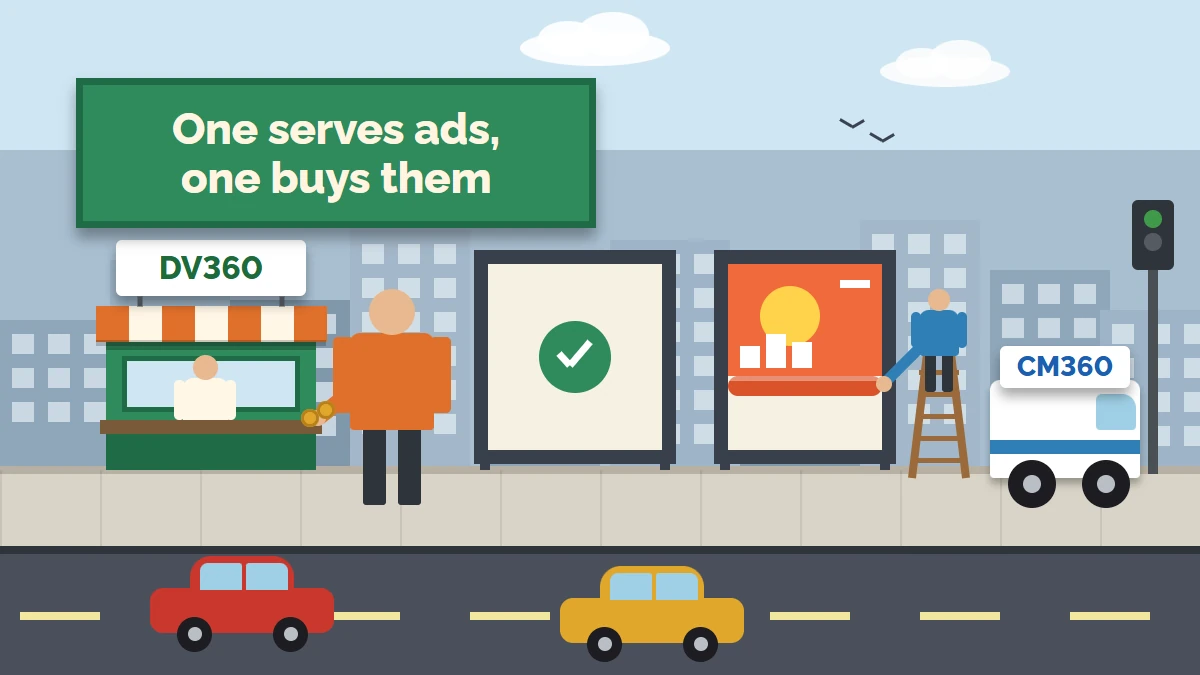
CM360 (Campaign Manager 360) is Google's ad server: it delivers your ads and measures them. DV360 (Display & Video 360) is where you buy the ad space.
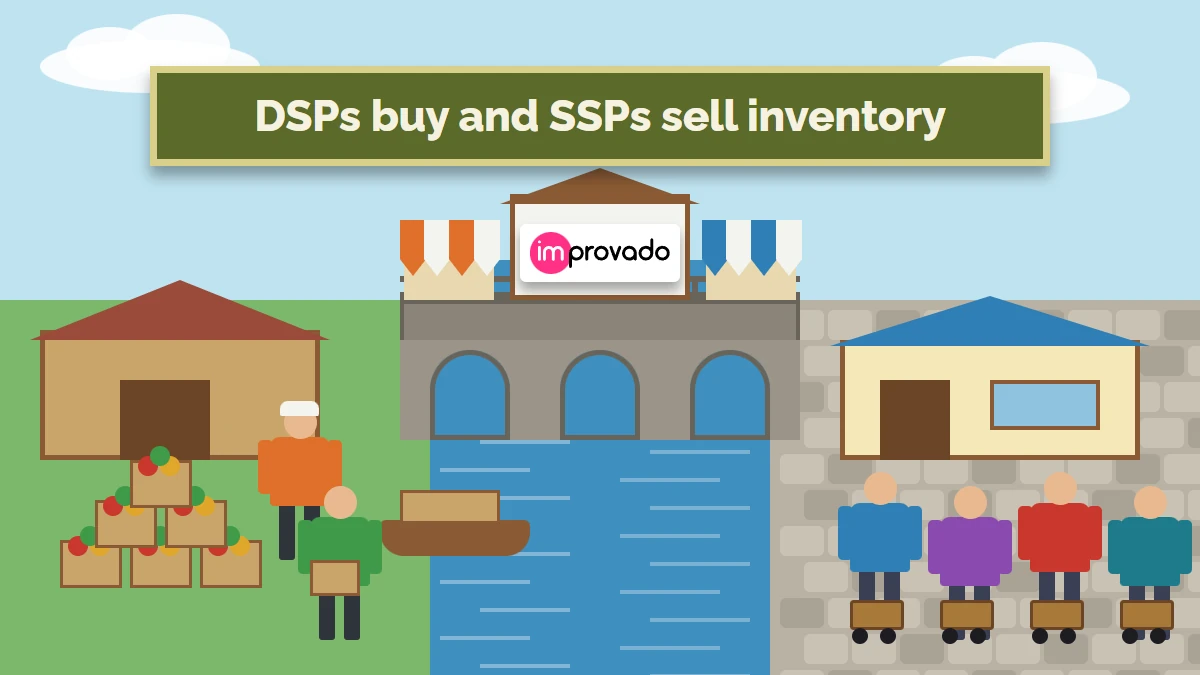
- 1. BuyDV360 buys the ad space in auctions and deals.
- 2. ServeCM360 ad servers deliver the ad. DV360 can use a third-party ad server instead.
- 3. CountFloodlight tags on your site or app record each conversion.
- 4. ReportCM360 reports show DV360 cost as a field called DBM cost, after DoubleClick Bid Manager.
Short answers
| My totals do not match | Expected. Take spend from Revenue in DV360, which is DBM cost in CM360. Take impressions, clicks and conversions from CM360. |
|---|---|
| Do I need both? | Buying in DV360 with CM360 serving: link them when you create the advertiser. With another ad server, CM360 is optional. An agency buys for you: settle who holds the advertiser first. |
| CM360 fields in GA4 | They describe the CM360 campaign behind a click. When one is blank, check the link date, then click or view, then the DCLID. |
| Data into a warehouse | Use Data Transfer for event-level rows. With linking and permissions on, DV360 ids can sit on CM360 rows, so those fields need no separate join. |
| Running this for clients | One DV360 partner holds many advertisers. In CM360, Google says user filters and roles are usually easier than subaccounts. |
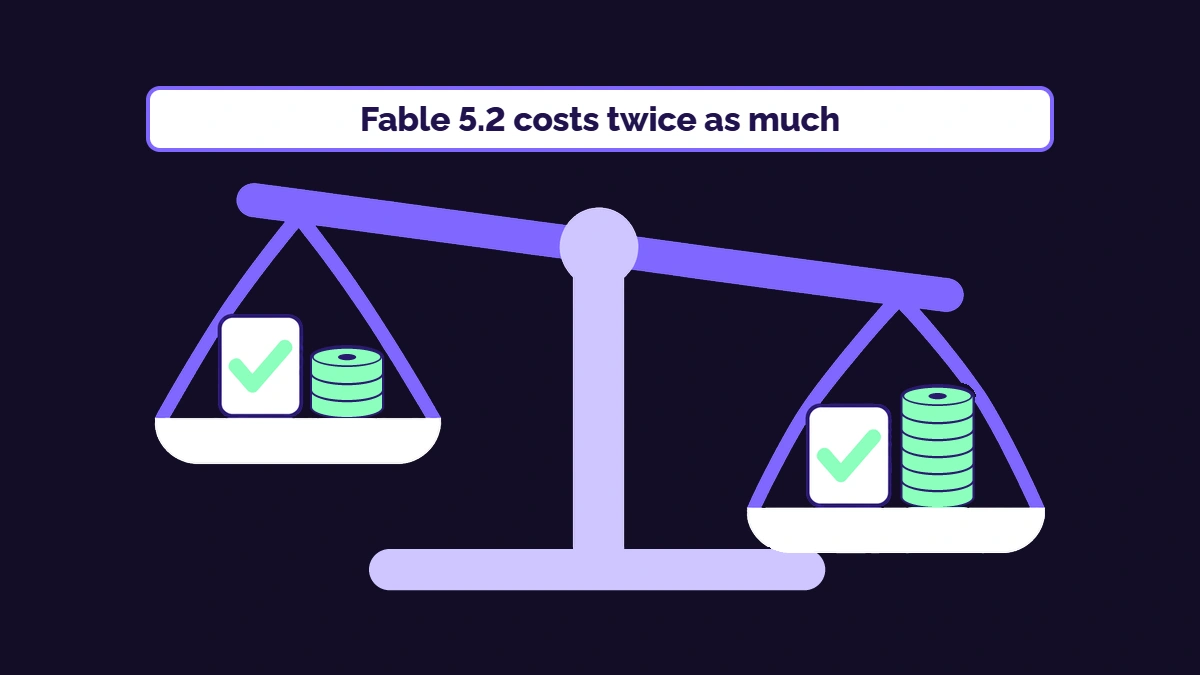
| What it costs | Neither product page shows a price. A DV360 contract sets an Upper and a Lower rate. Here is what to ask sales. |
CM360 traffics placements, counts conversions with Floodlight (CM360 overview) and tracks ads others serve, once the publisher adds the tag. DV360 helps teams purchase inventory (DV360 overview): auctions and fixed deals, YouTube, connected TV and audio.
No call. One email. See the checklist first, or book a call instead.
Terms. Floodlight: Google's conversion tags on your site or app. Placement: the ad slot you bought on a site. Trafficking: assigning ads to placements and sending tags to publishers. DBM: DoubleClick Bid Manager, the older name behind the DBM cost field.
They do different jobs and work as a pair, so no total below is a score. Six are full on both: hosts your creatives, Floodlight conversion tracking, viewability and invalid traffic checks, reach and frequency reports, reporting API and log-level files or BigQuery export. Google links the two accounts so creatives, Floodlight conversions, audience lists and DV360 cost move between them. Partial, No and not verified marks, with the page behind each, are in the feature table.
CM360 (Campaign Manager 360) vs DV360 (Display & Video 360): which one for your job
Pick the job, and the table shows which tool does the features it needs. The answer comes from the marks in the feature table.
Your job
| Job | Features it needs | CM360 | DV360 | Use |
|---|---|---|---|---|
| Serve your ads and track ads others serve | Serves ads, or tracks ads others serve, Traffics placements and tags | 2 yes | 0 yes, 1 partial | CM360. CM360 is the ad server. DV360's pages point serving to CM360 or a supported third-party ad server. |
| Count conversions in one place | Floodlight conversion tracking, Attribution models across channels | 2 yes | 1 yes, 1 partial | CM360. The Attribution Modeling Tool is in CM360, and a linked DV360 advertiser builds its model there. If CM360 serves your ads, Floodlight is managed in CM360 too. |
| Buy display and video in auctions | Bids in auctions on ad exchanges, Automated bidding toward a goal | 0 yes | 2 yes | DV360. DV360 bids in auctions. Google's pages describe CM360 as an ad management system and do not settle whether it buys. |
| Run private and guaranteed deals | Private and guaranteed deals | 0 yes | 1 yes | DV360. Deals are bought in DV360. |
| Reach YouTube, connected TV and audio | Buys YouTube video, Buys connected TV, Buys audio | 0 yes | 3 yes | DV360. DV360 buys all three. CM360 serves ads on YouTube and connected TV, and carries audio creatives. |
| Target your own customer lists | Targets your own audience lists | 0 yes, 1 partial | 1 yes | DV360. DV360 targets Customer Match lists. CM360 builds lists from Floodlight and can target ads to them, and DV360 syncs those lists. |
| Pull raw data into BigQuery or a warehouse | Reporting API, Log-level files or BigQuery export | 2 yes | 2 yes | Both, for their own data. Reporting Data Transfer delivers event-level data from both tools. |
| See buying cost next to conversions | Shows the other tool's media cost, Floodlight conversion tracking | 1 yes, 1 partial | 1 yes | CM360, once DV360 cost is on. Turn on the DV360 cost setting so it shows in CM360 reports. Data from other channels needs a tool that joins sources. |
Sources for this part were read on vendor pages on 4 November 2026.
When you need both CM360 and DV360
Not always. It depends on how you buy and who serves your ads. For cost, see pricing.
| Your setup | What you run | What Google's pages show |
|---|---|---|
| You buy programmatic and want Google to serve and count | DV360 linked to CM360 | What Google's pages showLinking enables creative sharing, audience sharing, cross-channel measurement and bidding optimization. |
| You buy in DV360 and use another ad server | DV360 and that ad server | What Google's pages showDV360 has a third-party ad server setting. Floodlight activities can then be managed directly in DV360. |
| You buy from publishers or in other tools | CM360 | What Google's pages showTracking ads count impressions and clicks on ads CM360 does not serve. The publisher adds the tag. |
| An agency buys DV360 for you | Settle who holds the advertiser first | What Google's pages showA CM360 advertiser links while the DV360 advertiser is created, the link is permanent, and only DV360 account admins can create advertisers. |
CM360 and DV360 for agencies running many clients
Here is one way to lay out twelve clients, built from Google's account pages. The order is our suggestion, not Google's.
A partner can be an agency, and advertisers sit under it. Some settings are set on the partner and inherited (partner page).
Give each client its own DV360 advertiser, linked to its CM360 advertiser at creation. The link is permanent (link help page).
A CM360 advertiser that is a subaccount of another advertiser cannot link to DV360 (link help page).
User profile filters and roles separate people. Google says these are usually easier than subaccounts, whose items cannot be viewed in another subaccount (subaccount page).
Report across clients with advertiser groups, which show aggregated information for the advertisers in each group (advertiser page).
Why CM360 and DV360 numbers differ
The two tools count from different places, so their totals can differ. Google's pages document five behaviors behind that.
| Number | Take it from | Why |
|---|---|---|
| Spend | Revenue in DV360, or DBM cost in CM360 | WhyGoogle says they are the same value. Never mix either with CM360 media cost. |
| Impressions and clicks | CM360 | WhyIt is the ad server, and Google removes invalid traffic from its data. |
| Conversions | Floodlight in CM360 | WhyOne set of tags. Say whether the report counts modeled conversions. |
| Attribution | One model, built in CM360 for a linked advertiser | WhyReading each tool on its own model adds a sixth gap. |
Google says it is the same value as DBM cost.
Turn on the setting that reports DV360 cost to CM360 (cost help page).
Give report users the View cost permission, or the cost stays hidden from them.
Open Instant reports in Report Builder and add campaign, placement, DV360 line item, impressions, clicks and DBM cost.
Add your Floodlight conversions. The pages we read do not say every report type combines them with DBM cost, so test it once. If they do not combine, use Data Transfer rows, which carry both tools' ids.
Schedule it weekly. Other channels need a tool that joins sources.
CM360 fields in GA4: what they mean and why they are blank
GA4 fills these fields from CM360 click data once the two are linked. A "Session" field names what led to the session, and a "First user" field names what first acquired the user.
Four CM360 fields GA4 can show
Show what Google says each field holds, with sources
| Field | What Google says it holds |
|---|---|
| CM360 placement cost structure | "Placement cost structures regulate how media cost will be calculated. For example 'CPM'." (Data API) In CM360 it is the pricing model set for a placement: CPM, vCPM - Active View, CPC, CPA, Flat Rate - Impressions or Flat Rate - Clicks (CM360 help). |
| CM360 site name | "The CM360 Site name from which the ad space was purchased." (Data API) The GA4 report page calls it a name for "your website or app where your ad was displayed" (report page), so check a sample of your own values. |
| CM360 medium | "The CM360 medium is also referred to as the placement cost structure." (Data API) The report page calls it "the category of advertising channel or platform" (report page), so here too check your own values. |
| CM360 creative version | "If you upload a new asset to an existing creative, the version number is increased by one." (Data API) |
Why a CM360 field can be blank in GA4: check in this order
- The traffic came before the link.
Why, with the source
Data generated before linking is not displayed (GA4 link page).
- The visit came from a view.
Why, with the source
GA4 reports only support click-through measurement for CM360 traffic (GA4 link page).
- The click had no DCLID.A lead to check
Why, with the source
CM360 help says a DCLID can be missing because of application settings, or where a publisher indicated a lack of consent (CM360 help). This one is a lead to check, not a stated GA4 cause.
- UTM tags took over.A lead to check
Why, with the source
When the DCLID cannot be used and a UTM parameter is present, GA4 builds its cross-channel source fields from the UTM values (GA4 tagging page). This one is a lead too.
- You see (not set).
Why, with the source
That is the placeholder GA4 uses when it has received no information for a field ((not set) page).
How to get CM360 and DV360 data into a warehouse
Reports give you totals. Data Transfer gives you event-level records, with a few events written twice. Pick by what you need: totals on a schedule, use the reports APIs.
| Route | Grain | Lands in | How often | How you get it |
|---|---|---|---|---|
| CM360 API reports | Report Builder reports | Files you download, CSV or Excel | On a schedule you set | Through the API |
| CM360 Data Transfer | Log level | Cloud Storage, kept 60 days | Impressions and clicks hourly, activity and match tables daily | Your sales or support contact |
| Bid Manager API | Aggregated | Report files | Scheduled or ad hoc | OAuth and a Google Cloud project |
| DV360 Reporting Data Transfer | Event level | Cloud Storage or BigQuery | Clicks and impressions hourly, activities daily | Your sales or support representative |
| BigQuery connector, CM360 | Loads the Data Transfer files | BigQuery | Every 8 hours | Files from Google, your agency or a reseller. Extra charges might apply |
| BigQuery connector, DV360 | Loads the Data Transfer files, plus configuration tables | BigQuery | Daily | Files from Google or your agency |
-- impression_file: your loaded Data Transfer impression table.
-- Column names from the file format page. Check your own file header.
SELECT `DV360 Line Item ID`, `Placement ID`,
       COUNT(*) AS impression_records,
       SUM(`DV360 Revenue (USD)`) / 1e9 AS revenue_usd  -- stored in USD nanos
FROM impression_file
GROUP BY 1, 2;Row-level joins, ask your Google contact for Data Transfer. Those rows in BigQuery without moving files yourself, add the connector, which loads the same files.
Join keys: DV360 ids can sit on CM360 rows
CM360 Data Transfer impression, click and activity files can carry DV360 Advertiser ID, DV360 Campaign ID, DV360 Insertion Order ID, DV360 Line Item ID and DV360 Creative ID, beside CM360 ids such as Placement ID (file format page). They fill only if the advertisers are linked and permission is granted for each advertiser. In DV360, enable Include Display & Video 360 Data in DCM Data Transfer (DCM is the older name for CM360). The page also uses some older DBM names, so read a real file header first.
Google documents two impression records for some wrapped impressions, so decide what you are counting before you report this total (file format page).
Sources for this part were read on vendor pages on 4 November 2026.
CM360 and DV360: four facts each
Who each tool is for, what it costs, what its AI does and which audit reports Google lists, each from Google's own page.
Ad server and measurement
 Campaign Manager 360 (CM360)
Use CM360 to traffic and serve ads, track ads others serve, and count conversions with Floodlight.
Best for
Advertisers and agencies Google calls it a web-based ad management system for advertisers and agencies. CM360 overview.
Starts at
No price shown The product page's call to action is Talk to Sales. product page.
AI can
Data work: models some conversions Google: "In some cases, Campaign Manager 360 uses machine learning and historical data to model conversions." data-driven attribution page.
Audit reports
None listed for CM360 by name Google's compliance page lists a SOC 1 Type 2 report for DoubleClick Campaign Manager, the product's former name, shared under a non-disclosure agreement. compliance page.
Buys ad space across exchanges
 Display & Video 360 (DV360)
Use DV360 to buy YouTube, connected TV and audio in auctions and deals, with automated bidding. The feature table links each page.
Best for
Teams that run digital ad campaigns Google says Display & Video 360 helps teams execute digital advertising campaigns. DV360 overview.
Starts at
No price shown Its overview says to talk to its sales team to get started. Your contract sets your rates, and they show on the Fee page. DV360 overview.
AI can
Yes, automated bidding (no approval step listed) Google: "Fueled by powerful machine learning algorithms, each automated bidding strategy is designed to drive performance at scale." features page.
Audit reports
None listed for DV360 by name Google's compliance page lists its audit reports by product, so check it for what you need. compliance page.
CM360 vs DV360: twenty features side by side
Twenty features in four groups. Each mark links the Google page behind it.
●Yes◐Partial: part of it, or through the other tool○No: Google's page says it does notNot verified: Google's pages do not settle it
Tap a mark for its note and the Google page behind it.
| 20 features in 4 groups | CM360 | DV360 |
|---|---|---|
| Serving and traffickingFull features | 3 of 5 | 1 of 5 |
| Serves ads, or tracks ads others servethe publisher adds the tracking tag | ● | ○ |
| Traffics placements and tagstags sent to publishers | ● | ◐ |
| Hosts your creativesupload display, video and audio files | ● | ● |
| Dynamic creativeversions built from a feed in Studio | ◐ | ◐ |
| Frequency caps across every buyone cap over all tools you buy in | ◐ | ◐ |
| Buying mediaFull features | 0 of 7 (5 not verified) | 7 of 7 |
| Bids in auctions on ad exchangesreal-time bidding | ● | |
| Private and guaranteed dealsProgrammatic Guaranteed, fixed deals | ● | |
| Buys YouTube videoYouTube and partners | ● | |
| Buys connected TVstreaming TV apps and devices | ● | |
| Buys audiostreaming audio and podcasts | ● | |
| Automated bidding toward a goalbids set by machine learning | ○ | ● |
| Targets your own audience listsremarketing and Customer Match | ◐ | ● |
| MeasurementFull features | 4 of 5 | 3 of 5 (1 not verified) |
| Floodlight conversion trackingthe tags on your site or app | ● | ● |
| Attribution models across channelshow credit is split between channels | ● | ◐ |
| Viewability, brand safety, invalid trafficchecks on where ads ran | ● | ● |
| Reach and frequency reportsunique people reached | ● | ● |
| Shows the other tool's media costbuying cost next to served data | ◐ | |
| Data accessFull features | 2 of 3 | 2 of 3 |
| Reporting APIpull reports by code | ● | ● |
| Log-level files or BigQuery exportevent-level records | ● | ● |
| Ads Data HubGoogle's privacy-safe query tool | ◐ | ◐ |
How CM360 and DV360 work together
Google says "Linking accounts enables creative sharing, audience sharing, cross-channel measurement, and bidding optimization" (link help page). These are the five steps it describes.
- Share Floodlight from CM360. A CM360 account admin shares the Floodlight configuration with your DV360 partner (link help page).
- Create the DV360 advertiser on it. In Attribution settings, pick the Floodlight group shared from the CM360 advertiser. Your Floodlight tags then track conversions from all creatives (ad server settings).
- Sync placements and creatives. Only placements, creatives and tracking ads on the sites you list sync to DV360 (link help page).
- Sync audience lists. DV360 syncs all of your CM360 audience lists, and you cannot pick specific ones (link help page).
- Show DV360 cost in CM360. DV360 cost then appears in CM360 reports under the name of DoubleClick Bid Manager (DBM), as "DBM cost", a separate field from CM360 media cost (cost help page). DoubleClick Bid Manager (DBM) is one of the products whose features Google brought into DV360 (Google blog).
Floodlight and audiences in CM360 and DV360
Floodlight is where the two tools meet.
Where Improvado fits: CM360 and DV360 in one report
Each rule above needs CM360 and DV360 data side by side. Improvado replaces neither tool. It pulls data from both, and from 1,400+ data sources, into one place.
Starter is from $20,000 a year, with all connectors and destinations included (pricing page). Improvado holds a SOC 2 Type 2 report, examined by BARR Advisory (AI Agent page).


CM360 and DV360 pricing in 2026
Neither product page shows a price, and both send you to Google's sales team.
| Tool | List price | How you buy | Google page |
|---|---|---|---|
| CM360 | No price shown | Talk to Sales, the product page's call to action | product page |
| DV360 | No price shown | Talk to the sales team. Your contract sets your rates, and they show on the Display & Video 360 Fee page | overview, billing page, Fee page |
FAQ
Answers from Google's own help pages, unless a line says otherwise.
CM360 is Google's ad management system: it traffics, serves and tracks ads and counts conversions with Floodlight. DV360 is Google's buying tool: it bids in auctions and runs deals for display, YouTube, connected TV and audio. The feature table marks each feature for both, with the Google page behind every mark.
Google calls Campaign Manager 360 a web-based ad management system for advertisers and agencies (CM360 overview). It traffics placements and tags, serves ads, tracks ads served by others and runs Floodlight conversion tracking.
Yes. Google says Campaign Manager 360 ad servers respond to ad requests and perform ad selection and delivery in real time (methodology page).
Treat it as no. Google calls it an ad management system and describes ad serving as independent of media buying (Google blog). No page we read says so outright, so plan your buying in DV360 or another buying tool. See the buying rows in the feature table.
Yes, in two steps. Google's terms name the Campaign Manager Service as formerly the DoubleClick Campaign Manager Service, and Google later added it to Google Marketing Platform as Campaign Manager 360 (Google blog).
Google says Display & Video 360 helps teams execute digital advertising campaigns (DV360 overview). It buys YouTube, connected TV and audio inventory in auctions and deals, with automated bidding (pages in the feature table). More in what DV360 is, DV360 vs Google Ads and DV360 vs The Trade Desk.
Neither product page shows a price. Both send you to Google's sales team, and a DV360 contract sets your rates, which show on its Fee page. See the pricing table.
Yes. Inside Google, you can turn on DV360 cost in CM360 reports. To add other channels, a tool such as Improvado pulls from 1,400+ data sources, CM360 and DV360 included, into one place. See where Improvado fits.
Sources for this part were read on vendor pages on 4 November 2026.
Sources and detail
Every source behind this page, grouped by the section it supports.
17 sources across 10 sections
- support.google.com
- developers.google.com
- docs.cloud.google.com
When you need both CM360 and DV360
Do you pay for both? If you run both, ask sales how each is billed. Neither product page shows a price. The DV360 Fee page names an Upper (Exchange) rate for open auctions, preferred deals and private auctions, and a Lower (Non-Exchange) rate (Fee page). See what to ask Google sales.
If an agency buys DV360 for you, ask them
- Who holds the advertiser? The link to CM360 is set when the DV360 advertiser is created, and it is permanent.
- Can we see cost? DBM cost in CM360 needs the cost setting on and the View cost permission.
- Who gets the raw data? Data Transfer goes through a sales or support contact, so settle who asks and who receives it.
Sources for this part were read on vendor pages on 4 November 2026.
CM360 and DV360 for agencies running many clients
Sources for this part were read on vendor pages on 4 November 2026.
Why CM360 and DV360 numbers differ
- Two cost fields. DV360 cost shows in CM360 as "DBM cost", which Google says is distinct from media cost in CM360. It is a composite of exchange spend, markups and other costs, and it is the same value as Revenue in DV360 (cost help page). Pick one field for spend.
- Cost that never arrives. Google says DV360 cost metrics are not reported for wrapped creatives or 1x1 pixels (cost help page).
- Where an impression is counted. In some cases CM360 counts an impression when its tracking pixel is requested from the CM360 ad server, and on delivery when prefetch tags are used (methodology page).
- Invalid traffic. Google removes invalid clicks and impressions from CM360 data, and shows how many in the invalid traffic metrics (invalid traffic page).
- Modeled conversions. In some cases CM360 uses machine learning and historical data to model conversions (data-driven attribution page). A report can count observed and modeled conversions, and the values can differ with the dimensions and metrics you choose (instant reporting page).
One line for the board: spend is DV360 Revenue, and impressions, clicks and conversions are CM360 numbers on one attribution model. Name one person to own each row, such as the buying team for spend and analytics for conversions.
One report with cost beside conversions
You may not need to join anything. A CM360 report can carry DV360 fields such as dv360LineItemId (CM360 API dimensions).
No call. One email. See the checklist first, or book a call instead.
Sources for this part were read on vendor pages on 4 November 2026.
CM360 fields in GA4: what they mean and why they are blank
How the fields get filled
Auto-tagged URLs carry a DCLID parameter, and GA4 reads the medium, placement cost structure, site name and creative version from it (GA4 tagging page). To link, you need the Editor role on the GA4 property and the Admin role on the CM360 advertiser. In GA4 go to Admin, Product links, Floodlight links. Enhanced Attribution must be on for the parameter to reach click traffic (GA4 link page).
Sources for this part were read on vendor pages on 4 November 2026.
CM360 and DV360: four facts each
Sources for this part were read on vendor pages on 4 November 2026.
CM360 vs DV360: twenty features side by side
Methodology: how each mark is set
- Each mark comes from Google's own help and product pages. Neither tool was trialled.
- Yes: the whole feature, built in. Partial: part of it, or only through the other tool or a linked product.
- No: a Google page says the tool does not do it, or names another product for it. CM360's automated bidding is a No because Google's attribution page names "bid optimization in Display & Video 360, creative optimization in Campaign Manager 360" (attribution help page).
- Not verified: the Google pages read do not settle it. That covers six marks, five of them CM360 buying features. In practice, plan your buying in DV360 or another buying tool.
- The marks are not added into a score, because the two tools do different jobs. Improvado chose the twenty features to cover four jobs: serving, buying, measurement and data access.
Sources for this part were read on vendor pages on 4 November 2026.
How CM360 and DV360 work together
Sources for this part were read on vendor pages on 4 November 2026.
Floodlight and audiences in CM360 and DV360
- Floodlight usually starts in CM360. Google calls Floodlight the conversion tracking system for Google Marketing Platform (Floodlight help page). You create the conversions and tags in CM360, or the conversions in Search Ads 360, and install the tags on your site or app. DV360 can also create activities and tag code (DV360 Floodlight page).
- DV360 counts on the same tags. A linked DV360 advertiser uses the Floodlight group shared from CM360 (link help page). Conversions from all its creatives then count on those tags (ad server settings).
- Audiences start from Floodlight. In CM360 you can build an audience from users who completed a Floodlight conversion (audience help page).
- Synced audiences reach DV360. DV360 syncs all of your CM360 audience lists, and you cannot choose specific ones (link help page). DV360 can also target Customer Match lists (Customer Match page). For targeting detail, see our DV360 audiences guide.
Sources for this part were read on vendor pages on 4 November 2026.
Where Improvado fits: CM360 and DV360 in one report
Its Campaign Manager page says: "Connect Campaign Manager and let AI agents query display performance, creative metrics, and viewability data across all your campaigns." Its DV360 page says: "Connect DV360 and let AI agents query programmatic performance, bid responses, and inventory costs across all your campaigns." (improvado.io.)
Below are the product tour from the Improvado homepage and two of its scenes (demo data).
No call. One email. See the checklist first, or book a call instead. The CM360 and DV360 integration pages list the fields Improvado pulls.
Sources for this part were read on vendor pages on 4 November 2026.
CM360 and DV360 pricing in 2026
A DV360 contract sets two rates: an Upper (Exchange) rate for open auctions, preferred deals and private auctions, and a Lower (Non-Exchange) rate for YouTube and Programmatic Guaranteed deals. Your own rates are on the Fee page. App mediation partners add a further fee of 18% (Fee page).
What to ask Google sales
- How CM360 serving is charged. Ask what the fee is based on and whether a minimum applies.
- Your two DV360 rates. Ask for the Upper and Lower rates, and which of your inventory falls under each.
- Data Transfer. Ask whether it adds a charge. For the BigQuery connector, Google says additional charges might apply (connector page).
Sources for this part were read on vendor pages on 4 November 2026.