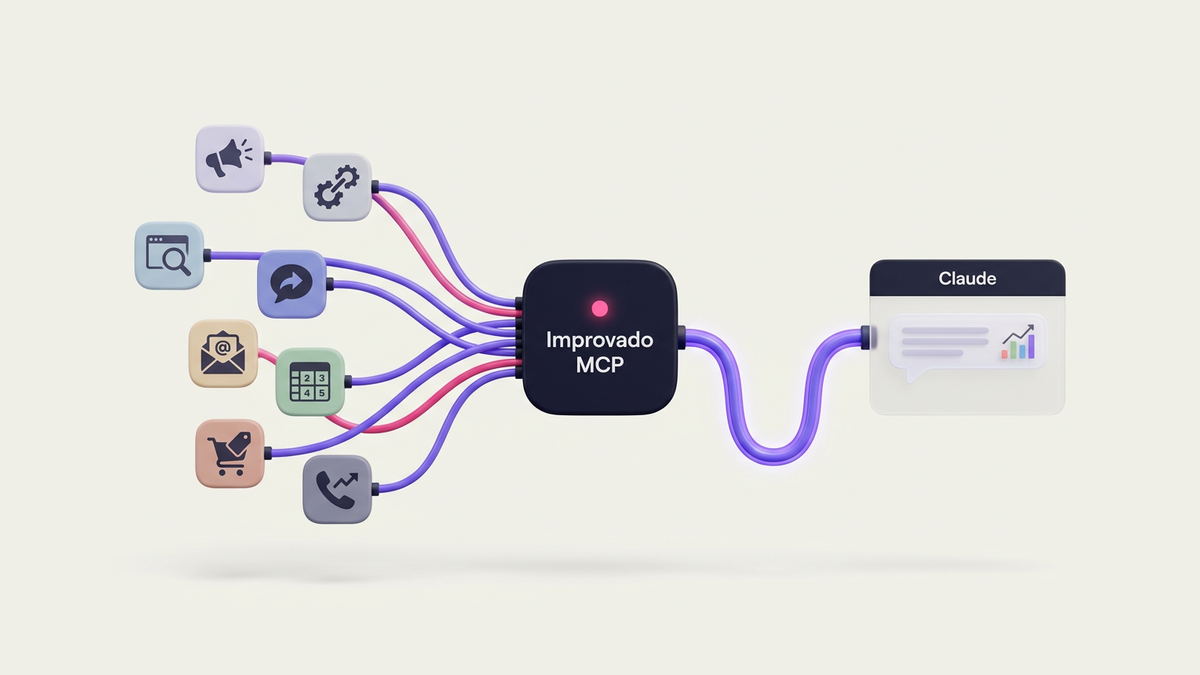

AI lead generation tools analyze behavioral signals, firmographic data, and intent indicators to identify and engage high-probability buyers. For marketing analysts, these platforms promise faster qualification, lower cost-per-lead, and better conversion rates, but they also introduce new data quality challenges, integration complexity, and false positive risks that can undermine pipeline analytics if not properly managed.
This guide provides a framework for evaluating AI lead generation tools, with comparison data on 15+ platforms, failure-mode analysis, and best practices for implementation and measurement. We focus on the technical requirements, hidden costs, and data quality considerations that analysts need to assess before recommending a tool stack.
14 Best AI Lead Generation Tools Compared (2026)
The strongest AI lead generation stacks in 2026 combine B2B data platforms with AI-powered engagement tools and intent analytics. Below is a detailed comparison of the most effective tools for marketing analysts and data teams, organized by category and evaluated on concrete criteria.
B2B Data & Prospecting Platforms
1. ZoomInfo - Enterprise B2B GTM data with intent signals
Best for: Mid-market and enterprise B2B marketing, RevOps, and data teams needing deep verified data and intent-based targeting for account-based marketing.
Key capabilities:
• Database of 500M+ contacts and 100M+ companies, continuously refreshed from web scraping and proprietary sources
• GTM Context Graph (2026): AI model analyzing billions of signals (content consumption, tech installs, hiring activity) to generate custom intent feeds and in-market account lists
• ML-backed buyer intent signals, Guided Intent prioritization, and predictive account/lead scoring
• Copilot AI assistant for outreach timing, message suggestions, and rep action recommendations
• Verification infrastructure: processes 1.5B+ data points daily, combining 300+ human researchers with ML scanning across 28M domains
• Deep integrations with Salesforce, HubSpot, Outreach, Salesloft, Marketo
Pricing: Enterprise quote-based with consumption-credit model, no seat minimums for data products. Typical entry point hundreds to thousands USD/month depending on modules (data, intent, conversational intelligence).
Pros: Richest firmographic + technographic + intent signal coverage for audience building. Strong documentation and case studies (Smartsheet reported 84% MQL lift using ZoomInfo intent and orchestration). Robust API makes it a central data spine for modeling and enrichment.
Cons: High cost barrier for smaller teams. Complex platform with steep learning curve. Some users report data accuracy issues in non-US markets.
Data verification method: Hybrid human + ML scanning with daily refresh cycles and multi-source triangulation.
2. Clay - Flexible enrichment & personalization workbench
Best for: GTM, marketing ops, and data teams building custom data workflows and 1:1 personalization at scale without writing full code.
Key capabilities:
• Access to 100-150+ premium data sources (company, contact, technographic, social, job changes) in one workspace
• Waterfall enrichment: chain multiple providers (LinkedIn → email → phone → technographics) to maximize fill rates
• AI research blocks that automatically research prospects (news, posts, job history) and generate talking points
• AI message drafting for personalized outbound emails or snippets per contact
• Custom AI agents that run enrichment and qualification routines
• Strong API and integrations with major CRMs and sequencing tools
Pricing: Common plan around $149/month, higher tiers for increased rows and features.
Pros: Lets data and RevOps teams design bespoke lead scoring and enrichment pipelines while marketing uses the output for heavily tailored campaigns. Frequently cited as best for enrichment + personalization at scale.
Cons: Waterfall enrichment across 6+ providers can result in 50-60% timeout failure after ~30 seconds. Requires technical setup knowledge. No native intent data.
Data verification method: Aggregates third-party provider verification; quality varies by source selected in waterfall.
3. Apollo - All-in-one prospecting + outreach
Best for: Small to mid-sized B2B sales and marketing teams needing one tool for data + sequences + tracking.
Key capabilities:
• Large B2B contact database with filters for industry, size, job title, tech stack, and buying intent
• Built-in lead scoring and intent filters to prioritize contacts
• Outreach suite: email sequences, dialer, basic task management and analytics
• Integrations with HubSpot, Salesforce, Pipedrive
Pricing: Around $59/user/month on common plans.
Pros: Best pricing for small teams. User-friendly all-in-one solution. Reduces need for complex multi-tool stack.
Cons: Data accuracy lower than premium providers. Email verification sometimes unreliable. Limited advanced analytics.
Data verification method: Basic verification; some users report 15-25% bounce rates on email exports.
4. Cognism - Phone-verified B2B data
Best for: Sales and marketing teams relying heavily on phone outreach (SDRs, inside sales) and compliance-focused teams in UK/EU.
Key capabilities:
• Human-verified phone numbers with global coverage
• GDPR-friendly B2B data with intent signals
• Integrations with Salesforce, HubSpot, and major sales engagement platforms
Pricing: Contact sales / quote-based.
Pros: Most dependable for phone-number data. Strong compliance focus. Good for phone-based outreach segments.
Cons: More expensive than database-only tools. Phone verification adds cost per contact.
Data verification method: Human verification for phone numbers; automated for email.
5. UpLead - High-accuracy B2B contacts
Best for: B2B marketers and data teams needing email-verified contacts with strong accuracy guarantees at mid-market pricing.
Key capabilities:
• Real-time contact verification with 95% email accuracy guarantee
• Focus on verified B2B contacts and firmographic data
• Integrations with Salesforce, HubSpot, and other CRMs
Pricing: Around $99/month for common plans.
Pros: Cost-effective B2B data alternative. Good email accuracy. Clean data backbone without enterprise spend.
Cons: Smaller database than ZoomInfo/Apollo. Limited intent signals. Basic feature set.
Data verification method: Real-time email verification at point of export.
Intent & Predictive Analytics
6. 6sense - Predictive ABM & buying-stage intelligence
Best for: Mid-market/enterprise B2B marketing and RevOps teams executing ABM and complex multi-touch campaigns.
Key capabilities:
• Predictive AI models that infer buying stage and likelihood to convert for accounts
• Sales Copilot with recommended actions and AI account summaries
• Combines intent, firmographic, and engagement data for account prioritization
• Deep integrations with marketing automation and CRM platforms
Pricing: Enterprise quote-based, typically $50k+ annually.
Pros: Best-in-class predictive modeling. Strong ABM orchestration. Good for complex sales cycles.
Cons: High cost and implementation complexity. Requires significant data volume (10k+ accounts) for models to be effective. Steep learning curve.
AI model type: Supervised learning models trained on historical win/loss data and engagement patterns.
7. Dealfront (Leadfeeder) - Website visitor identification
Best for: Inbound and PLG B2B marketing teams turning anonymous website traffic into actionable leads.
Key capabilities:
• Identifies which companies visit your website, even without form fills
• Provides firmographics and visit behavior as outbound triggers
• Integrates with CRMs for routing and follow-up
Pricing: Tiered based on traffic volume, positioned for SMB to mid-market.
Pros: Converts high-intent website visits into targetable accounts. Crucial for retargeting and ABM. Good for turning intent into outbound triggers.
Cons: Only identifies company-level visitors, not individual contacts. Requires additional enrichment for outreach. Limited in B2C contexts.
AI model type: Pattern matching and behavioral clustering.
Engagement & Outreach Automation
8. Lemlist - AI-powered cold email personalization
Best for: Outbound teams needing scalable email personalization and multi-channel sequences.
Key capabilities:
• AI-generated email personalization at scale
• Multi-channel sequences (email, LinkedIn, phone)
• Warm-up infrastructure to protect sender reputation
• A/B testing and deliverability optimization
Pricing: Plans start around $59/month.
Pros: Strong personalization capabilities. Good deliverability features. Multi-channel support.
Cons: AI personalization quality varies. Requires manual review to avoid generic output. Limited native data enrichment.
AI model type: NLP-based content generation with template learning.
9. Instantly.ai - Cold email at scale
Best for: High-volume cold email campaigns with unlimited sending accounts.
Key capabilities:
• Unlimited email account management
• AI-powered warm-up and deliverability protection
• Campaign analytics and optimization
• Lead database access
Pricing: Around $37/month for unlimited accounts.
Pros: Best pricing for high-volume senders. Unlimited account pooling reduces spam risk. Built-in warm-up.
Cons: Basic personalization features. Limited integrations. Requires separate enrichment tools.
AI model type: Rule-based sending optimization with spam filter analysis.
10. Drift - Conversational AI for websites
Best for: B2B websites with high traffic needing real-time qualification and meeting booking.
Key capabilities:
• AI chatbot with natural language processing
• Real-time lead qualification and routing
• Calendar integration for instant meeting booking
• Integration with CRM and marketing automation
Pricing: Quote-based, typically starts at $2,500/month.
Pros: Strong NLP capabilities. Good for shortening speed-to-lead. Detailed conversation analytics.
Cons: Expensive for smaller teams. Chatbots with poor NLP frustrate 35% of users who then disengage. Requires ongoing optimization.
AI model type: NLP with intent classification and slot-filling dialogue management.
Sales Engagement Platforms
11. Outreach - AI-powered sales engagement
Best for: Mid-market and enterprise sales teams needing sophisticated sequence management and analytics.
Key capabilities:
• AI-recommended next actions for reps
• Multi-channel sequence orchestration
• Deal intelligence and pipeline analytics
• Kaia AI assistant for content generation
Pricing: Quote-based, typically $100-150/user/month.
Pros: Comprehensive engagement platform. Strong analytics. Good for complex sales processes.
Cons: Expensive. Complex setup. API rate limits can cause sequence pauses at >10k daily enrichments.
AI model type: Predictive analytics with reinforcement learning from rep outcomes.
12. Salesloft - Revenue orchestration platform
Best for: Enterprise sales organizations with complex GTM motions.
Key capabilities:
• Rhythm AI for workflow automation and recommendations
• Conversation intelligence with call recording and analysis
• Deal management and forecasting
• Deep CRM integration
Pricing: Quote-based, typically $125-175/user/month.
Pros: Comprehensive platform. Strong conversation intelligence. Good forecasting capabilities.
Cons: Very expensive. Long implementation time. Overkill for smaller teams.
AI model type: NLP for conversation analysis plus predictive deal scoring.
Specialized Tools
13. Seamless.ai - Real-time contact search
Best for: Sales reps needing quick contact lookups during prospecting.
Key capabilities:
• Real-time contact search with browser extension
• Direct dial phone numbers and verified emails
• CRM integration for one-click saving
Pricing: Around $147/month per user.
Pros: Fast contact lookup. Good for on-demand prospecting. Browser extension convenience.
Cons: Data quality inconsistent. No intent signals or scoring. Limited bulk export capabilities.
Data verification method: Real-time scraping with basic validation.
14. Hunter.io - Email finder and verification
Best for: Small teams needing simple email finding and verification at low cost.
Key capabilities:
• Domain search to find email patterns
• Email verification API
• Chrome extension for on-page lookup
Pricing: Free tier available; paid plans start at $49/month.
Pros: Very affordable. Simple interface. Good email verification.
Cons: Limited to email finding. No firmographic data or intent signals. Not suitable for large-scale prospecting.
Data verification method: SMTP verification and pattern matching.
| Tool | Category | Starting Price | Best For | AI Model Type |
|---|---|---|---|---|
| ZoomInfo | Data Platform | Quote-based | Enterprise ABM | Predictive + Intent |
| Clay | Enrichment | $149/mo | Custom workflows | Multi-source aggregation |
| Apollo | All-in-one | $59/user/mo | Small teams | Rule-based scoring |
| Cognism | Data Platform | Quote-based | Phone outreach | Verification-focused |
| UpLead | Data Platform | $99/mo | Email accuracy | Real-time verification |
| 6sense | Intent/ABM | Quote-based | Enterprise ABM | Predictive buying stage |
| Dealfront | Intent | Tiered | Website identification | Behavioral clustering |
| Lemlist | Outreach | $59/mo | Cold email | NLP personalization |
| Instantly.ai | Outreach | $37/mo | High-volume email | Rule-based optimization |
| Drift | Conversational | $2,500/mo | Website chat | NLP dialogue |
| Outreach | Engagement | $100-150/user/mo | Sales sequences | Predictive next action |
| Salesloft | Engagement | $125-175/user/mo | Revenue orchestration | NLP + predictive |
| Seamless.ai | Data Platform | $147/user/mo | Real-time lookup | Real-time scraping |
| Hunter.io | Email Finder | $49/mo | Email verification | Pattern matching |
How to Choose the Right AI Lead Generation Tool
Selecting an AI lead generation tool requires evaluating both technical capabilities and organizational fit. Marketing analysts should assess tools across six dimensions before making a recommendation.
1. Integration Ecosystem Compatibility
The tool must connect cleanly with your existing CRM, marketing automation platform, data warehouse, and BI stack. Check for native integrations, API quality, and webhook support. Tools with poor integration architecture create data silos and require constant manual exports.
Red flags: No documented API, requires Zapier for basic CRM sync, known rate limits that pause workflows, no webhook support for real-time updates, frequent sync failures reported by users.
Integration effort estimates:
• Plug-and-play: Native connector with OAuth, maps fields automatically (HubSpot ↔ ZoomInfo, Salesforce ↔ 6sense)
• 1-2 dev days: API integration with standard REST endpoints, requires field mapping and error handling (Clay ↔ custom CRM)
• 1-2 dev weeks: Complex multi-step workflows, custom transformation logic, or reverse-ETL requirements (Outreach ↔ warehouse ↔ BI)
| Tool Pair | Integration Type | Known Issues | Setup Effort |
|---|---|---|---|
| ZoomInfo → Salesforce | Native | None | Plug-and-play |
| Apollo + Clay | API | Duplicate contacts | 1-2 dev days |
| Outreach + Apollo | API | Rate limits at >10k/day | 1-2 dev days |
| 6sense + HubSpot | Native | Score field conflicts | Plug-and-play |
| Clay + Custom CRM | API | Field mapping required | 1-2 dev days |
| Drift + Marketo | Native | None | Plug-and-play |
2. Data Quality and Sources
Evaluate the vendor's data verification methods, refresh cadence, and geographic coverage. Ask specific questions: How often is the database updated? What is your email bounce rate? Do you use human verification or just automated scraping? What percentage of your contacts have complete firmographic profiles?
For tools that rely on third-party data, check which sources they aggregate. Tools accessing 100+ sources (like Clay) can fill gaps, but each source adds latency and potential failure points. Single-source tools (like ZoomInfo) offer consistency but less coverage.
Verification benchmarks:
• Acceptable email accuracy: 90-95%
• Good firmographic completeness: 80%+ of records have industry, size, revenue
• Refresh cadence for fast-moving data (job titles): 30-60 days
• Phone verification: human-verified > SMTP validation > pattern matching
3. AI/ML Model Sophistication
Understand whether the tool uses rule-based logic or actual machine learning models. Rule-based scoring (e.g., +10 points for VP title, +5 for tech company) is transparent but inflexible. Predictive ML models learn from your historical data but require minimum data volumes to train effectively.
Minimum data requirements for ML-based scoring:
• 10,000+ historical leads with outcome data (won/lost)
• 80%+ CRM field completion (missing data degrades model accuracy)
• 12+ months of conversion history (seasonal patterns matter)
• At least 100 closed-won deals to define positive class
If you don't meet these thresholds, stick with rule-based scoring or hybrid approaches until you build sufficient training data.
4. Pricing Structure and Total Cost of Ownership
Look beyond the platform license fee. True TCO includes data enrichment costs ($0.50-$3 per lead), integration/setup fees ($15k-$50k for complex implementations), and ongoing model tuning or professional services.
Budget 1.5-2.5x the platform license fee for first-year total cost. For example, a $50k annual platform license typically results in $75k-$125k actual spend when you include data, services, and integration work.
| Cost Component | SMB Stack ($0-50k) | Growth Stack ($50-250k) | Enterprise Stack ($250k+) |
|---|---|---|---|
| Platform licenses | $6-15k | $30-80k | $150-400k |
| Data enrichment | $2-5k | $10-30k | $50-150k |
| Integration/setup | $2-8k | $15-50k | $50-200k |
| Training & change mgmt | $1-3k | $5-15k | $20-60k |
| Ongoing optimization | $3-6k | $10-25k | $30-100k |
| Total first-year TCO | $14-37k | $70-200k | $300-910k |
5. Compliance and Data Privacy
For teams operating in regulated industries or across international markets, verify the vendor's compliance certifications: GDPR, CCPA, SOC 2 Type II, HIPAA where applicable. Check their consent management capabilities and data residency options.
European markets require explicit opt-in consent for marketing contact. US-focused tools often lack the consent tracking infrastructure needed for compliant EU operations.
6. Scalability and Company Size Fit
Different tools suit different organizational stages. Small teams (<50 people) benefit from all-in-one platforms that reduce tool sprawl. Growth-stage companies (50-500) need specialized tools that integrate well. Enterprises (1,000+) require platforms with robust APIs, dedicated support, and multi-region capabilities.
| Company Size | Prospecting | Enrichment | Scoring | Outreach | Chat |
|---|---|---|---|---|---|
| 1-50 employees | Apollo (all-in-one) | Hunter.io | HubSpot native | Lemlist | Intercom |
| 50-500 employees | ZoomInfo or Apollo | Clay | Madkudu | Outreach | Drift |
| 500+ employees | ZoomInfo | Custom data pipeline | 6sense or custom ML | Salesloft | Qualified |
Why these recommendations:
• 1-50 employees: Apollo provides prospecting + outreach + basic scoring in one platform, avoiding $15k+ ZoomInfo minimums. Hunter.io keeps email costs low. HubSpot native scoring is free and sufficient for rule-based needs.
• 50-500 employees: Clay's flexible enrichment accommodates growing data needs. Madkudu or 6sense add predictive capabilities. Outreach handles complex sequences. Budget allows specialized tools.
• 500+ employees: ZoomInfo's depth justifies cost at scale. Custom data pipelines (often via Improvado) handle complex multi-source requirements. 6sense ABM suits enterprise sales cycles. Salesloft's forecasting supports large teams.
Best Practices for Implementing AI Lead Generation
Successful AI lead generation requires more than tool selection. Marketing analysts must ensure data readiness, establish measurement frameworks, and manage organizational change. Below are implementation best practices organized by phase.
Data Readiness Assessment
Before implementing any AI tool, audit your current data quality. AI models trained on bad data produce bad predictions. Run this diagnostic to determine readiness:
If you score below 3, invest in data infrastructure before adopting AI tools. Consider platforms like Improvado that centralize and normalize data from 1,000+ marketing and sales sources, ensuring AI models have access to clean, unified, analysis-ready data.
Start with High-Impact, Low-Risk Use Cases
Don't try to implement every AI capability at once. Identify 1-2 high-impact use cases where AI can deliver measurable improvement within 90 days:
• Lead scoring for inbound leads: High impact (improves sales focus), low risk (doesn't touch outbound reputation), fast feedback loop (30-60 days to see conversion rate changes)
• Website visitor identification: High impact (converts anonymous traffic to leads), low risk (passive monitoring), easy implementation (JavaScript tag)
• Email verification before send: Moderate impact (protects deliverability), very low risk (prevents sending to bad addresses), immediate feedback
Avoid starting with high-risk use cases like fully automated outbound sequences or AI-generated messaging without human review. These can damage brand reputation if they misfire.
Establish Baseline Metrics Before Launch
Measure current-state performance across key metrics so you can quantify AI impact:
• Current MQL → SQL conversion rate
• Average time from inquiry to first response (speed-to-lead)
• Cost per MQL and cost per SQL
• Lead data completeness percentage
• Sales cycle length from first touch to close
• Email deliverability rate and bounce rate
Document these baselines and establish realistic improvement targets. Industry benchmarks for AI lead scoring show 15-30% improvement in MQL→SQL conversion rates, according to Gartner research from 2026.
Implement Progressive Rollout and A/B Testing
Deploy AI tools to a subset of leads or accounts first, maintaining a control group for comparison. For example:
• Route 50% of inbound leads through AI scoring, 50% through existing process
• Enable chatbot on half of landing pages, standard form on the other half
• Test AI-personalized email subject lines against your current best-performers
Run tests for at least 30 days or until you have statistical significance (typically 100+ conversions per variant). This approach isolates AI impact and builds organizational confidence.
Build Feedback Loops with Sales Teams
AI models improve when you feed them outcome data. Establish a weekly or biweekly review process where sales provides feedback on lead quality:
• Which high-scored leads were actually unqualified? Why?
• Which low-scored leads converted unexpectedly? What did the model miss?
• Are there new buyer personas or account types entering the pipeline?
Use this feedback to retrain scoring models quarterly. Models trained once and never updated typically degrade 15-25% in accuracy over 12 months as market conditions and buyer behavior shift.
Plan for Integration Maintenance
AI tools require ongoing integration maintenance as APIs change, fields are added, and data schemas evolve. Budget 5-10% of annual tool cost for integration upkeep, including:
• Monitoring sync status and error logs weekly
• Testing integrations after vendor platform updates
• Updating field mappings when CRM structure changes
• Documenting integration architecture for team continuity
Platforms with 2-year historical data preservation (like Improvado) reduce this burden by automatically handling schema changes without data loss.
When AI Lead Generation Fails: Common Failure Modes
AI lead generation implementations fail more often than vendors admit. Understanding failure modes helps marketing analysts avoid common pitfalls and recognize problems early.
Failure Mode 1: Insufficient Training Data Volume
Symptom: AI scoring model performs no better than random selection or simple rule-based scoring.
Root cause: Machine learning models need sufficient historical examples to identify patterns. Implementations with <5,000 leads or <100 closed-won deals lack the statistical power for accurate predictions.
Why it happens: Vendors sell predictive scoring to companies not yet ready for ML-based approaches. Sales teams pressure marketing to "do something with AI" before data foundations are solid.
Solution: Use rule-based scoring until you accumulate 10k+ leads with outcome data. Focus near-term efforts on improving data capture and CRM hygiene rather than deploying sophisticated ML models prematurely.
Failure Mode 2: Model Overfits to Existing Customer Profile
Symptom: AI scoring heavily favors leads that look exactly like current customers. Sales reports that high-scored leads are "the same companies we always target" and conversion rates stagnate rather than improve.
Root cause: Models trained exclusively on closed-won data reproduce existing customer demographics rather than discovering new high-potential segments. The model learns "Enterprise software companies with 500+ employees" but misses emerging SMB segments or adjacent industries.
Why it happens: Training data includes only positive examples (customers) without enough negative examples (lost deals, disqualified leads) or exploratory segments. Models aren't retrained as markets evolve.
Solution: Include lost-deal analysis in model training. Deliberately test leads from adjacent segments (different industries, company sizes) to discover expansion opportunities. Retrain models quarterly rather than annually. Use exploratory cohorts (10-15% of scored leads) that bypass AI filtering to test new patterns.
Failure Mode 3: Dirty CRM Data Pollutes Model Training
Symptom: AI scoring produces wildly inconsistent results. Leads with similar profiles receive vastly different scores. Model confidence metrics are low.
Root cause: Garbage in, garbage out. If your CRM has duplicate records, incomplete fields, inconsistent job title naming, or missing outcome data, the AI model learns noise instead of signal.
Why it happens: Teams rush to implement AI before completing foundational data hygiene work. CRM field completion rates below 80% make pattern detection impossible.
Solution: Pause AI implementation and run a 30-day data quality sprint: deduplicate records, standardize field values (especially industry and job title), backfill missing data, and enforce CRM data entry standards. Only proceed with AI once field completion exceeds 80%.
Failure Mode 4: Over-Automation Creates Prospect Fatigue
Symptom: Email response rates drop. Prospects complain about feeling "spammed." Unsubscribe rates increase. Brand perception suffers.
Root cause: AI-powered sequences send too many touches, too frequently, without enough personalization or genuine value. Tools make it easy to send at scale, but scale without relevance damages relationships.
Why it happens: Teams over-rely on volume rather than quality. They set aggressive sequence cadences (10+ touches in 14 days) without considering prospect experience. AI-generated messages sound generic despite claims of "personalization."
Solution: Reduce sequence frequency (6-8 touches over 3-4 weeks maximum). Require human review of AI-generated messages before send. Build genuine value into each touch (relevant insights, useful content, specific observations about the prospect's business) rather than repeated "checking in" messages. Monitor unsubscribe rates and response sentiment as key metrics.
Failure Mode 5: Integration Hell and Tool Conflicts
Symptom: Data doesn't sync between systems. Duplicate contacts appear. Workflows pause unexpectedly. Sales complains that "the tools don't work."
Root cause: Multiple tools writing to the same CRM fields create conflicts. API rate limits cause sync delays. Poor error handling means failures go unnoticed for days.
Why it happens: Teams add tools without architectural planning. Each vendor promises "seamless integration," but multiple tools competing for the same data create conflicts. Example: Apollo, Clay, and ZoomInfo all trying to update the same contact record simultaneously can result in overwritten data or sync errors.
Solution: Establish clear data ownership rules (which tool is source of truth for each field). Implement a data governance framework that defines which tools can write to which CRM fields. Monitor integration logs weekly. Use a centralized data platform (like Improvado) to orchestrate data flow and prevent conflicts rather than letting tools sync directly to CRM.
Measuring AI Lead Generation Success
Marketing analysts must establish clear metrics to quantify AI impact and identify optimization opportunities. Focus on four measurement categories.
Lead Quality Metrics
MQL → SQL conversion rate: Percentage of marketing-qualified leads that sales accepts as sales-qualified. Target: 15-30% improvement within 90 days of AI scoring implementation.
SQL → Opportunity conversion rate: Percentage of sales-qualified leads that enter active sales pipeline. Target: 10-20% improvement.
Lead-to-customer conversion rate: Ultimate measure of lead quality. Track by source and score cohort. Best-in-class AI implementations achieve 25-40% higher conversion rates for top-scored leads vs. bottom-scored leads.
Average deal size by lead score: Verify that high-scored leads don't just convert faster but also generate larger deals. Models that optimize only for conversion speed may sacrifice deal size.
Efficiency Metrics
Speed-to-lead: Time from first inquiry to first sales contact. According to updated research from InsideSales.com (2025), companies that respond within 5 minutes are 21x more likely to qualify leads compared to those that wait 30 minutes. AI chatbots and automated routing reduce speed-to-lead from hours to seconds.
Cost per MQL and cost per SQL: Track across channels and tools. According to benchmarks from 200+ B2B SaaS companies (2026), cost-per-lead averages are:
• Manual qualification: $45-80 per MQL
• Rule-based scoring: $25-50 per MQL
• AI predictive scoring: $15-35 per MQL
Sales time allocation: Percentage of sales time spent on high-quality leads vs. dead-ends. AI scoring should shift rep time toward qualified opportunities. Target: 60%+ of rep time on leads scored in top quartile.
Data enrichment coverage: Percentage of leads with complete firmographic and contact data. Target: 85%+ field completion for key attributes.
Revenue Impact Metrics
Revenue influenced by AI-scored leads: Total pipeline and closed revenue from leads that went through AI qualification. Compare to control group or pre-AI baseline.
Sales cycle length: Time from first touch to closed-won. Best implementations see 20-30% cycle length reduction due to better qualification and prioritization.
ROI timeline and breakeven: Most AI lead generation implementations follow this timeline:
| Period | Phase | ROI Status | Key Activities |
|---|---|---|---|
| Month 1-3 | Setup & Integration | Negative ROI | Platform configuration, data integration, model training, team onboarding |
| Month 4-6 | Early Gains | 10-20% efficiency lift | First model optimizations, A/B test results, workflow refinement |
| Month 7-12 | Compounding Returns | 30-50% cost-per-lead reduction | Full adoption, model retraining, process automation, scale efficiencies |
Example cost ranges by company size:
• SMB single-tool: $500-1,500/month (Hunter.io + Lemlist + HubSpot free)
• Growth multi-tool stack: $3k-8k/month (Apollo + Clay + Outreach + enrichment data)
• Enterprise full stack: $20k+/month (ZoomInfo + 6sense + Salesloft + Improvado + professional services)
Model Performance Metrics
Prediction accuracy: For scoring models, track percentage of high-scored leads that actually convert. Good models achieve 70-85% predictive accuracy. Below 60% suggests model needs retraining or more data.
Model calibration: Do predicted probabilities match actual conversion rates? If model says 30% of high-scored leads will convert, do 30% actually convert? Poorly calibrated models mislead decision-making even if directionally accurate.
Feature importance drift: Which signals does the model weight most heavily? If feature importance shifts dramatically month-over-month, investigate whether market conditions changed or data quality degraded.
False positive and false negative rates: False positives (scored high, didn't convert) waste sales time. False negatives (scored low, would have converted) lose revenue. Optimize for the error type most costly to your business.
AI Lead Generation Stack Architecture by Company Profile
The optimal AI lead generation stack varies by company size, sales motion, and data maturity. Below are three reference architectures showing realistic tool combinations and data flow.
Startup Stack ($500-3k/month budget)
Target profile: 1-50 employees, outbound motion, limited data history, budget-constrained
Core tools:
• Prospecting & data: Apollo (all-in-one prospecting + outreach + CRM)
• Email verification: Hunter.io (verify before send)
• Email sequences: Lemlist or Apollo native (personalization at scale)
• Lead scoring: HubSpot free CRM or Pipedrive (rule-based scoring)
• Analytics: HubSpot or Google Analytics
Data flow: Apollo for prospecting → Hunter.io verification → Lemlist sequences → HubSpot CRM → Google Sheets for reporting
Why this stack: Minimizes tool count and cost. Apollo provides good-enough data for early-stage prospecting. Rule-based scoring suffices before you accumulate training data. Total cost: $500-1,500/month.
Limitation: No advanced intent signals or predictive analytics. Limited to 5k-10k annual prospecting volume.
Growth Stack ($3k-15k/month budget)
Target profile: 50-500 employees, inbound + outbound, 10k+ leads in CRM, product-led or sales-led
Core tools:
• Prospecting & data: ZoomInfo or Cognism (premium B2B data + intent)
• Enrichment & personalization: Clay (waterfall enrichment, AI research)
• Intent & visitor ID: Dealfront/Leadfeeder (website visitor identification)
• Lead scoring: Madkudu or HubSpot Operations Hub (predictive ML scoring)
• Sales engagement: Outreach or SalesLoft (multi-channel sequences)
• Conversational AI: Drift or Qualified (website chat for qualification)
• CRM: Salesforce or HubSpot Professional+
• Analytics: Native CRM reporting + Google Analytics + data studio
Data flow: ZoomInfo + Dealfront intent signals → Clay enrichment → Madkudu scoring → Salesforce CRM → Outreach sequences / Drift chat → analytics dashboards
Why this stack: Specialized tools for each function. Predictive scoring improves on rule-based approaches. Intent signals enable proactive outreach. Supports 20k-100k annual lead volume. Total cost: $5k-12k/month.
Limitation: Integration complexity increases. Requires dedicated RevOps or marketing ops resource. Tool overlap and sync conflicts possible without data governance.
Enterprise Stack ($15k+/month budget)
Target profile: 500+ employees, complex ABM motion, multiple regions, high data volume, compliance requirements
Core tools:
• Prospecting & data: ZoomInfo (enterprise data + GTM Context Graph)
• Intent & ABM orchestration: 6sense (predictive ABM, buying stage intelligence)
• Data infrastructure: Improvado (1,000+ connector ETL, data warehouse integration, governance)
• Lead & account scoring: 6sense predictive models or custom ML in warehouse
• Sales engagement: Salesloft or Outreach (revenue orchestration)
• Conversational AI: Qualified or Drift (enterprise tier with advanced routing)
• CRM: Salesforce Enterprise or Marketing Cloud
• Marketing automation: Marketo, Eloqua, or Pardot
• Analytics & BI: Tableau, Looker, or Power BI connected to data warehouse
Data flow: ZoomInfo + 6sense intent → Improvado aggregates with web analytics, ad platforms, CRM → centralized data warehouse → custom ML models or 6sense scoring → Salesforce + Marketo → Salesloft execution → BI dashboards
Why this stack: Centralized data infrastructure (Improvado) prevents tool conflicts and ensures unified analytics. 6sense provides sophisticated ABM orchestration. Custom ML models trained on full data set. Supports 100k+ annual lead volume, multi-region compliance, complex attribution. Total cost: $20k-60k+/month.
Advantage: Single source of truth for all GTM data. Advanced governance (Improvado's 250+ validation rules prevent bad data from polluting models). 2-year historical preservation survives schema changes. Compatible with any BI tool for flexible analysis.
Edge Cases and Complex Scenarios
AI lead generation tools handle common scenarios well, but marketing analysts encounter edge cases that require special consideration.
Edge Case 1: Scoring Leads for New Products Without Historical Data
Challenge: Your company launches a new product line with no conversion history. How do you build a scoring model without training data?
Solution approaches:
• Lookalike modeling from adjacent markets: If you're launching a new analytics product but have historical data from a reporting product, train models on the existing product and apply to the new one. Assumes similar buyer profiles and decision processes.
• Start with rule-based scoring: Use domain expertise to define rules (e.g., +10 points for data analyst title, +15 for companies with existing BI tools) until you accumulate 3-6 months of conversion data.
• Transfer learning from industry benchmarks: Some platforms (6sense, Madkudu) offer pre-trained industry models. Less accurate than custom models but better than random.
• Run exploratory cohorts: Deliberately route 20-30% of leads to sales without scoring to gather unbiased conversion data and identify patterns.
Edge Case 2: Multi-Language Chatbot Conversations
Challenge: Your website attracts global visitors. How do you qualify leads in multiple languages without deploying separate chatbots?
Solution approaches:
• Language detection + routing: Most modern platforms (Drift, Intercom, Qualified) detect browser language and route to appropriate conversation flow. Requires maintaining separate flows per language.
• NLP limitations: AI chatbots perform best in English. Non-English NLP accuracy degrades, especially for domain-specific terminology. Budget for lower qualification rates in non-English markets (15-25% lower).
• Hybrid approach: Use simple language-agnostic qualification (company size, region) via dropdown menus rather than free-text, then route to human agents in appropriate language for complex discovery.
• Regional specialists: Deploy separate chatbot instances per region with locally trained models and native-speaker content review.
Edge Case 3: Scoring Leads for Multiple Product Lines
Challenge: Your company sells three distinct products to different buyer personas. Should you build one unified scoring model or separate models per product?
Solution approaches:
• Separate models (recommended if products are truly distinct): Build product-specific models trained on each product's historical conversions. Example: "Analytics product" model weights data job titles heavily; "Collaboration product" model weights team size and meeting tools.
• Unified model with product features: Single model that includes "expressed interest in Product X" as features. Works when products share similar buyer profiles but different use cases.
• Hierarchical approach: First-stage model identifies "qualified company" broadly, second-stage models route to appropriate product based on signals (company tech stack, expressed need, browsing behavior).
• When unified models fail: If conversion patterns differ significantly across products (e.g., SMB self-serve vs. enterprise sales-led), separate models prevent cross-contamination.
Edge Case 4: Attribution When Leads Touch Both AI Chatbot and Human SDR
Challenge: A lead engages with your AI chatbot, then later receives an SDR outbound email, then converts. How do you attribute the conversion?
Solution approaches:
• Multi-touch attribution models: Assign partial credit to each touchpoint. Common models: first-touch (chatbot gets 100%), last-touch (SDR gets 100%), linear (50/50), time-decay (chatbot 30%, SDR 70%), U-shaped (40% chatbot, 40% SDR, 20% middle touches).
• Incrementality testing: Run holdout experiments where some leads get chatbot-only, some get SDR-only, some get both. Measure conversion lift to determine true impact of each channel.
• Engagement quality scoring: Weight attribution by engagement depth. Chatbot conversation that books a demo gets more credit than chatbot that just answers one question. SDR email that prompts reply gets more credit than one-way send.
• Revenue credit vs. pipeline credit: For reporting, track both "pipeline created" (when lead enters CRM) and "revenue influenced" (all touches before close). Different stakeholders care about different metrics.
When AI Lead Generation Doesn't Work
AI lead generation is powerful but not universally applicable. Marketing analysts should recognize scenarios where AI tools provide minimal value or actively harm outcomes.
Scenario 1: Total Addressable Market < 500 Companies
Why AI doesn't help: Machine learning requires sufficient data volume to identify patterns. With <500 target accounts, you're better off with manual research and relationship-based selling than algorithmic approaches.
Alternative approach: Focus on account-based selling with human research. Build deep profiles of each target account. Invest in relationship mapping and executive engagement rather than lead scoring.
Scenario 2: Sales Cycles > 18 Months
Why AI struggles: Intent signals decay. Buying committees change. Initial engagement has weak correlation with eventual purchase when cycles span years. Feedback loops are too slow for model optimization.
Alternative approach: Focus on relationship development and account health scoring (engagement over time, executive access, champion strength) rather than predictive conversion models.
Scenario 3: Relationship-Driven Sales in Trust Networks
Why AI doesn't work: In industries where deals happen through personal networks, referrals, and trust relationships (e.g., professional services, high-end consulting), algorithmic prospecting has limited value. The "best" lead is often the one your existing client introduces, not the one with the highest ML score.
Alternative approach: Invest in referral programs, partner ecosystems, and customer advisory boards. Use AI for account enrichment and monitoring, not prospecting.
Scenario 4: Highly Regulated Industries with Strict Consent Requirements
Why AI creates risk: Financial services, healthcare, and legal industries have strict consent and compliance requirements. Automated outreach or data scraping can violate regulations. The efficiency AI provides isn't worth the compliance risk.
Alternative approach: Use AI only for internal lead prioritization after leads opt in through compliant channels. Focus AI on data enrichment and analytics rather than automated outreach. Ensure all tools have SOC 2 Type II, HIPAA, and relevant compliance certifications.
Scenario 5: Nascent Product Categories Without Comparison-Shopping Behavior
Why intent data fails: If you're creating a new product category, prospects aren't searching for solutions yet. Intent signals that work for established categories (e.g., "CRM software" searches) don't exist. AI tools that rely on existing search behavior miss early-market opportunities.
Alternative approach: Focus on education and thought leadership. Build audiences through content rather than intent signals. Use AI for engagement optimization (email timing, content recommendations) rather than lead identification.
Future of AI Lead Generation: 2026-2028 Outlook
The AI lead generation landscape is evolving rapidly. Marketing analysts should monitor these trends to stay ahead.
Short-Term Trends (2026-2027)
Consolidation of point solutions into platforms: Expect major platforms (HubSpot, Salesforce, Adobe) to acquire specialized AI tools and bundle capabilities. This will reduce tool sprawl but increase vendor lock-in.
Regulatory scrutiny of AI data scraping: LinkedIn, Meta, and other platforms are tightening restrictions on automated data collection. Tools that rely on scraping face increasing risk of access limitations or legal challenges.
Shift from predictive to prescriptive AI: Current tools predict which leads will convert. Next generation will prescribe specific actions ("Send this message at this time to this lead via this channel") with explanations of why.
Real-time intent signals become table stakes: Static database prospecting gives way to real-time behavior monitoring. Expect more tools combining website visitor ID, content engagement, and third-party intent data into unified signals.
Long-Term Trends (2027-2028)
AI-generated hyper-personalization at scale: Generative AI will create truly unique outreach for each prospect, incorporating recent news, job changes, company announcements, and expressed interests. Quality gap between human-written and AI-generated messages narrows significantly.
Autonomous SDR agents: AI agents that research prospects, craft messages, handle objections, and book meetings with minimal human oversight. Early pilots are underway; expect production deployments by 2028.
Privacy-first lead generation: As third-party data becomes restricted, tools will shift toward first-party data strategies, zero-party data collection (prospects voluntarily sharing preferences), and privacy-preserving techniques like federated learning.
Multi-modal AI for lead qualification: Current tools analyze text and structured data. Future tools will analyze voice tone in sales calls, facial expressions in video meetings, and behavioral patterns across channels to assess buying intent and engagement quality.
Conclusion
AI lead generation tools deliver measurable improvements in efficiency, lead quality, and cost-per-acquisition when implemented strategically. The strongest implementations combine specialized tools (data platforms, intent engines, engagement automation, analytics infrastructure) rather than relying on single all-in-one solutions.
For marketing analysts evaluating tools, prioritize data quality and verification methods over feature lists. Establish baseline metrics before implementation, maintain control groups for comparison, and build feedback loops with sales teams for continuous model improvement. Recognize failure modes early (insufficient training data, model overfitting, integration conflicts) and address root causes rather than adding more tools.
Success requires more than tool selection: clean CRM data, realistic ROI timelines (expect negative ROI months 1-3, compounding returns months 7-12), integration architecture planning, and organizational change management. Start with high-impact, low-risk use cases like inbound lead scoring or website visitor identification before deploying autonomous outbound sequences.
The most defensible competitive advantage comes not from individual AI tools but from unified data infrastructure that prevents tool conflicts, enforces governance rules, and enables sophisticated cross-platform analytics. Marketing analysts should advocate for centralized data platforms that provide clean, analysis-ready data to AI models rather than letting tools sync directly to CRM and create data chaos.
Related reading: 15 Best AI Lead Generation Tools 2026 | Tested & Compared