For most mid-market B2B teams, HubSpot Marketing Hub is the best marketing automation platform in 2026; Klaviyo wins for ecommerce, ActiveCampaign for small teams, Customer.io for product-led SaaS, and Brevo for tight budgets. The wrong pick costs months of work and sunk spend, so match the platform to company size, data maturity, and use case complexity before you buy.
This guide compares the five B2B marketing automation tools Marketing Analysts actually deploy in 2026: HubSpot for all-in-one CRM + automation with sales alignment, Klaviyo for ecommerce lifecycle orchestration, ActiveCampaign for AI-driven email sequences, Customer.io for SaaS behavioral messaging, and Brevo for budget-conscious teams needing CRM + automation bundled. We'll cover automation workflow specifics, TCO reality (not just sticker price), and disqualifying criteria - so you know when not to use each tool. For a wider map of platform categories and how they connect, see the marketing automation landscape.
Quick answer: B2B marketing automation tools are software that runs multi-step marketing workflows (emails, lead scoring, CRM handoffs) automatically. The five strongest options in 2026 are HubSpot Marketing Hub for mid-market B2B, Klaviyo for ecommerce, ActiveCampaign for SMBs, Customer.io for SaaS product messaging, and Brevo for small budgets. Before launch, teams can also set up QA automation for marketing workflows to catch broken UTM parameters and misaligned tracking.
Key Takeaways
• Selection depends on three variables: company size, data maturity (manual CRM vs unified data warehouse), and use case complexity (simple drip campaigns vs multi-touch attribution).
• HubSpot Marketing Hub ($800/mo Pro) fits B2B teams of 50-500 people needing CRM plus automation with sales alignment; skip it if you need sub-hour data sync or revenue attribution beyond lead-to-customer.
• Klaviyo (free plan) owns ecommerce lifecycle automation but is built for B2C, not B2B lead nurturing; ActiveCampaign is the SMB pick; Customer.io ($100/mo) serves product-led SaaS; Brevo ($9/mo) bundles the essentials for tight budgets.
• Budget for hidden costs: 50-200 implementation hours, data cleanup, sending overages, API limits, and paid integrations; a realistic 12-month cost is about 2x the subscription price.
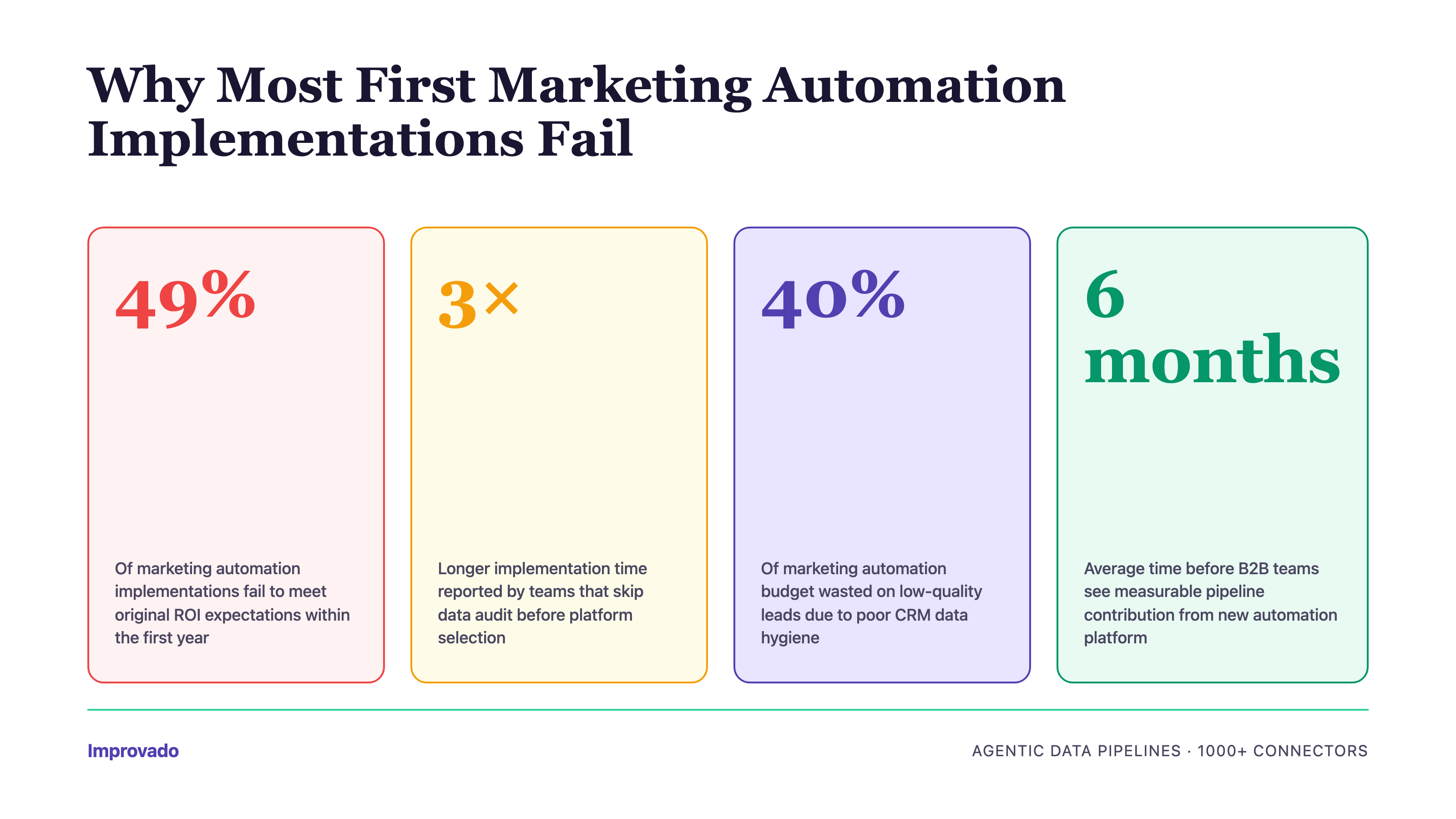
• Most first implementations underperform because of data quality issues, stakeholder misalignment, the wrong tool tier, or poor change management, not missing platform features.
Why Most First Marketing Automation Implementations Fail
Before evaluating platforms, understand why most deployments never deliver ROI. Across Improvado customer migrations and implementation-partner interviews, the same four failure patterns keep repeating:
• Dirty CRM data: duplicates, inconsistent fields, and missing lead sources get automated at scale before anyone cleans them.
• Stakeholder misalignment: marketing buys the tool without IT, sales, and finance veto criteria, and rollout stalls when those teams push back.
• Wrong tool tier: teams over-buy enterprise features they cannot staff, or under-buy and hit workflow limits within months.
• No change management: workflows launch, nobody owns maintenance, and broken triggers quietly erode trust in the system.
The most common mistake: buying based on feature checklists instead of workflow compatibility. A platform with 50 features is worthless if it can't execute your specific nurture logic - like "send email A if lead downloads whitepaper + visits pricing page within 7 days, but exclude if they're already a customer in Salesforce." Test this complexity during trials, not after purchase. Readers new to the category can start with what is marketing automation.
Tool Selection Matrix: Find Your Platform in 30 Seconds
Use this matrix to self-segment by company size and use case complexity. Each cell recommends platforms with disqualifying criteria - not just "best for" claims.
| Company stage | Simple drip campaigns | Multi-step nurture | Full-funnel attribution |
|---|---|---|---|
| Startup (1-50) | Brevo ($9/mo) or ActiveCampaign | ActiveCampaign or Customer.io ($100/mo) | Too early: use UTM discipline + GA4 |
| Mid-market (50-500) | HubSpot Starter ($7/mo) | HubSpot Pro ($800/mo) or ActiveCampaign Plus | HubSpot Enterprise ($3,600/mo) + Improvado for cross-platform data |
| Enterprise (500+) | Overkill: use mid-market tools | HubSpot Enterprise ($3,600/mo) or Salesforce Marketing Cloud | Salesforce + Improvado (custom pricing) for unified marketing analytics |
| Ecommerce (any size) | Klaviyo (free plan) | Klaviyo (paid plan sized to your list) | Klaviyo + Improvado for cross-channel ROI |
Quick self-assessment: If you can't generate a unified customer view (all touchpoints, all channels) in under 10 minutes without manual exports, you're not ready for enterprise-tier platforms - focus on mid-market tools with native integrations first.
Stakeholder Alignment Template: Who Cares About What
B2B marketing automation purchases involve 5+ stakeholders with competing priorities. Use this template to map which capabilities matter to each buyer role - and which platforms meet their needs without compromise.
How to use: Schedule a 30-minute alignment meeting before vendor demos. Each stakeholder scores their top 3 priorities (1-5). Platforms scoring below 4 for any role with veto power (IT, Finance) should be eliminated - even if Marketing loves them.
| Stakeholder | Top priority | Veto trigger | Best fit |
|---|---|---|---|
| CMO | Revenue attribution, campaign ROI | Can't prove marketing's revenue impact | HubSpot Enterprise, Improvado |
| Marketing Ops | Workflow complexity, automation depth | No conditional branching or A/B testing | HubSpot Pro, ActiveCampaign |
| Sales | Lead scoring accuracy, CRM sync | Leads don't sync to Salesforce/HubSpot CRM | HubSpot (native CRM), ActiveCampaign |
| IT / Data | API limits, data security, SSO | No SOC 2, API rate limits too low | HubSpot Enterprise, Customer.io |
| Finance | TCO, contract flexibility, hidden costs | Per-seat pricing exceeds budget at scale | ActiveCampaign, Brevo (flat pricing) |
How We Evaluated These Platforms
Publisher disclosure: Improvado publishes this guide. We build marketing data pipelines, not a marketing automation platform, so Improvado is not ranked below and does not compete with these tools; it feeds them clean data. The ranking reflects recurring outcomes from customer implementations, checked against public vendor documentation and pricing pages.
• Criteria: automation workflow depth (conditional branching, triggers), native CRM and data sync behavior, total cost of ownership beyond sticker price, migration risk, and segment fit across startup, mid-market, enterprise, and ecommerce teams.
• Ranking logic: platforms are ordered by breadth of B2B fit under those criteria, not by feature count, and every review states when NOT to buy the tool.
• Scope: the B2B marketing automation software market spans 100+ vendors. Enterprise suites such as Marketo (Adobe), Pardot (Salesforce Account Engagement), and Dynamics 365 Customer Insights are excluded here; they sell through enterprise contracts and implementation services and deserve a separate comparison. Larger organizations can also compare the top enterprise marketing platforms before deciding.
Top 5 B2B Marketing Automation Platforms in 2026
The right platform depends on three variables: company size, data maturity, and use case complexity. Use this comparison to eliminate poor fits before reading detailed reviews.
1. HubSpot Marketing Hub
Best for: Mid-market to enterprise B2B teams (50-500 employees) needing all-in-one CRM + automation with sales alignment.
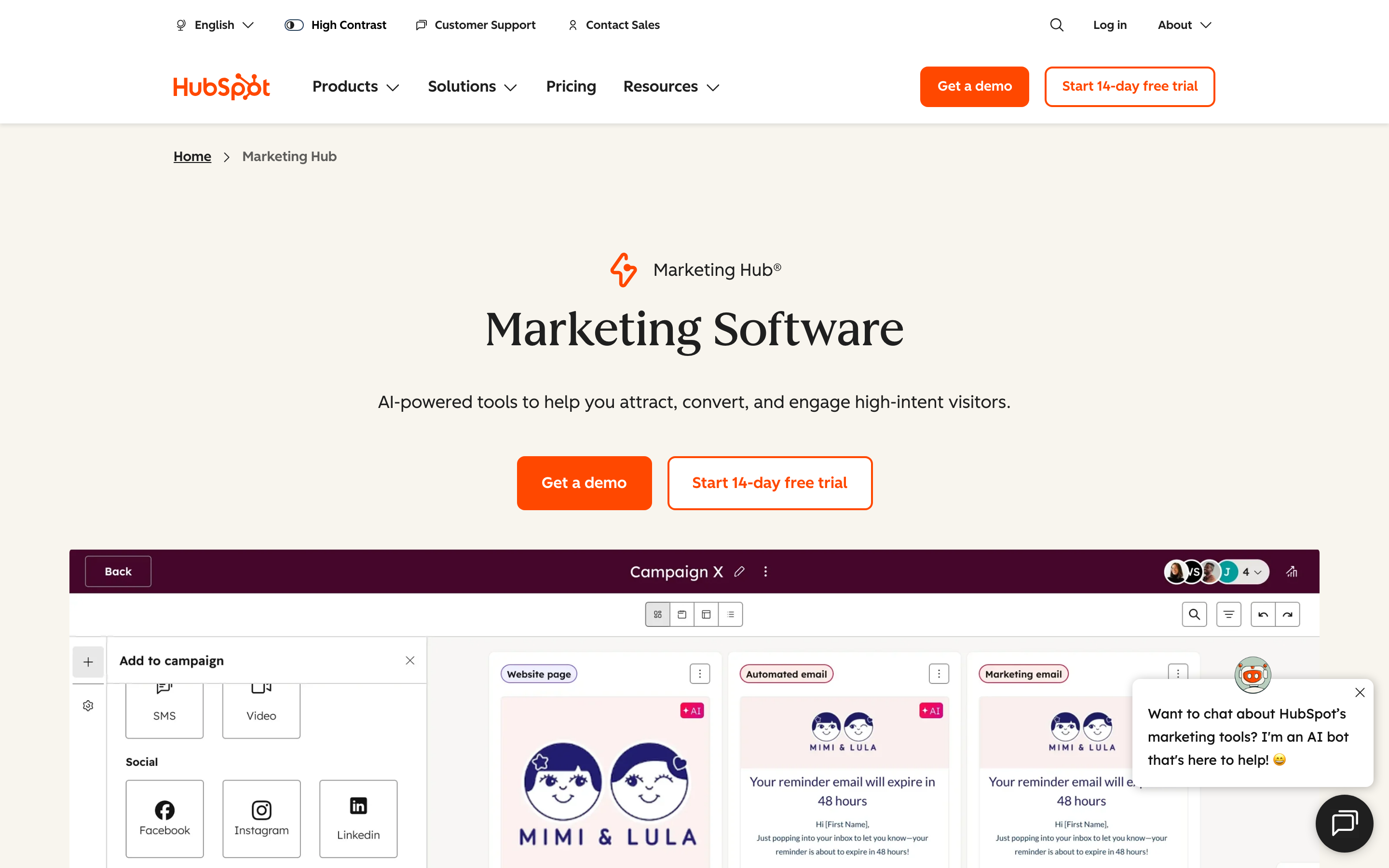
HubSpot offers a comprehensive suite of marketing automation tools designed to cater to businesses of all sizes. Its strength lies in unifying CRM, email marketing, lead management, social media, and analytics in a single platform - eliminating the data synchronization challenges that plague multi-tool stacks.
Automation Capabilities
HubSpot's automation engine supports behavior-based workflow triggers that respond to specific customer actions - like "form submission + pricing page view + email open within 7 days" - to trigger personalized email sequences. Key features include:
• Behavior-based workflow triggers: Create multi-step automations based on form submissions, page views, email opens, CRM property changes, and custom events. Example: "If lead downloads whitepaper + visits pricing page within 7 days + is not marked as customer in Salesforce → send personalized demo invitation."
• Lead scoring automation: HubSpot's lead scoring includes positive scoring (engagement actions), negative scoring (unsubscribes, bounces), and point decay over time to prioritize active leads. Marketing can set scoring rules, but sales teams can manually override scores when they have context HubSpot's algorithm misses.
• Multi-channel attribution: HubSpot defaults to last-touch attribution but supports custom multi-touch models (first-touch, linear, time-decay, U-shaped). However, attribution is limited to lead-to-customer journey - revenue attribution beyond initial sale (upsells, renewals) requires custom reporting or third-party tools.
• Native CRM + sales handoff: Leads sync bi-directionally with HubSpot CRM in real-time. Sales reps see full lead history (emails opened, pages visited, forms submitted) inside CRM records. Workflow automations can assign leads to sales reps, create tasks, and send Slack notifications when high-value leads hit score thresholds.
Unique Offering
HubSpot is known for its robust inbound marketing capabilities, allowing businesses to attract, engage, and delight customers through content-driven strategies. The platform supports seamless integration with HubSpot's other Hubs (Sales, Service, CMS), providing a unified experience across all customer-facing functions. This makes it ideal for B2B teams where marketing and sales must share context - like seeing which email sequence a lead engaged with before booking a sales call.
When HubSpot Fails
Don't choose HubSpot if:
• You need sub-hour data sync - HubSpot's CRM and marketing platform sync every 4 hours, not real-time. This breaks use cases like "trigger email within 15 minutes of demo request."
• You require API call limits above 160K/day on Professional tier - Enterprise tier costs significantly more and is overkill for most mid-market teams.
• You have complex revenue attribution needs beyond lead-to-customer tracking - HubSpot struggles with multi-product lines, upsell/cross-sell attribution, and customer lifetime value tracking across multiple purchases.
• Your team lacks technical marketing ops resources - while HubSpot's UI is intuitive for basic workflows, advanced automations (like conditional branching with 5+ criteria) require training and ongoing maintenance.
“Improvado allows us to have all information in one place for quick action. We can see at a glance if we're on target with spending or if changes are needed - without having to dig into each platform individually.”

Pricing
HubSpot offers a range of plans, starting with a free version that includes basic features. The Marketing Hub Professional plan - required for advanced automation, lead scoring, and multi-touch attribution - is listed at $800/mo. Enterprise is listed at $3,600/mo and adds features like adaptive testing and custom objects.
Hidden costs to budget for: HubSpot charges per "marketing contact" (contacts you actively market to), not total database contacts. If you have 50K contacts but only market to 10K, you pay for 10K. However, moving contacts in and out of "marketing" status is manual work. Also budget for: onboarding (20-40 hours), user training, and integrations beyond native connectors (Zapier or custom API work).
2. Klaviyo
Best for: B2C ecommerce teams needing unified customer profiles and omnichannel lifecycle automation.
Klaviyo is built specifically for ecommerce and B2C brands. It features unified customer profiles with real-time and historic event data, granular marketer-friendly segmentation, and native support for email, SMS, WhatsApp, and mobile push channels.
Automation Capabilities
• Unified customer profiles: Klaviyo automatically consolidates all customer interactions (email opens, SMS clicks, website visits, purchases, abandoned carts) into a single profile - updated in real-time. This enables hyper-personalized messaging like "Recommend products based on last 3 purchases + browsing history."
• Granular segmentation: Create segments using 100+ conditions - including behavioral ("purchased in last 30 days"), predictive ("likely to churn in next 60 days"), and engagement-based ("opened 3+ emails but never clicked"). Segments update in real-time as customer behavior changes.
• Omnichannel orchestration: Klaviyo natively supports email, SMS, WhatsApp, and mobile push - with cross-channel workflows like "Send email → if no open in 24 hours → send SMS." This eliminates the need for separate ESPs, SMS tools, and push notification services.
• Predictive analytics + AI: Klaviyo's AI predicts customer lifetime value, churn risk, next purchase date, and product affinity. In 2026, Klaviyo added "agentic marketing" features - AI that suggests (and auto-executes) campaign optimizations like send-time optimization and subject line A/B testing.
• Revenue tracking: Klaviyo tracks revenue attribution by campaign, flow, and message - showing exactly which email or SMS drove each purchase. Deep Shopify integration means product, order, and customer data sync automatically.
Unique Offering
Klaviyo's unified data model is its biggest differentiator. Unlike platforms that require ETL tools to stitch together customer data from multiple sources, Klaviyo's CDP-like architecture automatically unifies all touchpoints. This makes it the strongest choice for ecommerce brands needing personalization at scale - like "Send abandoned cart email with product recommendations based on browsing history + past purchases."
When Klaviyo Fails
Don't choose Klaviyo if:
• You're a B2B company (not ecommerce) - Klaviyo is optimized for ecommerce lifecycle marketing (abandoned carts, post-purchase flows, win-back campaigns), not B2B lead nurturing or account-based marketing.
• You need native LinkedIn or Google Ads integration - Klaviyo focuses on owned channels (email, SMS) and lacks direct ad platform integrations for retargeting or lookalike audiences.
• Your use case requires complex lead scoring beyond purchase behavior - Klaviyo's predictive scoring is ecommerce-focused (likelihood to purchase, churn risk), not suited for B2B lead qualification (job title, company size, intent signals).
• You need account-based marketing (ABM) capabilities - Klaviyo treats each customer as an individual, not as part of a buying committee or account hierarchy.
Pricing
Klaviyo has a free plan, and paid plans scale with the number of profiles; see Klaviyo's pricing for email and SMS rates.
Hidden costs: SMS pricing varies by country - See Klaviyo's pricing for SMS rates. Budget for SMS overages if you run aggressive SMS campaigns. Also factor in: Shopify Plus integration setup (if applicable), onboarding for teams new to Klaviyo's data model, and potential need for developer support to implement advanced tracking via Klaviyo's JavaScript SDK.
3. ActiveCampaign
Best for: SMBs (10-100 employees) needing AI-powered email workflows with multilingual support.
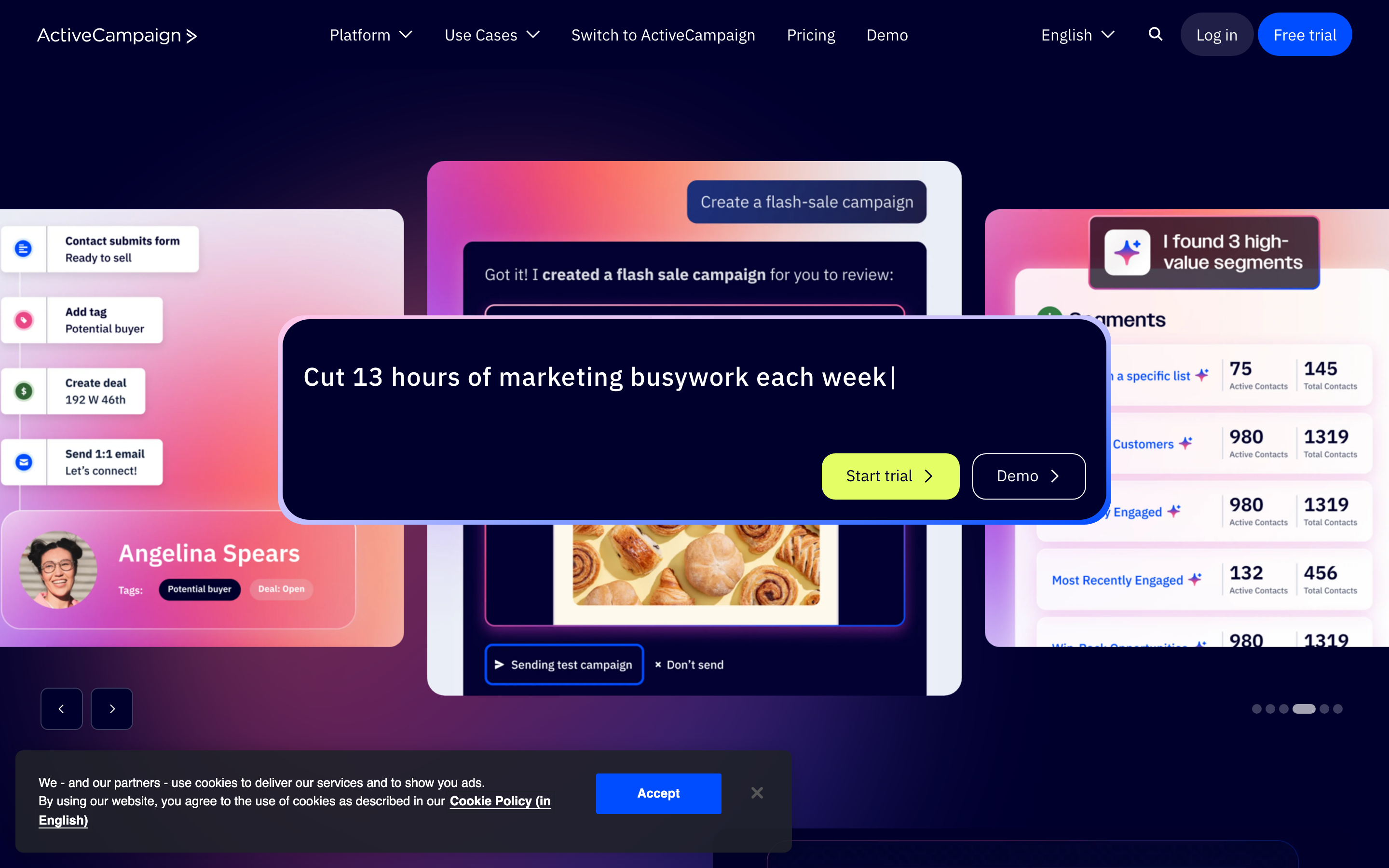
ActiveCampaign specializes in AI-driven email campaign building with multilingual workflows and integrated AI tools. It offers a visual automation builder that makes complex multi-step nurture sequences accessible to non-technical marketers.
Automation Capabilities
• Visual automation builder: ActiveCampaign's drag-and-drop workflow builder supports conditional branching (if/then logic), delays, goal tracking, and split testing. Example: "If contact opens email → wait 2 days → check if they visited pricing page → if yes, assign to sales; if no, send case study email."
• AI content generation: ActiveCampaign's AI writing assistant generates email subject lines, body copy, and even entire campaign sequences based on campaign goals and audience segments. While AI-generated content requires human review, it significantly reduces time to launch.
• CRM + sales pipeline included: ActiveCampaign includes a lightweight CRM with deal tracking, task management, and sales pipeline visualization - eliminating the need for a separate CRM for small teams.
• Multilingual workflows: ActiveCampaign supports dynamic language switching - send emails in the contact's preferred language (detected via signup form or manual tag) without building separate workflows per language.
• Lead scoring: ActiveCampaign's lead scoring supports positive/negative scoring and score decay, similar to HubSpot. Scores automatically update based on email engagement, website visits, and CRM activity.
Unique Offering
ActiveCampaign's strength is balancing power and usability. It offers enterprise-grade automation features (conditional logic, split testing, goal tracking) at SMB pricing, making it ideal for growing teams that need more than basic ESPs but aren't ready for HubSpot's cost or complexity.
When ActiveCampaign Fails
Don't choose ActiveCampaign if:
• You have 50K+ contacts - ActiveCampaign's pricing becomes prohibitive at scale, and performance (email send speed, workflow execution) degrades with large contact databases.
• You need real-time data sync - ActiveCampaign syncs data hourly, not in real-time. This breaks use cases like "trigger email within 15 minutes of form submission."
• You require advanced reporting beyond email metrics - ActiveCampaign's reporting focuses on email performance (opens, clicks, conversions). Multi-channel attribution, revenue tracking, and custom reporting require third-party BI tools.
• Your team needs enterprise-grade security and compliance - check whether your ActiveCampaign plan includes SAML SSO, field-level encryption, and audit logs.
Pricing
ActiveCampaign prices its plans by contact count; see ActiveCampaign's pricing for current rates. Higher tiers add CRM, lead scoring, advanced automation, split testing, and site tracking.
Hidden costs: ActiveCampaign charges per contact, not per email sent - so unlimited email sends are included. However, pricing rises as contact count grows. Budget for: onboarding and training (20+ hours), potential need for Zapier integrations (ActiveCampaign's native integration library is smaller than HubSpot's), and developer time if you need custom tracking beyond standard web forms.
4. Customer.io
Best for: SaaS companies prioritizing behavioral messaging via email and in-app channels.
Customer.io is optimized for product-led growth (PLG) SaaS companies that need to trigger messages based on in-app user behavior - like "user completed onboarding step 2 but hasn't logged in for 7 days."
Automation Capabilities
• Event-triggered workflows: Customer.io tracks custom events (e.g., "user_clicked_upgrade_button", "trial_expires_in_3_days") and triggers workflows based on combinations of events, user properties, and time delays. Example: "If user completes feature A + hasn't used feature B in 7 days → send in-app tooltip + email nudge."
• In-app messaging: Customer.io natively supports in-app messages (tooltips, modals, banners) alongside email and SMS - enabling seamless product-led onboarding sequences that guide users through key features.
• Webhook integrations: Customer.io's webhook engine sends real-time event data to external tools (Slack, data warehouses, analytics platforms), making it easy to sync user behavior across your entire tech stack.
• Developer-friendly API: Customer.io's API is designed for engineering teams - with comprehensive documentation, SDKs for 10+ programming languages, and robust testing environments. This makes custom integrations and complex event tracking straightforward.
• Segment-based campaigns: Create dynamic segments based on user properties (plan type, signup date, feature usage) and behavioral events (pages visited, buttons clicked). Segments update in real-time as user behavior changes.
Unique Offering
Customer.io's differentiator is its focus on behavioral messaging for SaaS products. Unlike email-first platforms (ActiveCampaign, Brevo), Customer.io treats in-app messaging as a first-class channel - making it ideal for product-led growth strategies where user education and activation happen inside the product, not just via email.
When Customer.io Fails
Don't choose Customer.io if:
• You're a B2B services company (not SaaS) - Customer.io is designed for product-led growth, not traditional sales-led B2B marketing with lead nurturing, MQLs, and hand-offs to sales teams.
• You need account-based marketing (ABM) capabilities - Customer.io treats each user individually, not as part of a company account or buying committee.
• You lack engineering resources - Customer.io requires developers to implement event tracking via API or SDKs. Non-technical teams will struggle without dev support.
• You need native CRM integration - Customer.io doesn't include a CRM and its Salesforce/HubSpot integrations are basic compared to platforms with native CRMs (HubSpot) or deep CRM integrations (Marketo).
Pricing
Customer.io's Essentials plan starts at $100/month and Premium at $1,000/month (Customer.io pricing). Pricing scales based on profiles (unique users) and message sends.
Hidden costs: Customer.io charges separately for email vs. in-app vs. SMS messages - each channel has its own per-message fee. Budget for: engineering time to implement event tracking (20-40 hours for initial setup), potential need for a separate CRM (Customer.io doesn't include one), and webhook integration development if you need to sync data to external tools.
5. Brevo
Best for: Budget-conscious teams (under 20 employees) needing CRM + email automation + meeting scheduler bundled.
Brevo (formerly Sendinblue) is an affordable all-in-one solution that includes email automation, SMS, a lightweight CRM, and a meeting scheduler - making it ideal for startups and small businesses with tight budgets.
Automation Capabilities
• Email + SMS automation: Brevo supports basic automation workflows with time delays, conditions, and actions (send email, send SMS, update contact property). Example: "If contact submits form → wait 1 day → send welcome email → if email is opened → wait 2 days → send product demo video."
• Basic CRM: Brevo includes a lightweight CRM with contact management, deal tracking, and task assignments - enough for small teams that don't need Salesforce-level complexity.
• Meeting scheduler: Brevo's built-in meeting scheduler (similar to Calendly) integrates with email automation - e.g., "Send meeting link after lead opens 2+ emails."
• Transactional email API: Brevo includes a transactional email API (for order confirmations, password resets, etc.) at no additional cost - saving small ecommerce businesses from needing separate transactional email services (SendGrid, Postmark).
Unique Offering
Brevo's strength is bundling multiple tools (email, SMS, CRM, meeting scheduler, transactional email) into a single affordable platform. For startups that need "good enough" automation without enterprise features, Brevo delivers exceptional value.
When Brevo Fails
Don't choose Brevo if:
• You need advanced lead scoring - Brevo lacks sophisticated lead scoring with decay, manual overrides, or predictive scoring.
• You require complex workflow logic - Brevo's automation builder doesn't support advanced branching (e.g., "if contact score > 50 AND industry = SaaS AND company size > 100 employees").
• You need extensive API integrations - Brevo's native integration library is limited compared to HubSpot or ActiveCampaign. You'll likely need Zapier for most third-party connections.
• You need multi-touch attribution - Brevo's reporting focuses on email/SMS performance, not revenue attribution or customer journey analysis.
Pricing
Brevo offers a free plan for up to 300 emails/day. The Starter plan costs $9/month and removes daily send limits (but includes only basic features). Standard plan ($18/month) adds marketing automation, A/B testing, and advanced reporting.
Hidden costs: Brevo charges separately for SMS credits - pricing varies by country. Budget for: limited native integrations requiring Zapier (from $19.99/month), potential need for separate CRM if Brevo's lightweight CRM isn't sufficient, and lack of phone/chat support on lower tiers (email support only).
The Hidden Costs No Vendor Shows You
Sticker price is only 30-40% of total cost of ownership. Use this table to estimate your true 12-month cost across the 5 platforms - based on anonymized data from Improvado's customer migrations and implementation partnerships.
| Platform | Entry price for real automation | Typical one-time setup | Ongoing overhead | 12-month TCO reality |
|---|---|---|---|---|
| HubSpot | $800/mo (Pro) | 20-40 hrs onboarding + training | Marketing-contact pricing, paid integrations | 3-5x sticker price |
| Klaviyo | Free plan; paid plans by profiles | Data model onboarding, tracking setup | SMS overages (priced by country) | Low to moderate; scales with contacts + SMS |
| ActiveCampaign | See ActiveCampaign's pricing | 20+ hrs onboarding and training | Price rises with contact count | Moderate; watch contact growth |
| Customer.io | From $100/mo (Essentials) | 20-40 hrs engineering for event tracking | Per-channel message fees, separate CRM | High: needs ongoing engineering time |
| Brevo | $9/mo (Starter) | Minimal; limited native integrations | Zapier (from $19.99/mo), SMS credits | Lowest of the five, even with add-ons |
Key takeaway: HubSpot's TCO is 3-5x its sticker price. Brevo's TCO is still lowest despite hidden costs. Customer.io's TCO is high due to required engineering resources. Always budget for 2-5x the annual subscription cost, depending on the platform, to account for implementation, training, and integrations.
Migration Playbook: Switching Platforms Without Data Loss
Migrating between marketing automation platforms is the #1 reason buyers hesitate to switch - fear of losing data, breaking workflows, and disrupting campaigns. Use this 4-step framework to de-risk migrations, built from recurring patterns in Improvado-supported platform switches.
Step 1: Audit Current Data and Workflows (Week 1-2)
What to document:
• Active workflows: Export list of all active automations with trigger conditions, actions, and branching logic. Screenshot complex workflows for reference.
• Contact data schema: List all custom fields, tags, segments, and lead scoring rules. Identify which fields are critical vs. nice-to-have.
• Integration dependencies: Document every tool that sends data TO your current platform or receives data FROM it (CRM, analytics, ad platforms, webhooks).
• Historical data requirements: Decide how much email engagement history (opens, clicks, unsubscribes) you need to preserve - most platforms only migrate 12-24 months of historical engagement data.
Tool-specific gotchas:
• Marketo → HubSpot: Marketo's velocity scripts (custom code in email templates) don't port to HubSpot's drag-and-drop editor. You'll need to rebuild dynamic content blocks using HubSpot's personalization tokens.
• Pardot → Marketo: Pardot's grading (fit score) + scoring (engagement) dual-model doesn't map cleanly to Marketo's single lead score. Decide whether to prioritize fit or engagement in new scoring model.
• ActiveCampaign → HubSpot: ActiveCampaign's deal pipeline stages won't auto-map to HubSpot's deal stages - you'll need to manually map each stage and update workflows that reference deal stages.
• HubSpot → Klaviyo: HubSpot's B2B lead data (company name, job title) is less useful in Klaviyo's B2C-focused segmentation. Prioritize behavioral data (purchases, page views) over firmographic data.
Step 2: Map Automation Dependencies (Week 2-3)
Build a dependency map showing which workflows rely on which data sources. Example:
Prioritize workflows by business impact (revenue-generating workflows first) and migration complexity (simple time-based sequences first, complex multi-source workflows last).
Step 3: Run Parallel for 30 Days (Week 4-7)
Don't flip the switch overnight. Run both platforms in parallel for 30 days:
• Week 1-2: Migrate contact data, rebuild 3-5 critical workflows in new platform, test with small segment (500-1,000 contacts).
• Week 3-4: Migrate remaining workflows, expand to 50% of database, monitor both platforms for discrepancies in delivery rates, open rates, and conversion rates.
• Week 5-6: Migrate 100% of contacts, sunset old platform workflows (set to "inactive" but don't delete), monitor for 14 days to catch edge cases.
• Week 7: Decommission old platform, export final data backup, cancel subscription.
What to monitor during parallel run: Email deliverability (are new platform emails landing in spam?), unsubscribe rates (are contacts confused by receiving emails from new domain?), workflow completion rates (are triggers firing correctly?), data sync latency (is CRM data syncing in acceptable timeframe?).
Step 4: Validate Attribution Continuity (Week 8+)
The #1 post-migration complaint: "Our revenue attribution reports are wrong." This happens because:
• Historical touchpoint data is lost: If a lead converted in Month 1 but you migrated platforms in Month 3, the new platform won't have the original email/ad touchpoints that drove that lead - breaking multi-touch attribution.
• UTM parameters change: Different platforms use different UTM conventions - e.g., HubSpot auto-appends `utm_source=hs_email`, Klaviyo uses `utm_source=klaviyo`. This breaks historical reports that filter by UTM source.
• Cookie/tracking script conflicts: Running two platforms in parallel means two tracking scripts on your website - which can cause double-counting of page views and conversions.
How to preserve attribution:
• Export historical campaign/touchpoint data from old platform BEFORE migration - store in data warehouse (Snowflake, BigQuery) or Google Sheets.
• Map old UTM parameters to new platform's conventions - use tools like Improvado to normalize UTM data across platforms.
• Run attribution reports in BOTH old and new platforms for 60 days post-migration - compare revenue by channel/campaign to identify discrepancies.
• Document attribution methodology changes in internal wiki - so future team members understand why historical reports (pre-migration) look different from current reports.
“The primary goal was to simplify the process and free up time for the team by eliminating the manual download, manipulation, and presentation of data back to clients.”
When You Don't Need a Marketing Automation Platform Yet
Not every business is ready for marketing automation. Buying too early means you'll pay for features you won't use - and waste months configuring tools for workflows that don't exist yet. Don't buy a marketing automation platform if:
• You're sending fewer than 5 campaigns per month - at this volume, manual sending via basic ESP (Mailchimp, ConvertKit) is faster than configuring automation workflows. Wait until you're sending 10+ campaigns/month or need triggered workflows.
• Your lead volume is under 100/month - automation's ROI comes from scaling personalized outreach. With 100 leads/month, you can manually qualify and nurture each lead faster than building automated scoring/routing rules.
• You lack a defined lead nurture process - automation codifies existing processes. If you haven't documented what happens after a lead downloads a whitepaper (who follows up? what emails do they receive? when do they get assigned to sales?), automation will just encode chaos faster.
• Your CRM data is a mess - duplicate contacts, inconsistent field naming, missing lead sources. Automation relies on clean data. Fix data quality BEFORE buying automation - otherwise you'll automate bad data at scale.
• You don't have a dedicated marketing ops resource - even "easy" platforms (HubSpot, ActiveCampaign) require ongoing workflow maintenance, troubleshooting, and optimization. If your team is 100% focused on campaign execution (no time for process/tool management), you'll under-utilize the platform.
What to do instead: Start with a basic ESP (Mailchimp, ConvertKit, Brevo free plan) + spreadsheet-based lead tracking. Manually document your nurture process: "Lead downloads whitepaper → Sales rep calls within 24 hours → If no answer, send follow-up email → If no response in 7 days, add to monthly newsletter." Once this process is repeatable and you're handling 200+ leads/month, THEN buy automation to scale what's already working.
It All Starts with Data: Why 40% of Your Automation Budget Disappears
The dirty secret of marketing automation: in Improvado's implementation experience, roughly 40% of the budget disappears into data cleanup, normalization, and attribution debugging, not campaign execution. Across customer implementations, teams typically spend:
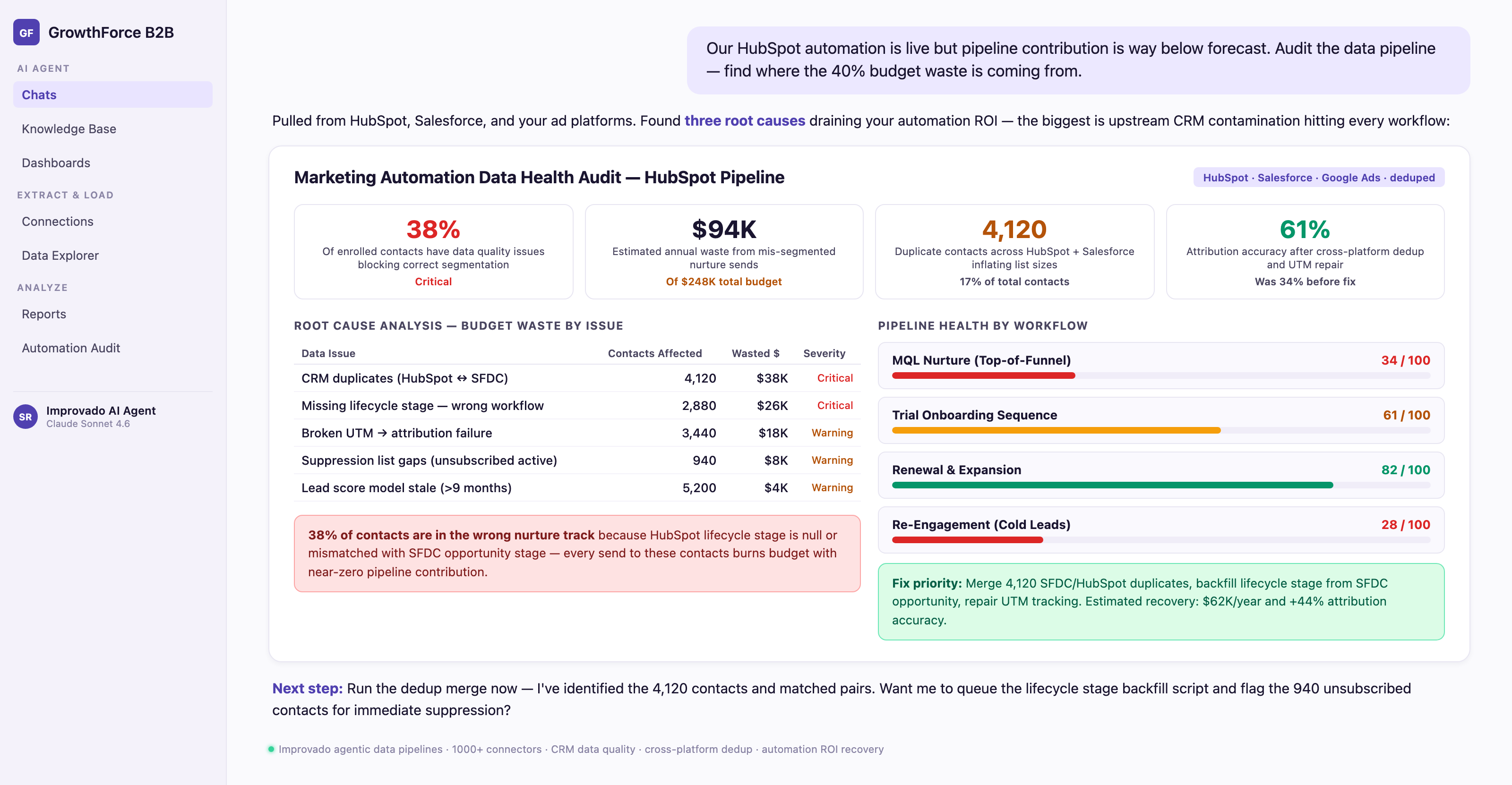
• 30-80 hours cleaning duplicate contacts, standardizing field names, and mapping data from old systems during onboarding
• 10-20 hours per month troubleshooting broken integrations, fixing CRM sync errors, and reconciling attribution discrepancies
• 5-15 hours per month manually exporting data from platforms that don't integrate natively (ad platforms, social media, webinar tools) and uploading to automation platform
This "data ops tax" compounds over time. Without a unified data layer, you'll hire a marketing ops specialist just to keep data flowing - at $80K-$120K/year salary.
How Data Normalization Reduces the Automation Tax
Platforms like Improvado eliminate the data ops tax by centralizing data collection, normalization, and integration - so marketing automation platforms receive clean, analysis-ready data automatically. Here's the ROI:
Illustrative math: 10-20 hours per month fixing integrations plus 5-15 hours on manual exports adds up to 180-420 hours per year. At a $100/hour blended marketing ops rate, that is $18,000-$42,000 in annual labor before counting the one-time 30-80 hour cleanup, often enough to fund the data layer that removes the work.
Beyond time savings, unified data architecture reduces errors: Improvado's automated data validation catches attribution breaks, budget overspends, and schema changes BEFORE they corrupt your automation workflows - preventing the "garbage in, garbage out" problem that plagues DIY integrations.
Conclusion: Choosing the Right Marketing Automation Platform
The right marketing automation platform depends on three variables: company size, data maturity, and use case complexity. Here's the decision simplified:
• B2B mid-market (50-500 employees): HubSpot Marketing Hub - all-in-one CRM + automation with sales alignment. Start with Pro ($800/mo), upgrade to Enterprise when you need custom objects and advanced attribution.
• Ecommerce (any size): Klaviyo - purpose-built for ecommerce lifecycle marketing with unified customer profiles across email, SMS, and push. Has a free plan.
• SMB with tight budget: ActiveCampaign for AI-powered email workflows, or Brevo ($9/mo) for basic CRM + automation bundle.
• SaaS product-led growth: Customer.io ($100/mo) for behavioral event-driven messaging across email and in-app channels.
• Enterprise needing cross-platform analytics: Pair your automation platform with Improvado (custom pricing) to unify marketing data from 1,400+ sources for multi-touch attribution and ROI measurement across all channels.
Before committing, run a 14-30 day trial with your actual data and workflows - not the vendor's demo data. Test the specific automation logic your team needs, verify integration with your existing tech stack, and calculate total cost of ownership including implementation hours, training, and potential migration costs.