

Short on time? Watch the article summary.
See how the tools fit together and what to check before trusting an insurance marketing report.
01 / The short answer
Which insurance analytics tool do you need?
A quote request, a bound policy and a renewal may sit in three different reports. The right software depends on which part of that picture your team is missing.
HubSpot brings reporting close to agent follow-up. Google Analytics explains website activity. Improvado connects marketing and sales inputs. Snowflake supports the data history and processing. GoodData presents shared metrics in dashboards.
These are five different roles, not five interchangeable products. A team with complete CRM reporting may need no new platform. A team reconciling advertising costs with policy outcomes may need connections and shared definitions before another dashboard helps.
The reviews below cover insurance marketing acquisition and retention, including where AI assists with analysis. They do not rank underwriting or claims-management software.
Six factors behind the comparison
- How agents qualify an inquiryWhich status and criteria distinguish a qualified inquiry from a new contact?
- Where inquiries are recordedCan you follow ads or search visits through page events, form receipts and calls?
- How records are matchedWhat happens to repeat inquiries, agent transfers and records with no match?
- Which dates the report usesHow long do agents have to qualify an inquiry, and which period gets the credit?
- Which data you can useWho may collect, receive and keep each field, under which agreements?
- Who maintains the setupWho fixes integrations, updates definitions and checks the bill?
02 / Compare the tools
Compare five platforms for insurance marketing
Start with the question you need to answer: where quote requests drop off, which campaigns lead to bound policies, or how results vary by agent and product. The five platforms below handle different parts of that work. Open a review for its insurance use, key capabilities, AI functionality, limitations and setup requirements.
Showing all five platforms.
| Platform | Insurance question | Best suited to | Main limitation |
|---|---|---|---|
| HubSpot | Which campaigns turn inquiries into quotes and bound policies? | Agencies managing marketing and agent follow-up in HubSpot. | Policy and offline sales records must reach the CRM. |
| Google Analytics | Where do visitors leave the online quote journey? | Teams investigating website and quote-form behavior. | Website events do not establish agent follow-up or policy sales. |
| Improvado | Which acquisition channels lead to quotes, binds and renewals across systems? | Teams reconciling advertising, CRM and policy-system reports. | Exact policy-system coverage and matching rules need confirmation. |
| Snowflake | How does acquired policyholder value change through renewals and claims? | Organizations with a data team building analysis across insurance systems. | Requires data loading, maintained models and a reporting layer. |
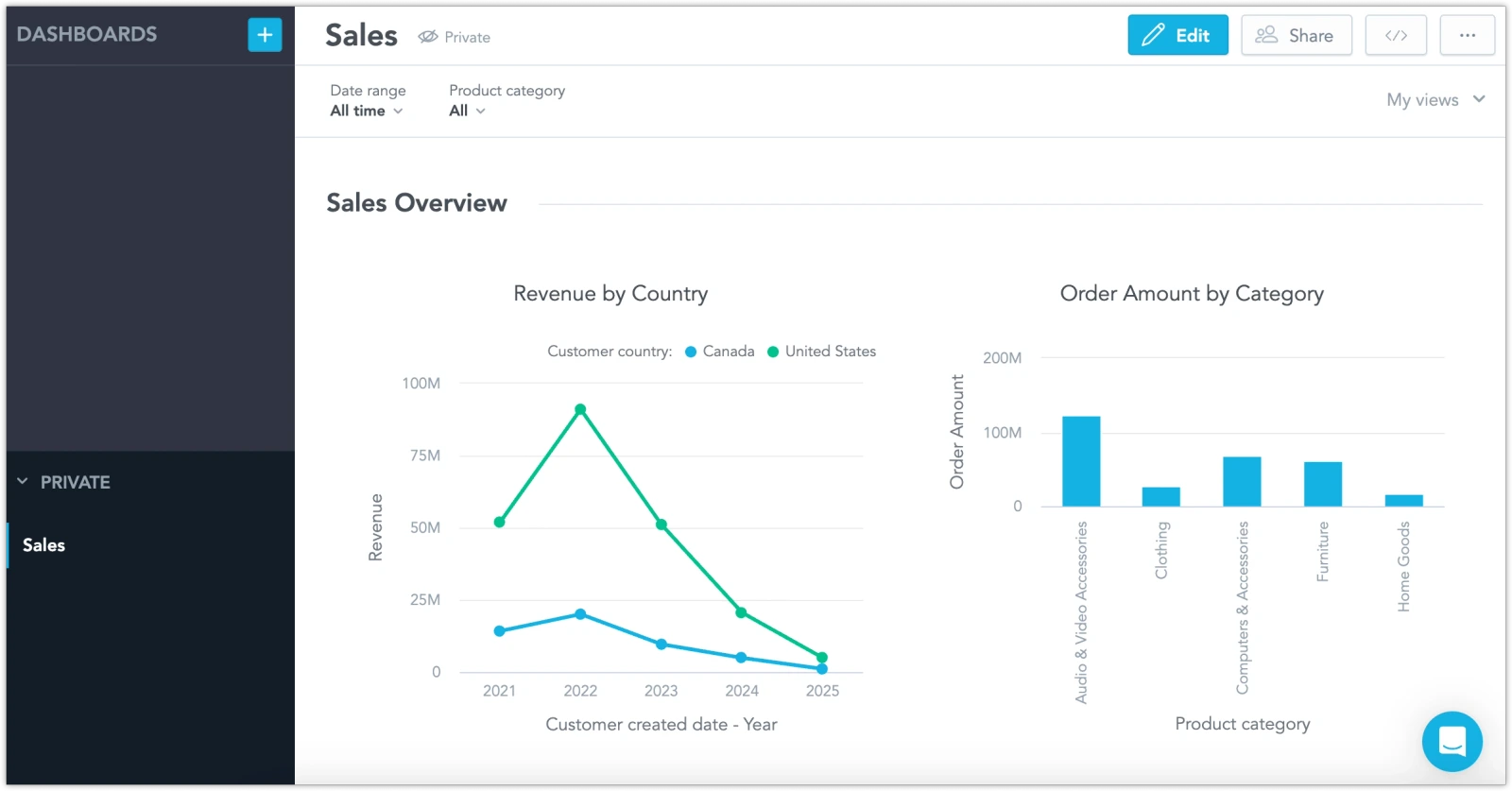
| GoodData | How can marketing, managers and agents use the same policy-performance metrics? | Teams needing shared dashboards or analytics inside agent and partner portals. | Depends on prepared data and agreed metric definitions. |
 HubSpot
 Google Analytics
 Improvado
 Snowflake
 GoodData
01HubSpotCRM & agent follow-upOpen review & interface image
Which campaigns turn inquiries into quotes and bound policies?
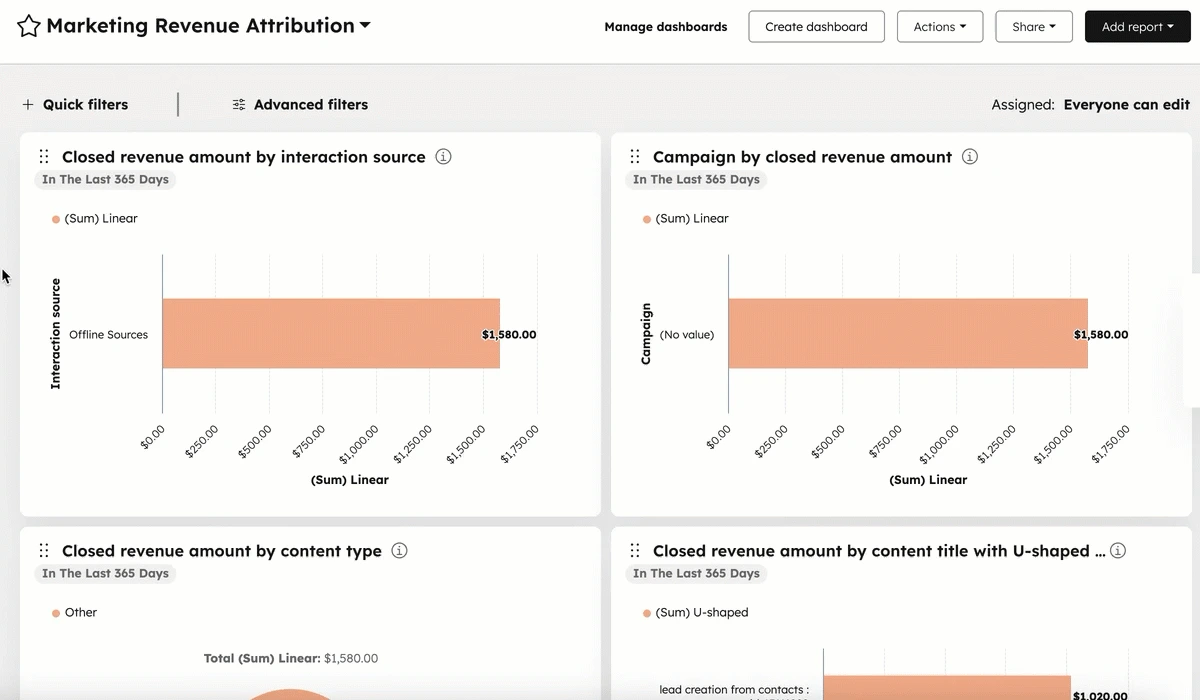
HubSpot puts campaign reporting next to the contact and deal records agents use. For an agency already working in HubSpot, the useful comparison is between inquiries generated and the quotes, applications and bound policies recorded afterward. The reporting depends on how those insurance stages are configured and updated.
What it can contribute
- Track the inquiry-to-quote-to-policy funnel using configured CRM stages and source fields.
- Build views of agent follow-up and results by insurance product, using the fields your team maintains.
- Use lead scoring to prioritize follow-up; insurance-specific signals and scoring rules need configuration.
Best suited to
Agencies managing marketing and agent follow-up in HubSpot.
Where it needs support
The report will only reflect the phone calls, broker referrals and policy updates that reach the CRM.
Cost and setup
Confirm the HubSpot products and editions needed for attribution, scoring and custom reports. Include CRM setup and any connection to the policy system.
AI functionality
Breeze Assistant summarizes records, prepares meetings and supports tasks within HubSpot.
AI summaries depend on CRM coverage. Policy records, offline activity and edition or credit requirements remain important.
02Google AnalyticsWebsite activity & eventsOpen review & interface image
Where do visitors leave the online quote journey?
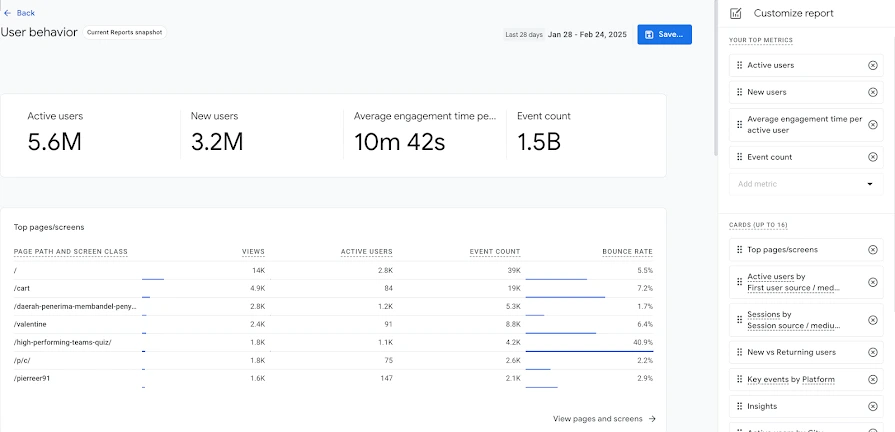
Google Analytics helps a marketing team examine how visitors reach quote pages and move through the online journey. It is most useful here for finding a page or step worth investigating. A completed form event is still separate from a received inquiry, an agent-qualified lead or a bound policy.
What it can contribute
- Compare traffic sources and landing pages using the events your implementation records.
- Examine quote-form steps and device differences where approved event tracking supports them.
- Review return visits and paths through coverage content without treating those patterns as proof of a policy sale.
Google’s Analytics and HIPAA guidance · Published insurance review
Best suited to
Teams investigating website and quote-form behavior.
Where it needs support
A form event does not tell you whether an agent qualified the inquiry. Review Google’s data-use restrictions before collecting it.
Cost and setup
Check the edition and implementation work needed. Before instrumenting quote or application pages, review permitted data collection and Google’s restrictions; Google does not offer a HIPAA BAA for Analytics.
AI functionality
Generated insights summarize changes, anomalies and seasonality in the property.
These explanations do not establish policy sales or the cause of a change, and permitted data collection still applies.
03ImprovadoData connections & preparationOpen review & interface image
Which acquisition channels lead to quotes, binds and renewals across systems?
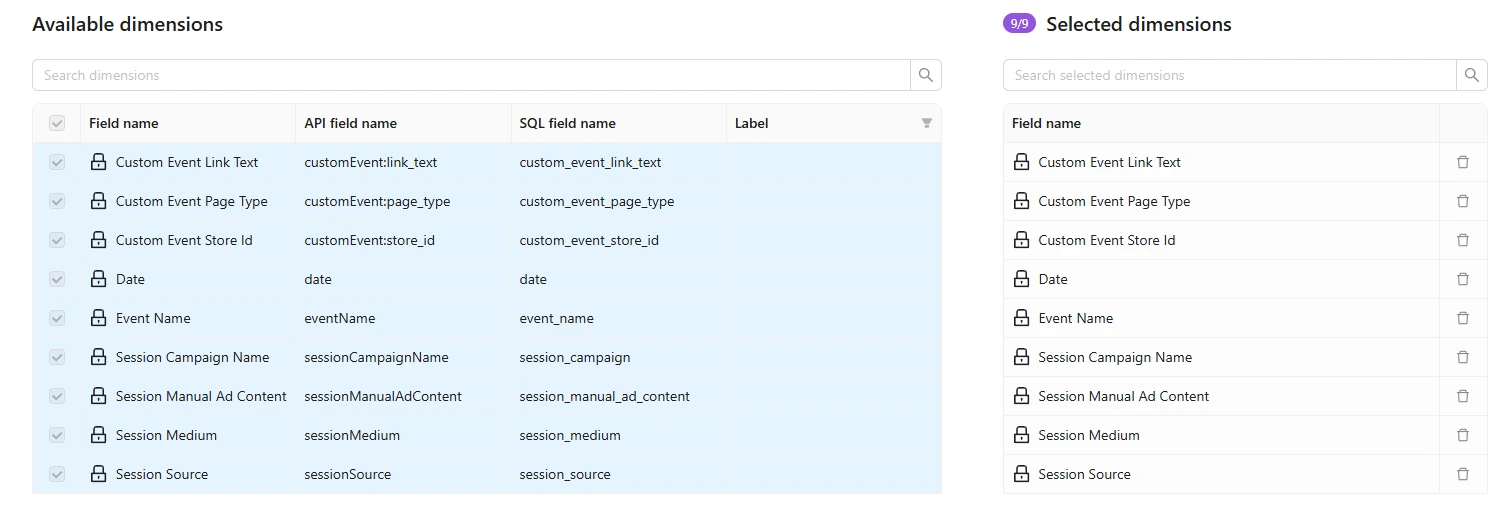
Improvado addresses the work between disconnected reports. Advertising spend may be in one system, inquiries in a CRM and policy outcomes in an agency management system. Connecting those records lets a team build a campaign-to-policy report, provided the necessary source fields and identifiers are available.
What it can contribute
- Collect marketing and sales inputs for a shared reporting dataset; confirm the exact insurance-system objects and history.
- Prepare common campaign, agent and product fields, with explicit joins between inquiries and later policy records.
- Supply prepared data for acquisition-cost, attribution and renewal reporting in the chosen destination; agree the models and reporting scope.
Improvado loading and centralization overview · Published insurance review
Best suited to
Teams reconciling advertising, CRM and policy-system reports.
Where it needs support
Check the exact agency management system, objects and fields you need. A general integration listing does not settle those details.
Cost and setup
Request a quote for the sources, history, refresh schedule, transformation work and destination you need. Specify who maintains custom insurance mappings.
AI functionality
AI Agent provides a conversational interface for marketing analysis and assistance with data transformation.
Answers still depend on connected sources, business definitions and permissions; supported actions and contract scope vary.
04SnowflakeData storage & processingOpen review & interface image
How does acquired policyholder value change through renewals and claims?
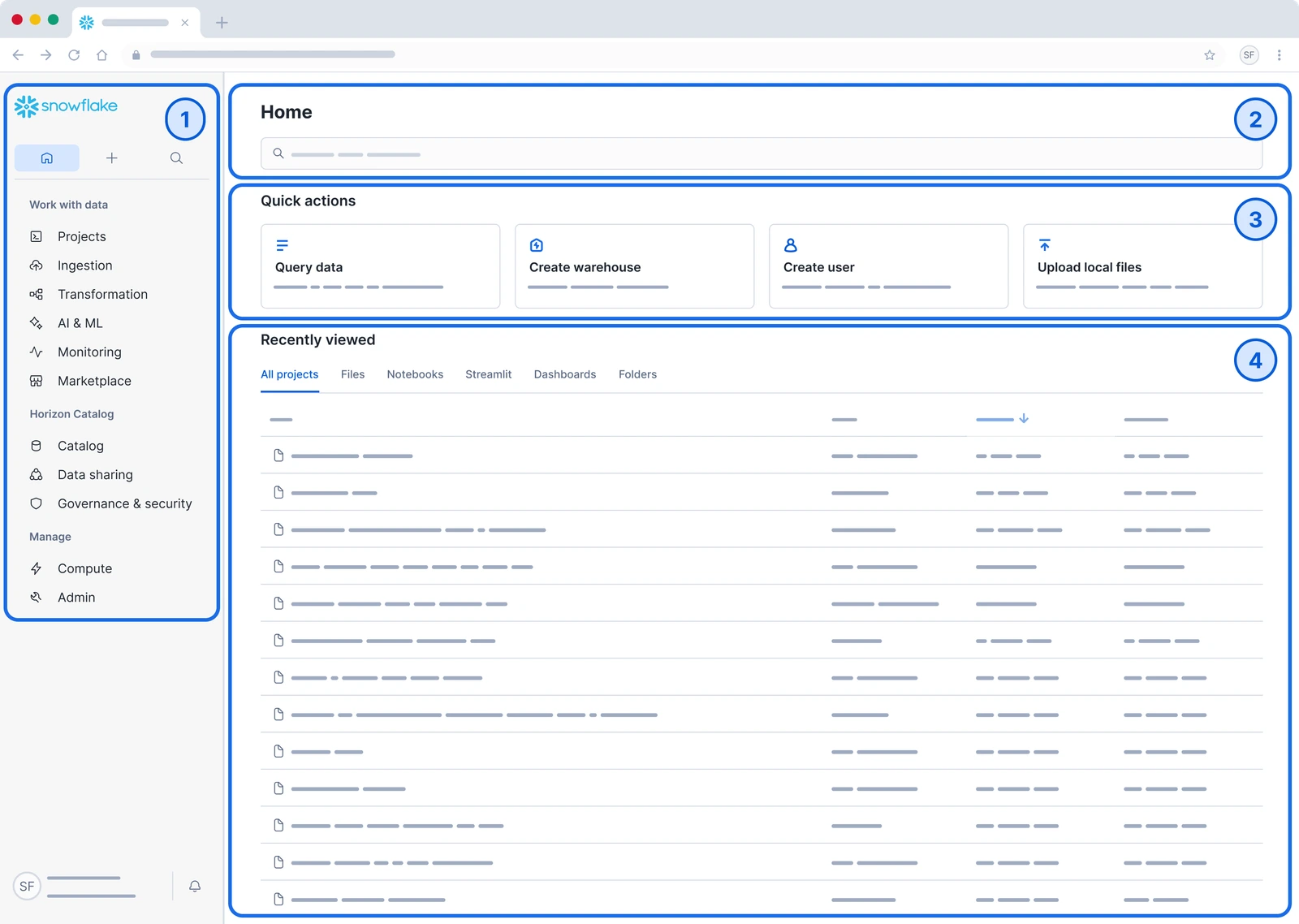
Snowflake is the storage and processing layer for analysis that reaches beyond campaign reports. A team can bring acquisition records together with permitted policy, renewal and claims data, then define how to calculate value over time. The warehouse supports the analysis; it does not supply a finished insurance model simply because the records are stored there.
What it can contribute
- Retain and query history across marketing, policy and other approved operational datasets.
- Build models for acquisition cohorts, renewal behavior or policyholder value using documented business definitions.
- Manage access and processing workloads as the datasets and reporting audience grow.
Snowflake architecture documentation · Published insurance review
Best suited to
Organizations with a data team building analysis across insurance systems.
Where it needs support
You will still need a way to load the records, maintain their definitions and present the results to your team.
Cost and setup
Budget for storage and compute alongside ingestion, engineering, model maintenance and BI. Establish who monitors usage and access.
AI functionality
Cortex Agents combine reasoning and tools for structured and unstructured data tasks.
Agent answers depend on configured tools, data models and access; the platform does not supply a finished insurance model.
05GoodDataReports & shared metricsOpen review & interface image
How can marketing, managers and agents use the same policy-performance metrics?
GoodData is the reporting layer for people who need to use the insurance data. Marketing may need an acquisition view, while an agent or partner needs a narrower view of their own activity. Shared metric definitions and access rules make those views easier to maintain consistently.
What it can contribute
- Present inquiry, quote and bind performance by product, agent or territory when those dimensions are available.
- Define metrics centrally so dashboards use the same calculation and reporting dates.
- Embed dashboards in an agent or partner experience, with access configured for the intended audience.
Best suited to
Teams needing shared dashboards or analytics inside agent and partner portals.
Where it needs support
Missing inquiries and inconsistent stage definitions need to be addressed in the data feeding the report.
Cost and setup
Confirm internal versus embedded use, users or workspaces, permissions and the edition quoted. Include dashboard and metric-model development.
AI functionality
GoodData documents an Agentic AI Assistant as its current analytics assistant generation.
Conversational analytics still depends on prepared records, metric definitions and audience permissions.
These five platforms cover different parts of insurance marketing reporting. Check the exact product plan, insurance-system connections, price and permitted data use before choosing one. Improvado publishes this guide and is included for data integration. No hands-on comparison was conducted.
Other tools for the same job
Alternatives are most useful when they address the same reporting job. A CRM replacement and a warehouse purchase solve different problems.
| Job | Options to review | What to compare |
|---|---|---|
| CRM reporting | HubSpot, Salesforce, Microsoft Dynamics | Follow the same inquiry through qualification, agent transfers and policy updates. |
| Website analytics | Google Analytics, Mixpanel | Check allowed event collection and match a form event to a received submission. Review permitted uses for each service separately. |
| Data integration | Improvado, Fivetran | Check the exact sources, data preparation, historical reloads, destination and maintenance work. |
| Reporting | GoodData, Tableau, Power BI | Build the same report by period, with definitions, missing records and access rules visible. |
| Call tracking | CallRail, Invoca | Follow a call to the agent’s recorded qualification. Keep calls and qualified inquiries separate. |
The published guide names these alternatives; their plans and connections have not been compared here. Include any Applied Epic, Vertafore or Hawksoft records in your requirements, along with acquisition sources such as Google Ads, Meta and LinkedIn. A listed integration does not establish coverage of every insurance-specific field.
03 / Connect the records
Follow an inquiry from the ad to the agent
Website analytics can show activity before a form submission. The CRM or agency management system may hold qualification and policy updates. To understand acquisition, you need to compare those records without losing track of their different meanings.
What each part of the setup tells you
The ad platform records delivery and clicks. Website events, form receipts and call records show what happened next. The CRM holds agent follow-up and qualification; the policy system may record applications and binds.
Data preparation matches records and applies shared definitions. A warehouse can keep the history, and a reporting tool can show the results. Some products cover several of these jobs. Make sure someone is responsible for each connection.
Illustrative workflow. Test each connection with your own systems before relying on it.
What the report needs to connect
Suppose an inquiry starts with an ad, becomes a quote in the CRM and turns into a policy in the agency management system. The campaign report knows the acquisition cost; the CRM knows the agent and quote; the policy record knows what was bound. The analysis depends on linking those events without counting a transferred or resubmitted inquiry twice.
| Record | Useful fields | What it contributes |
|---|---|---|
| Marketing activity | Source, account and campaign identifiers; date; spend; approved acquisition tags | The campaign and cost side of the analysis |
| Inquiry or quote | Inquiry/quote identifier; source reference; product; agent; created date; qualification status | What reached the team and what happened during follow-up |
| Policy outcome | Policy identifier; quote/application reference; bind date; product; approved value and renewal fields | Whether the inquiry became a policy and which later outcomes can be measured |
Illustrative record requirements, not the schema of a particular insurance system. Field availability, permitted use and matching rules vary.
Four metrics that answer different questions
| Metric | Calculation | Important distinction |
|---|---|---|
| Cost per qualified inquiry | Allocated acquisition spend ÷ distinct inquiries meeting the agreed qualification rule | A form submission is not automatically qualified. |
| Quote-to-bind rate | Distinct eligible quotes that produced a bound policy ÷ all eligible quotes in the same cohort | Open quotes need time to mature. Counting this month's binds against this month's new quotes can mix different populations. |
| Cost per bound policy | Allocated acquisition spend ÷ distinct bound policies attributed under the chosen rule | A policy count is different from a policyholder count. Agent transfers should not create another policy. |
| Renewal rate | Renewed policies ÷ policies eligible to renew in that renewal cohort | Policies not yet due to renew do not belong in the denominator. |
Keep these measures by period and product line. New quotes in a recent month have had less time to bind than older quotes. An apparent decline can also come from a larger share of a slower-converting product rather than worse results within each product.
Adjust the report for your products and agent network
Property & casualty: use consistent quote, application and bind definitions across product lines. Life: show applications that remain open and the agents involved, so a long sales cycle is not mistaken for a lost inquiry. Health and Medicare: agree on enrollment windows, qualification rules and allowed tracking before comparing periods.
Separate captive, independent-agent and broker channels when they record inquiries differently. Keep an offline inquiry with no known source in an unmatched group. Assigning it to a digital campaign would hide the gap.
If your CRM and reports already answer these questions, fix missing records or inconsistent definitions before adding another product.
04 / Research case
A zero-lead answer with no matching campaign data
A Medicare campaign was reportedly producing no website leads. The saved query came back with zero spend, clicks and leads. But its reporting date was 1970. Those were not usable campaign results.
We traced the saved outputs, then checked the exact campaign ID against the current reports. No matching campaign rows appeared in the inspected sources. That changes the question: before investigating the ads or landing page, establish whether the report contains the campaign at all.
The report had data. This campaign was missing.
We checked each full month from January through September 2026. The ad report had records on every calendar date, yet the requested campaign ID appeared in neither inspected report. Here is the difference, month by month.
Checked November 2, 2026. Campaign active dates are unknown; these are lookup windows, not months of lost campaign data.
Scroll across to see all nine months.
View the exact monthly counts
| Full month | Dates present in ad report | Requested campaign in ad report | Requested campaign in campaign report |
|---|---|---|---|
| January 2026 | 31 / 31 days | 0 matching rows | 0 matching rows |
| February 2026 | 28 / 28 days | 0 matching rows | 0 matching rows |
| March 2026 | 31 / 31 days | 0 matching rows | 0 matching rows |
| April 2026 | 30 / 30 days | 0 matching rows | 0 matching rows |
| May 2026 | 31 / 31 days | 0 matching rows | 0 matching rows |
| June 2026 | 30 / 30 days | 0 matching rows | 0 matching rows |
| July 2026 | 31 / 31 days | 0 matching rows | 0 matching rows |
| August 2026 | 31 / 31 days | 0 matching rows | 0 matching rows |
| September 2026 | 30 / 30 days | 0 matching rows | 0 matching rows |
The campaign's result is unavailable, not “zero leads.” Records for other campaigns show that the report has data. They do not establish coverage of this campaign, a broken pixel or an unsuccessful campaign.
Why this matters when choosing insurance analytics software
A report should distinguish an observed zero from missing campaign data. Otherwise, the same number could mean that a covered campaign received no leads, or that the report never retrieved it. Those situations call for different decisions.
This research establishes a reporting-coverage gap within the inspected sources. It does not establish the campaign's true spend or lead count, why the records are absent, or that a fix was deployed. The current recheck is separate from the original July query. The campaign's active dates are not established, so these lookup windows must not be described as nine months of lost campaign data.
Quality checks and limits
The campaign ID was checked at ad and campaign-report grain for each full month, with additional exact-ID checks in ad-set, conversion and campaign-entity views. The source's candidate account/campaign/ad-set/ad/date key count matched its row count in every month. That checks repeated rows at that grain; it does not establish complete extraction of every account or detect every possible duplicate business event.
Two saved aggregate responses show zero metrics and a default 1970 date. Another saved query failed with an aggregation error; retries also changed field names. Historical schema consistency is not established. The account chosen in one saved query was not verified as the requested campaign's account and was not substituted into this analysis.
There are no eligible campaign records on which to calculate conversion rates or compare channel, device or placement mix. Missingness is not assumed random. No diagnosis of the reported lack of leads, deployed fix, savings or improvement is established. October and the current partial month are excluded.
If campaign records become available: follow the inquiry
The following is an investigation guide, not the measured result above. Call records and CRM qualification extend the original website-form question.
What to check at each step
Choose a step to see which records to check.
What traffic has the campaign received?
Review delivery dates, impressions, link clicks and campaign settings. Compare device and placement results where available.
Check how long the campaign has been running and how much relevant data is available. Clicks alone cannot tell you how many inquiries were qualified.
Did visitors reach the page?
Compare link clicks with landing-page records using consistent dates and definitions. Test the approved page events.
Check consent settings and tracking coverage before blaming the page. Mark any dates when the form or event setup changed.
Did the form or call reach the team?
Look for a form receipt or approved call record, its timestamp and its submission or transaction ID. Match it to the reported conversion.
Keep repeat submissions visible. Different export-row IDs can still refer to the same inquiry.
What did the agent record?
Review the agent’s disposition, the qualification criteria and the time allowed for follow-up. Check duplicate handling and later application or policy status where relevant.
Report qualified inquiries separately from submissions. Attribution assigns credit; it does not establish that the campaign caused an additional inquiry.
Improvado's role in an insurance reporting setup is connecting and preparing the available marketing and sales records. Missing campaign coverage has to be resolved before AI-assisted analysis can explain campaign performance. Talk to Improvado about insurance reporting.
05 / Plan your setup
Build around the tools your team already uses
Say a prospect clicks an ad and requests a quote. An agent follows up in the CRM, then records the sale in a separate policy system. The ad report shows the inquiry. The CRM shows the conversation. To see which campaign led to the policy, those records need to meet.
Before buying another tool, follow that quote from the campaign to the bound policy. If your current reports already connect the journey, start with any missing fields or inconsistent sales stages. If they do not, find where the trail breaks.
How the records come together
Where does your team record the sale?
The answer helps narrow the setup. An agency working in one CRM has a different connection problem from a carrier whose policy and renewal records sit in separate systems.
| Your setup | Where the trail can break | What to focus on |
|---|---|---|
| Most work happens in one CRM | Quotes and follow-up are together, but sources or sales stages may be recorded inconsistently. | Start with the CRM reports. Agree on source fields, stage definitions, and how policy outcomes reach the CRM. |
| Phone, broker, or agent-led sales | The sale is recorded outside the website journey, so the campaign report may stop at the inquiry. | Connect the offline inquiry and policy records to the campaign. Keep records with no match visible. |
| Several products and policy systems | Marketing, policy, and renewal records have separate histories and access rules. | Connect the approved fields, maintain the history needed for analysis, and control access for each reporting audience. |
Choose around the records and reporting questions, rather than headcount alone.
Where to spend first
Renewals need a separate view. Compare policies that have reached the same renewal window, rather than mixing them with recent inquiries. Lifetime-value reporting also needs the later revenue and other records included in your agreed definition.
Total cost of ownership
What will your insurance reporting setup cost to run?
A CRM quote does not tell you what it will cost to connect the policy system, keep the history, and maintain the reports. Total cost of ownership (TCO) brings those expenses together over the same period, so you can compare complete setups.
Set it up
- Implementation and any custom policy-system connection
- Internal time to match inquiry, quote, and policy records
- Metric definitions, access checks, testing, and training
Run it each month
- CRM, data-platform, warehouse, and reporting fees that apply
- Usage above included allowances, plus hosting and storage
- Staff time to reconcile records, fix connections, and update reports
Change tools later
- Exporting history and the reporting definitions you need
- Rebuilding connections and checking reports during a move
- Contract, transfer, or parallel-running costs, if applicable
Compare like with like. Use the same period and workload. Choose either the extra cost this workflow adds or a consistent share of the full setup cost. Count bundled services, included credits, and shared infrastructure once. A cheaper quote is not automatically a cheaper workflow.
For a warehouse in this stack, Snowflake identifies compute, storage, and data transfer as separate cost components. Snowflake cost documentation. Cost model checked November 2, 2026; no vendor prices are assumed below.
Planning formula: setup + months times monthly running cost + any planned switching cost.
Estimate your total cost
Enter your quotes and staff-time estimates in USD, using the same tax basis throughout. Annual software fees can be divided by 12. These are planning inputs, not a vendor quote, an invoice schedule, or measured savings. Entries stay on this page.
Use your quotes and estimates. No vendor prices or labor rates are prefilled.
Monthly cost projection
Setup is allocated to month 1. The remaining monthly inputs stay constant. A planned switch, if selected, is allocated to the final month. Adjust the assumptions if your workload changes.
06 / Common mistakes
Three mistakes that leave insurance reports incomplete
A new dashboard, the same missing policy records
A BI tool can make the numbers easier to read. If the input stops at form submissions, it still cannot show which inquiries became bound policies. The missing step is the connection and definition work between the CRM, policy system and marketing records.
An agent report without the offline journey
A phone inquiry, broker referral or agent transfer may not follow the website path. Treating those records as missing digital conversions hides the way the business actually sells. Keep the acquisition source unknown when the evidence does not support a match.
The same metric using different dates
A quote-created report and a policy-bound report can describe different cohorts even when they cover the same month. A shared metric definition needs the event date, eligible population and time allowed for later outcomes, so marketing and agents can interpret the result consistently.
Connect acquisition activity with policy outcomes
Improvado brings marketing and sales inputs into a reporting workflow, with AI-assisted analysis on top of connected data. Insurance-system coverage and the reporting model depend on the agreed setup.
Sources
Product information used in this guide
The five platforms are retained from the published insurance guide. Official sources describe the general functions and current AI features linked in the reviews. Product scope, connections and implementation requirements vary.
- HubSpot: reporting and KPI dashboards
- Google: Analytics and HIPAA
- Improvado: loading and centralization
- Snowflake: key concepts and architecture
- GoodData: architecture overview
Product information reviewed November 1, 2026. See the research section’s method note for the source and limits of the campaign example.