You can now choose which accounts to sync when setting up a data source connection. Instead of automatically pulling data from all accounts linked to your credentials, the new Account Selection step lets you pick only the accounts you need.
How it works
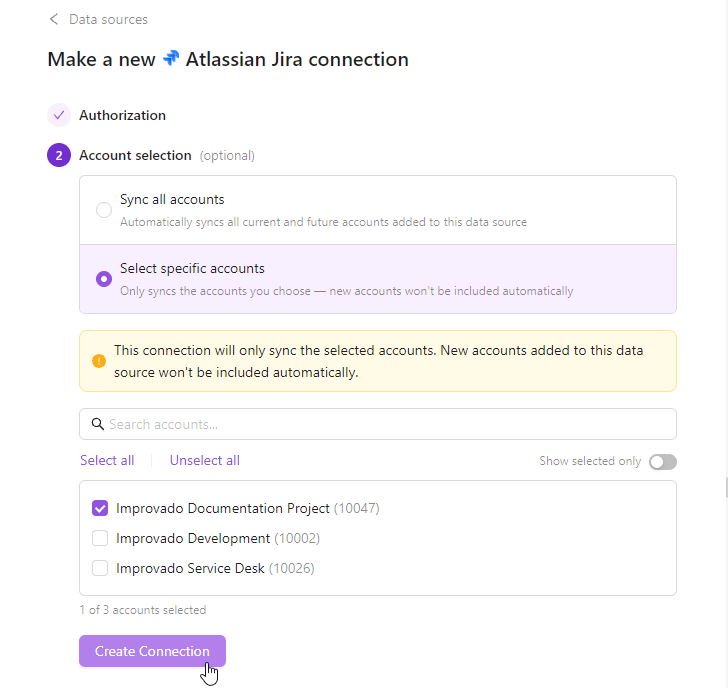
After authorization, you'll see two sync options:
Sync All Accounts — automatically syncs all current and future accounts. New accounts added to the data source will be included without manual intervention.
Select Specific Accounts — explicitly choose which accounts to sync using the account picker with search, bulk select/unselect, and a "Show selected only" toggle for easy review.
Managing accounts after setup
View synced accounts in the Accounts tab on the connection page.
Check your sync mode in the Settings tab under Account Sync Mode.
To change your sync mode, use the Re-connect button in Settings — this won't affect existing extraction orders or data.
Note: When using "Select Specific Accounts," newly added accounts won't sync automatically — you'll need to add them manually via the Sync accounts button.








.png)
.png)
.png)



.png)

%20(1).png)