

Nextdoor Ads
Description
The Nextdoor Ads platform allows businesses to create, manage, and optimize ad campaigns on the Nextdoor platform, connecting with local communities. It provides tools for targeting specific neighbourhoods, tracking performance, and automating ad processes to reach a highly engaged, localized audience.
Setup guide
Follow our setup guide to connect Nextdoor Ads to Improvado.
Before you continue the connection process please apply to API access. To do that, contact your Nextdoor Account Manager or Nextdoor for more information at ads-api@nextdoor.com.
Authorize your Nextdoor Ads account using your Access Token.
Note: Please, provide us with the Access Token. Contact your Nextdoor Account Manager to apply to API access. To obtain the Access Token for a logged in user and a given account, please login to Nextdoor Ads Manager and head to the settings page https://ads.nextdoor.com/v2/manage/api to obtain an API token. Learn more about it here.
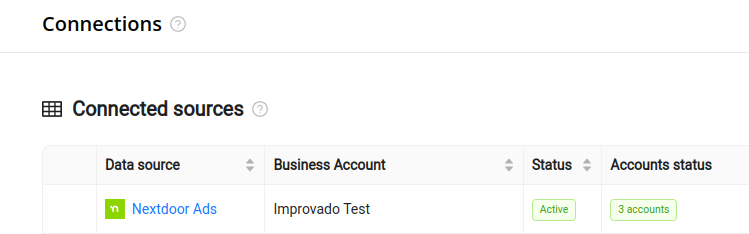
After completing the connection process, the Nextdoor Ads connection will appear in your Connected sources list.
When the connection status is Active, and the account status column shows a number of accounts, you can move on to data extraction.
To extract data from the connected sources, check the instructions on how to set up data extraction.
Schema information
The schema information shows all report types you can use to extract data from Nextdoor Ads.
Release notes
You can find information about the latest API changes in the official Release notes.
Was this article helpful?
Thanks for the feedback!
Questions? The Improvado team is always happy to help. Send us an email, contact your Customer Success Manager, or raise a request in the Improvado Service Desk.