
Google Docs
Description
Google Docs is a cloud-based word processor that allows for the creation and editing of documents online, with the API enabling developers to programmatically manage and integrate this content into other applications.
Setup guide
Follow our setup guide to connect Google Docs to Improvado.
Click the Connections in the left navigation bar.
Categories on the Data sources page group all available platforms. Use a search to find the required one.
Click on the Google Docs tile.
Authorize your Google Docs account via OAuth. Before authorization, please, ensure you are signed in to the account you want to extract data from.
Access level. The connect form asks you to choose one. Read Only is the default and covers every report Improvado extracts. Read & Write additionally allows agent integrations and reverse ETL, and is only worth granting if you need it. Custom lets you pick individual scopes. An authorization keeps the access it was granted with, so widening it later means reconnecting.
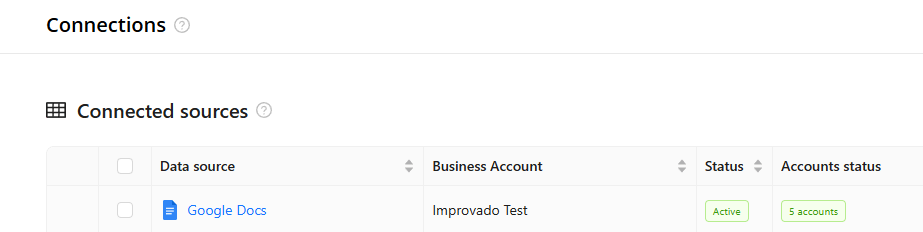
After completing the connection process, the Google Docs connection will appear in your Connected sources list.
When the connection status is Active, and the account status column shows a number of accounts, you can move on to data extraction.
To extract data from the connected sources, check the instructions on how to set up data extraction.
Release notes
You can find information about the latest API changes in the official Release notes.
Was this article helpful?
Thanks for the feedback!
Questions? The Improvado team is always happy to help. Send us an email, contact your Customer Success Manager, or raise a request in the Improvado Service Desk.