

Facebook Ads - Insights & Actions Reports
Facebook Ads data source in Improvado supports two report types based on the Facebook Marketing API Insights endpoint. Each report type uses different breakdown parameters to segment data.
Understanding the Difference
The Facebook Marketing API provides two types of breakdowns:
Breakdowns: Segment delivery metrics (impressions, clicks, spend, reach) by dimensions like age, gender, country, publisher_platform, device_platform. These are used in the Insights report.
Action Breakdowns: Segment specifically the actions/conversions data by action-specific dimensions like action_type, action_device, action_destination. These are used in the Actions report.
This is a Facebook API design - base performance metrics and action breakdowns cannot be combined in a single request.
Insights Report
Use this report for standard performance analysis with demographic and placement breakdowns.
What you get:
- Base metrics: impressions, clicks, spend, reach, frequency, cpc, cpm, ctr
- Conversion totals as aggregated values or dynamic columns
- Segmentation by age, gender, country, region, publisher_platform, platform_position, device_platform
What you do not get:
- Granular breakdown of conversions by action_type, action_device, or other action dimensions
Configuration Steps
Log in to Improvado and navigate to the established Facebook Ads connection. Select the Insights report type.
Select the data level by including the appropriate fields:
- Ad level: include ad_id or ad_name
- Ad Set level: include adset_id or adset_name
- Campaign level: include campaign_id or campaign_name
- Account level: include only account_id
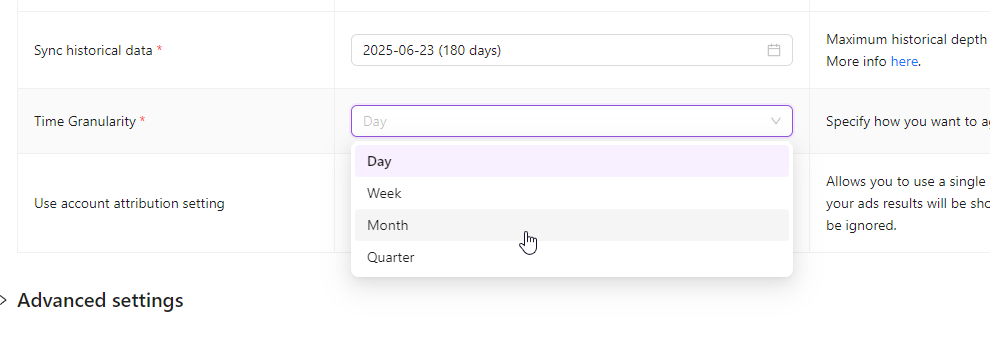
Select time granularity: Day, Week, Month, or Quarter.
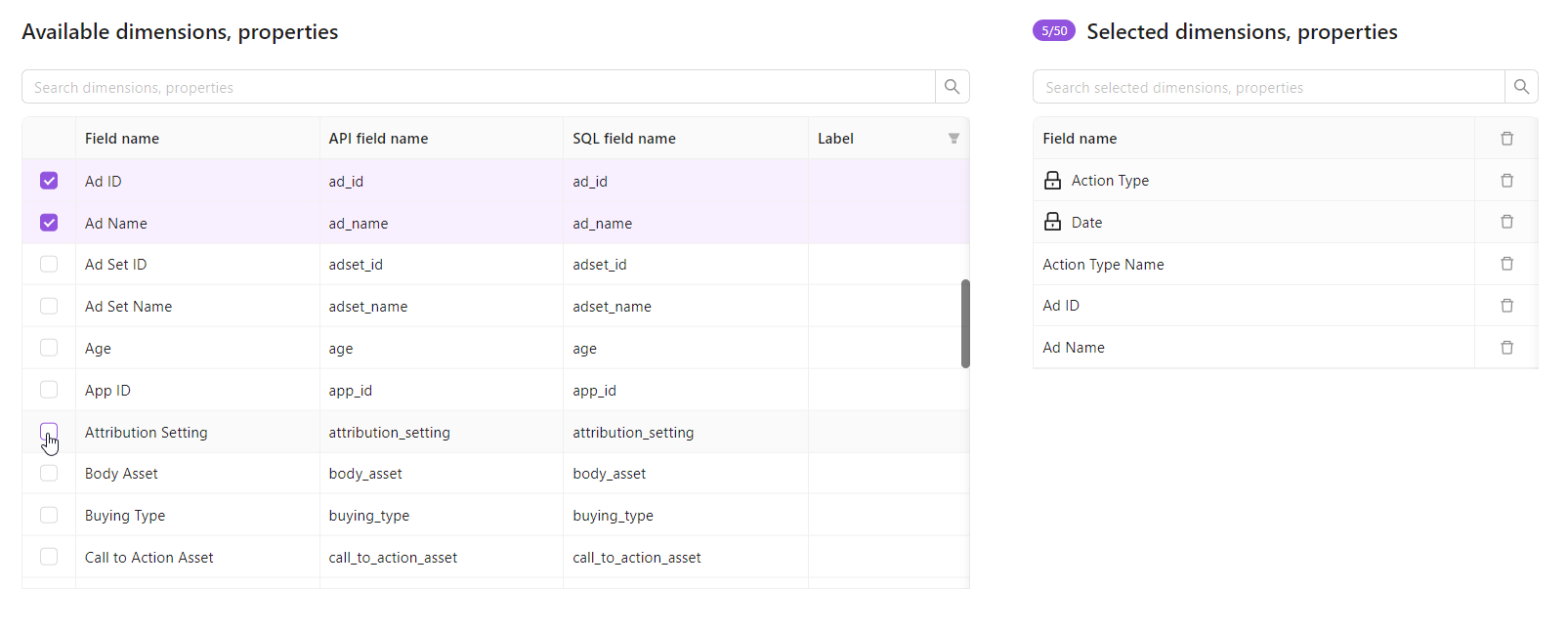
Select metrics and breakdowns.
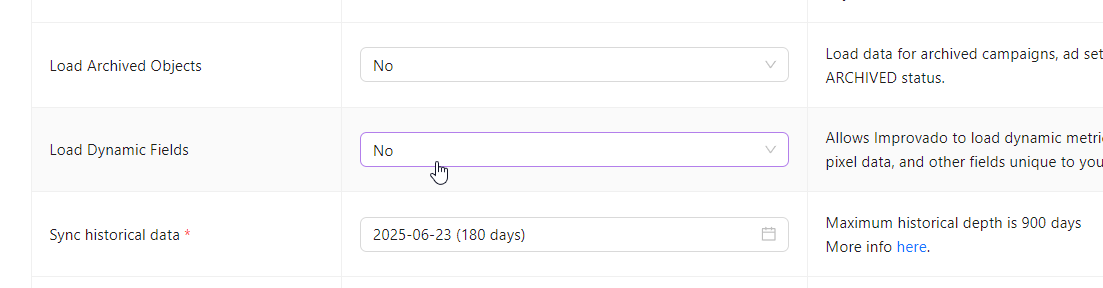
(Optional) Enable Load Dynamic Fields to get Custom Conversions and Custom Pixel Events as separate columns in your dataset.
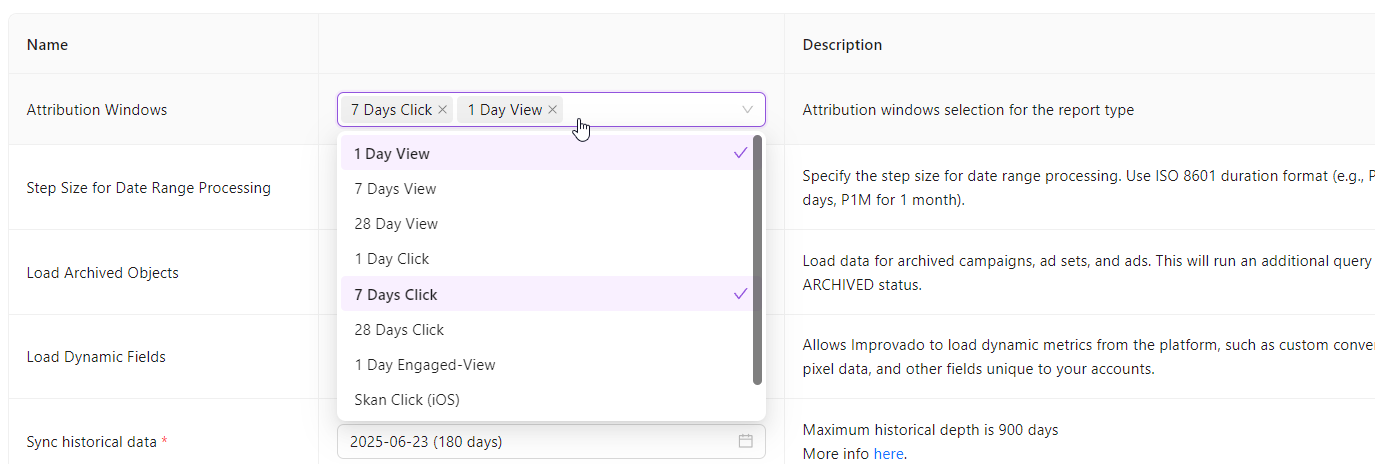
(Optional) Configure attribution windows: 1d_click, 7d_click, 28d_click, 1d_view, 7d_view.
(Optional) Apply pre-filters to limit data at the API level. Learn more here.
Wait for data extraction to finish.
Actions Report
Use this report for granular conversion analysis with action-specific breakdowns.
What you get:
- Conversion data segmented by action_type, action_device, action_destination, action_reaction
- Carousel card performance via action_carousel_card_id
- Video engagement details via action_video_sound, action_video_type
- Each breakdown combination produces a separate row
What you do not get:
- Base performance metrics (impressions, clicks, spend, reach, frequency)
- This is a Facebook API limitation, not an Improvado restriction
Available Action Breakdowns
| Breakdown | Description |
|---|---|
| action_type | Type of conversion: purchase, lead, add_to_cart, link_click, video_view, app_install |
| action_device | Device where conversion occurred: mobile, desktop, tablet |
| action_destination | Where user landed: website, app, messenger, facebook page |
| action_reaction | Reaction type: like, love, haha, wow, sad, angry |
| action_carousel_card_id | ID of carousel card that triggered the action |
| action_carousel_card_name | Name of carousel card that triggered the action |
| action_video_sound | Whether video was played with sound: on, off |
| action_video_type | Video action type: auto_play, click_to_play |
Configuration Steps
Log in to Improvado and navigate to the established Facebook Ads connection. Select the Actions report type.
Select the data level by including the appropriate fields (same as Insights).
Select time granularity: Day, Week, Month, or Quarter.
Select action breakdowns for your report. Each selected breakdown multiplies the number of rows in your dataset.
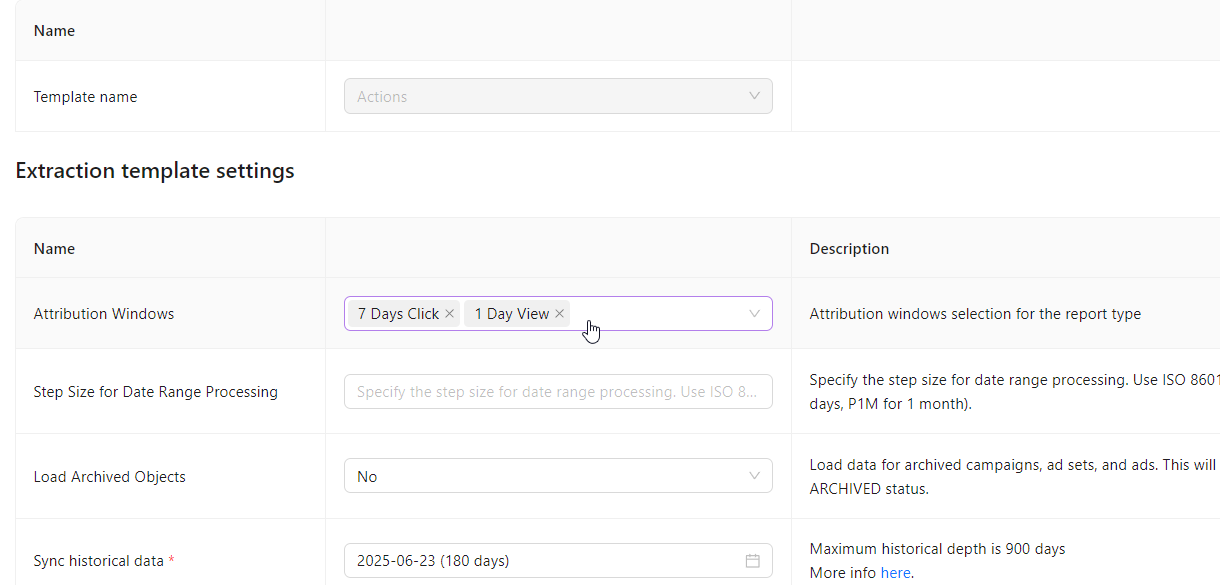
(Optional) Configure attribution windows and pre-filters. Learn more about pre-filters here.
Wait for data extraction to finish.
Dynamic Metrics & Data Representation
How Conversion Metrics Are Formed
In the Insights report, both standard and custom conversions are formed dynamically at runtime. The API returns action data in arrays (actions, action_values, conversions, conversion_values, catalog_segment_actions, etc.), which Improvado then decomposes into individual metric columns.
Important: The original array fields (actions, action_values, conversions, conversion_values, catalog_*) will appear empty in your final dataset. This is expected behavior - their contents have been unpacked into dedicated metric columns like:
purchases,leads,add_to_cart,link_clickpurchase_value,lead_value,add_to_cart_value- Custom conversions:
offsite_conversion_fb_pixel_custom_<event_name> - And many others based on your account configuration
Column View vs Row View
The key difference between Insights and Actions is how conversion data is structured:
| Aspect | Insights Report | Actions Report |
|---|---|---|
| Structure | Metrics as columns (horizontal) | Metrics as rows (vertical/transposed) |
| Example | One row with columns: purchases=5, leads=3, add_to_cart=10 |
Three rows with column action_type: "purchase", "lead", "add_to_cart" and column value: 5, 3, 10 |
| Use case | Wide format for dashboards and pivoting | Long format for detailed action-level analysis |
| Granularity | Aggregated per dimension combination | Broken down by action_type and other action breakdowns |
Insights (Column View):
| date | campaign_id | purchases | leads | add_to_cart |
|---|---|---|---|---|
| 2024-01-15 | 123456 | 5 | 3 | 10 |
Actions (Row View / Transposed):
| date | campaign_id | action_type | value |
|---|---|---|---|
| 2024-01-15 | 123456 | purchase | 5 |
| 2024-01-15 | 123456 | lead | 3 |
| 2024-01-15 | 123456 | add_to_cart | 10 |
Choose Insights when you need a wide dataset with all metrics in columns. Choose Actions when you need to analyze individual action types with additional breakdowns (action_device, action_destination, etc.).
Load Archived Objects
Both report types carry a Load Archived Objects setting, and it is off by default. Unlike the other settings on this page it changes which rows exist rather than which columns do, so it is worth setting deliberately.
Off (default). Improvado requests active objects only. Campaigns, ad sets and ads that have been archived in Meta are excluded, and so is the performance they recorded while they were running. If you report on a past period during which some of that activity has since been archived, your totals will sit below the Facebook UI for the same period.
On. Improvado runs a second request pass for objects with archived status and merges those rows in. That is an extra set of API calls on every extraction, so large accounts take longer to extract.
Turn it on if you report on historical periods and your team archives campaigns as routine housekeeping. Leave it off if you only report on current activity and want the shortest extraction time.
Breakdown Limitations
Facebook API enforces restrictions on breakdown combinations:
- Not all breakdowns can be combined in a single request
- Offsite conversion events do not support delivery breakdowns (age, gender, region) due to iOS 14 privacy changes
- Reach metric is limited to 13 months of history when used with breakdowns like age, gender, country, placement, device
- Complex breakdown combinations may result in partial or truncated responses
Pre-filters
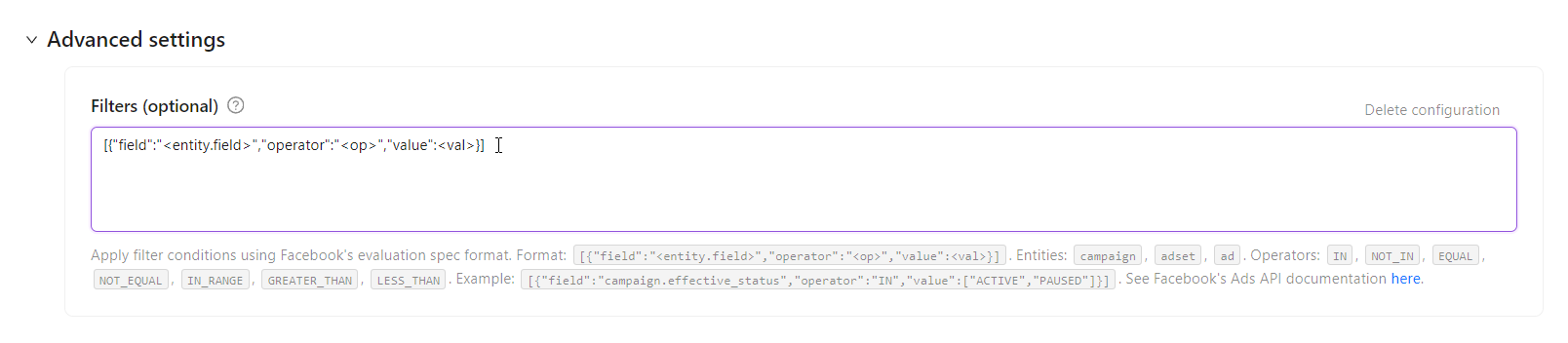
Both reports support filtering at the API level using Facebook's evaluation spec format:
Format:
[{"field":"<entity.field>","operator":"<op>","value":<val>}]
Entities: campaign, adset, ad
Operators: IN, NOT_IN, EQUAL, NOT_EQUAL, IN_RANGE, GREATER_THAN, LESS_THAN
Example — Active campaigns only:
[{"field":"campaign.effective_status","operator":"IN","value":["ACTIVE"]}]
FAQ
Q: Why doesn't Actions report have impressions and clicks?
A: The Facebook Marketing API separates delivery metrics (breakdowns) from conversion metrics (action_breakdowns). These cannot be combined in a single API request. This is a platform limitation.
Q: How do I get custom conversion data?
A: Use Insights with Load Dynamic Fields enabled. Custom Conversions and Custom Pixel Events will appear as separate columns.
Q: Why is reach data missing for older date ranges?
A: As of June 2025, Facebook limits reach data to 13 months when used with breakdown dimensions. Queries beyond this window return null values for reach.
Was this article helpful?
Thanks for the feedback!
Questions? The Improvado team is always happy to help. Send us an email, contact your Customer Success Manager, or raise a request in the Improvado Service Desk.