
Updated on
May 13, 2026
Extend the taxonomy with your own labels
Why use this tab: during a creative audit, after a product launch, or whenever your creative strategy evolves beyond what the AI taxonomy captures (campaign theme, product line, persona, content pillar, seasonality). The AI taxonomy covers universals — Custom Tags is where you add your brand-specific dimensions.
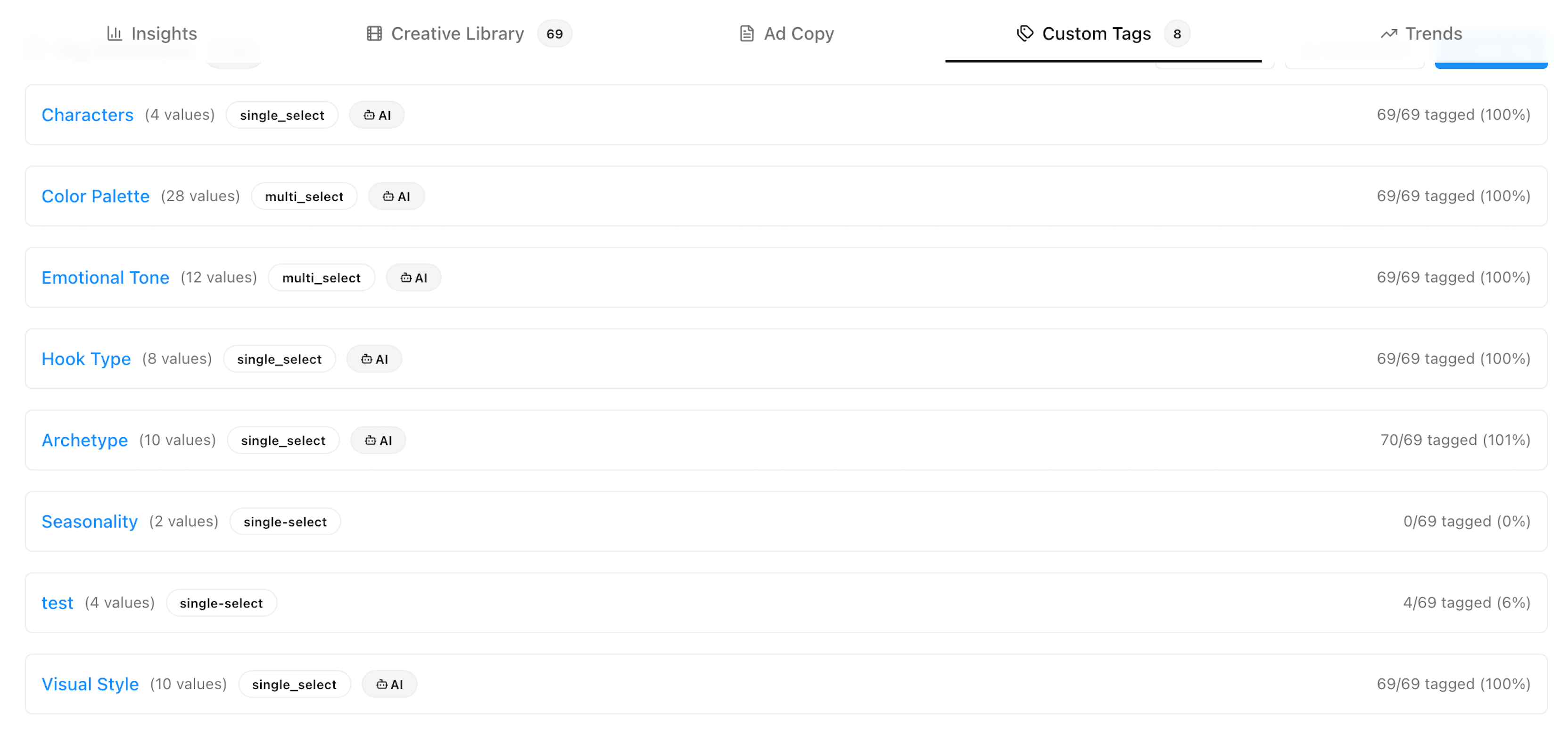
Defines the vocabulary — what tags exist in your workspace.
Persona, Funnel Stage, Campaign Theme).single_select (one value per creative) or multi_select (multiple values).Funnel Stage: Awareness, Consideration, Conversion, Retention).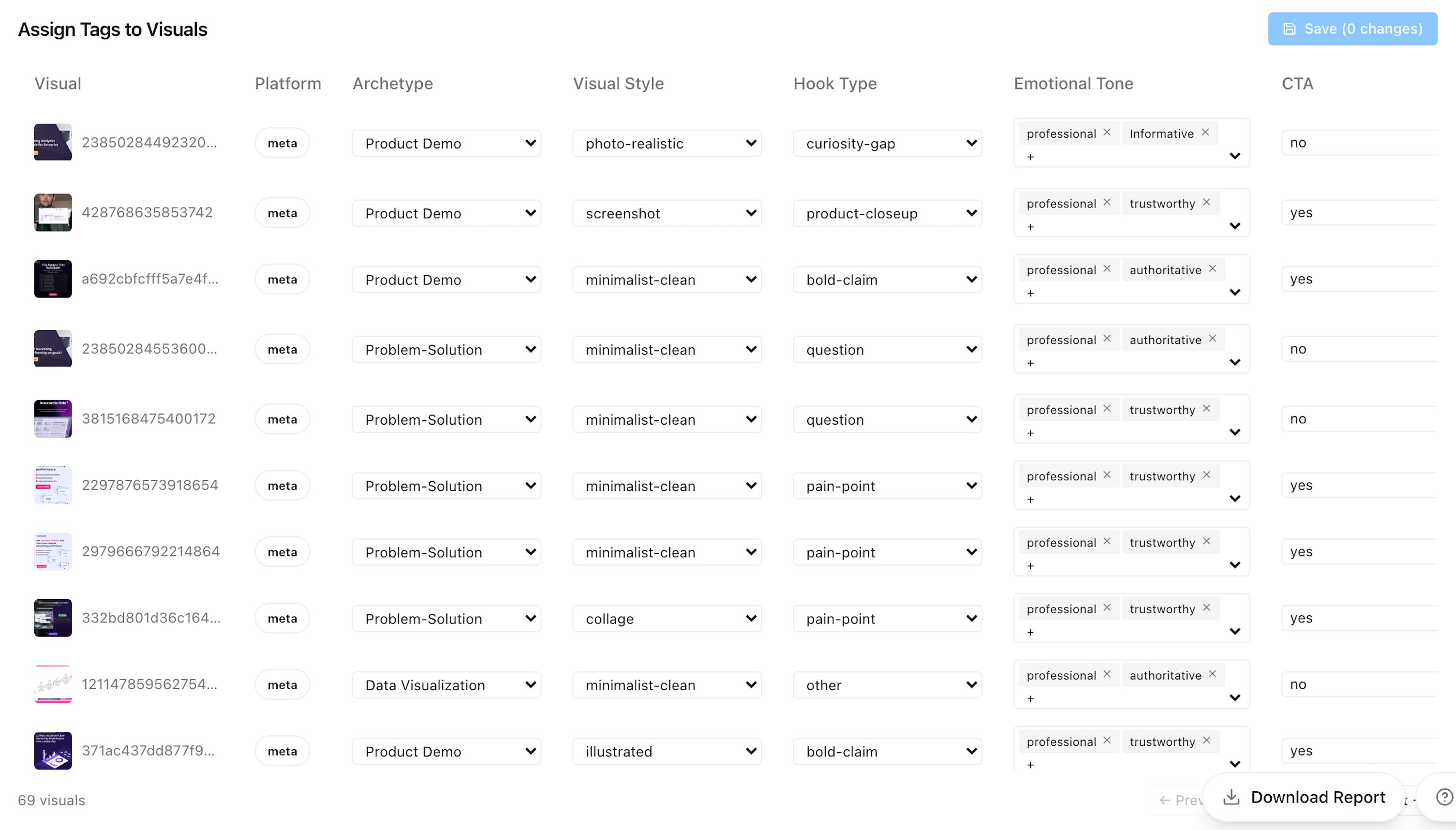
Assigns values to specific creatives.
⚠️ Note: Once tag-save lands (in progress, ETA this week), changes will be saved to the shared workspace immediately. Anyone else viewing the dashboard sees them on next refresh — coordinate with your team before bulk-editing tags.
Improvado team is always happy to help with any other questions you might have! Send us an email.
Contact your Customer Success Manager or raise a request in Improvado Service Desk.







.png)
.png)
.png)


.png)

%20(1).png)